

Matrack ELD is one of the most affordable choices for small fleets in 2026, with the hardware included in the subscription. Garmin eLog suits operators who prefer a one-time ELD purchase instead of a monthly bill. Motive stands out for team-driving operations because up to nine co-drivers can work from the same in-cab device and switch profiles at each handoff.
Small carriers often run with limited admin time and lean back-office staffing, all under tight monthly budgets. Every added truck brings hardware and app requirements to manage alongside the recurring bill, usually for the same small team already handling compliance.
HOS logging is the baseline, not the whole decision. The real differences show up in how much IFTA work stays in the ELD and what a driver has to do during a roadside inspection.
Our Top ELD Choices in 2026
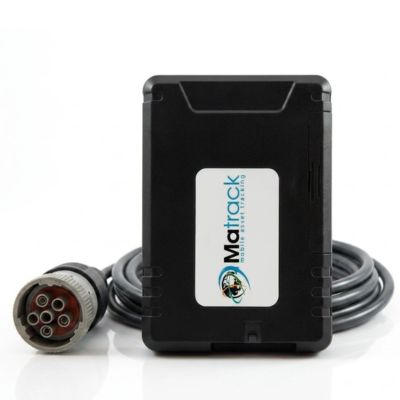
Matrack ELD
- Best For: Small fleets & owner-operators
- Upfront Cost: Free device with any plan
- Monthly Cost: $19.95–$24.95
- Estimated Year 1 Cost: ~$240–$300
- IFTA: Premium plan
- Driver Setup: App + ELD hardware
- Inspection Transfer: Telematics
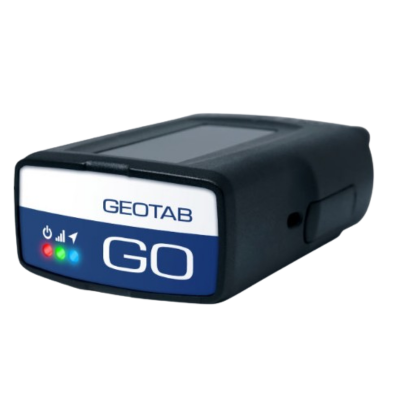
Geotab
- Best For: Cross-border fleets
- Upfront Cost: $150–$250
- Monthly Cost: $25–$40
- Estimated Year 1 Cost: ~$450–$730
- IFTA: Supported
- Driver Setup: GO hardware + mobile device
- Inspection Transfer: Telematics
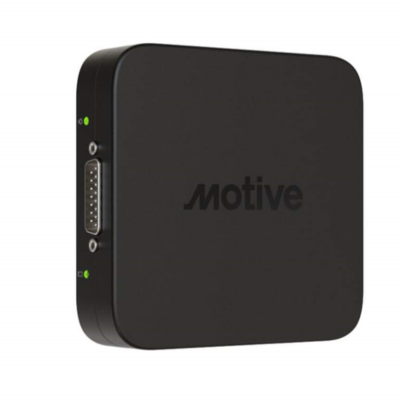
Motive
- Best For: Team-driving fleets
- Upfront Cost: $150
- Monthly Cost: $25–$40
- Estimated Year 1 Cost: ~$450–$630
- IFTA: Higher plan
- Driver Setup: Vehicle Gateway + Driver App
- Inspection Transfer: Telematics
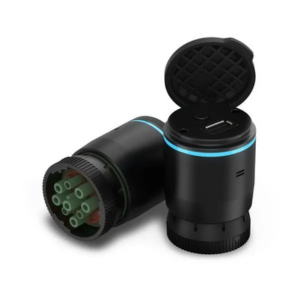
Garmin eLog
- Best For: Avoiding monthly fees
- Upfront Cost: $249.99
- Monthly Cost: No monthly fee
- Estimated Year 1 Cost: $249.99
- IFTA: Not a core feature
- Driver Setup: Phone/tablet + eLog
- Inspection Transfer: USB / Bluetooth
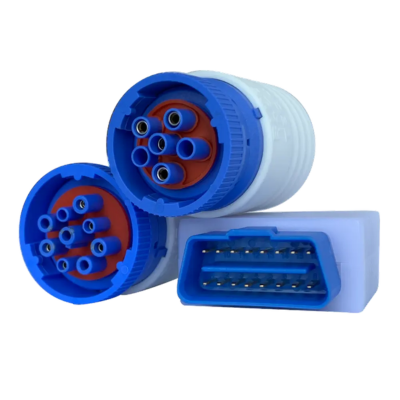
Blue Ink Tech
- Best For: In-house IFTA reporting
- Upfront Cost: $295
- Monthly Cost: No monthly fee or $30 advanced plan
- Estimated Year 1 Cost: $295 or ~$655
- IFTA: Supported
- Driver Setup: BIT app + adapter
- Inspection Transfer: Telematics
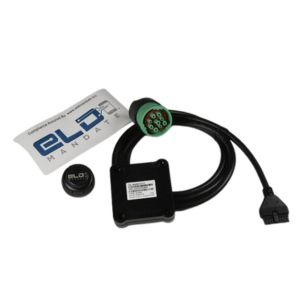
ELD Mandate
- Best For: Simple compliance
- Upfront Cost: $192
- Monthly Cost: $22.95–$40
- Estimated Year 1 Cost: ~$467–$672
- IFTA: Supported
- Driver Setup: ELD + phone/tablet
- Inspection Transfer: Varies by model
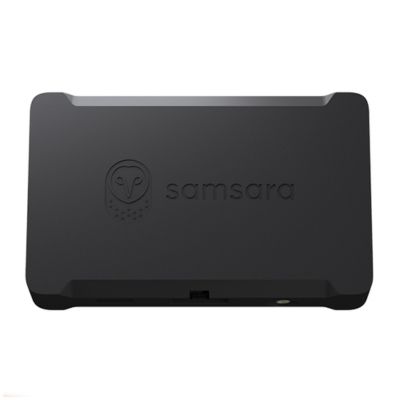
Samsara
- Best For: Automated HOS administration
- Upfront Cost: $99–$148
- Monthly Cost: $27–$33
- Estimated Year 1 Cost: ~$423–$544
- IFTA: Broader platform
- Driver Setup: Vehicle Gateway + Driver App
- Inspection Transfer: Telematics
How Did We Review These ELD Devices for Small Fleets?
We reviewed manufacturer pricing pages, product documentation, support materials, and the FMCSA registered-device list as of September 10, 2026. Public rates were used only when a provider published a current figure; products sold by quote remained quote based.
Different purchase structures stayed separate instead of being blended into a single range. We checked driver hardware and app requirements along with IFTA mileage handling, then verified roadside-transfer methods and exact-model registration. Older reseller figures and unsupported estimates were excluded.
What Are the Best ELD Devices for Small Fleets in 2026?
Small fleets have several good ELD options, but the right choice depends on whether the priority is keeping compliance costs down, simplifying IFTA reporting, accommodating team drivers, or building toward a broader telematics system.
1. Matrack ELD – Best for Affordable Small-Fleet Compliance
Matrack ELD keeps the upfront commitment low with included free hardware, no setup fee, and no long-term contract. Matrack lists installation at under 10 minutes, and drivers handle HOS and DVIR in the iOS or Android app. DOT Inspection Mode displays logs on screen during roadside checks, with web service or email available for electronic transfer.
Small fleets that need more than basic logging can add IFTA reporting and live GPS through higher-tier options. Geofences and alerts cover routine vehicle monitoring, while TMS access and API or webhook connections can send mileage and location data into outside systems. The ELD can also be purchased with a Matrack AI dashcam, giving a carrier ELD compliance and video monitoring from the same provider.
Enterprise adds custom integrations, dedicated success support, SLA options, and on-prem data export. A carrier can start with HOS and DVIR, then add more specialized reporting or system connections as the business grows without changing ELD providers.
Key Features
Automatic duty changes
Photo DVIR reports
Offline log capture
DOT inspection mode
State mileage reports
Geofence alerts
API and webhooks
Co-driver support
Pros and Cons
| Pros | Cons |
|---|---|
| ✅ Installation typically takes under ten minutes | ❌ IFTA mileage requires the Premium plan |
| ✅ Basic plan retains continuous technical assistance | |
| ✅ Annual plans offer included ELD hardware |
2. Geotab – Best for Jurisdiction Mileage Reporting
Preparing IFTA is easier when the truck already records distance by jurisdiction. The GO device sends those records into MyGeotab, giving office staff the state-by-state figures needed for tax reporting without building the totals from a separate mileage source. Drivers use Geotab Drive for HOS and DVIR, so driver logs and jurisdiction mileage are managed within Geotab’s fleet software. If electronic transfer fails during a roadside inspection, the required logs can still be shown on the device.
Fuel-purchase information is not part of MyGeotab’s IFTA Report, so the office still needs those records before filing. Hardware and service rates come from resellers, leaving first-year cost dependent on the quote a carrier receives.
Key Features
Jurisdiction mileage reports
Unassigned log annotations
HOS limit alerts
Missed inspection alerts
Offline inspection display
100-plus HOS rulesets
Pros and Cons
| Pros | Cons |
|---|---|
| ✅ Four interface languages accommodate multilingual teams | ❌ Hardware costs depend on reseller quotations |
| ✅ Mechanics receive notifications about reported defects | |
| ✅ Marketplace connects specialized third-party fleet applications |
3. Motive – Best for Team-Driving Fleets
Frequent driver changes are easier to manage with Motive’s shared-device setup. Up to nine co-drivers can use one device for HOS, inspections, and documents, then switch profiles without completing the full login process at each handoff. The Vehicle Gateway continues recording during temporary cellular outages and syncs once coverage returns. Its location data feeds jurisdiction mileage into IFTA Trip Reports, so the same vehicle hardware records data for both driver logging and mileage reporting. Pricing is quote based, and DOT Inspection Mode lets drivers present logs on screen during roadside review.
Key Features
Nine concurrent co-drivers
Automatic HOS calculations
Offline driving capture
IFTA trip reports
Unidentified driving records
In-cab Wi-Fi hotspot
Driver log certification
Pros and Cons
| Pros | Cons |
|---|---|
| ✅ Administrators can bulk-create individual driver accounts | ❌ Primary logout removes all associated co-drivers |
| ✅ Multiple diagnostic connector types simplify installation | |
| ✅ Engine fault readings assist maintenance investigations |
4. Garmin eLog – Best for Avoiding Monthly ELD Fees
A one-time adapter purchase is the main distinction with Garmin eLog. The free eLog app runs on a compatible phone or tablet, and certain supported dēzl navigators can run it as well, eliminating a recurring ELD subscription.
Logs remain on the compatible mobile device rather than being sent to a centralized cloud account. A manager responsible for several trucks therefore cannot review every vehicle’s logs from one fleet-wide administrative account.
Compatibility is another point to check before purchase. The adapter works with 9-pin J1939 and 6-pin J1708 diagnostic ports, and roadside records transfer by USB or Bluetooth. Garmin eLog does not handle IFTA reporting, so tax-mileage records need a separate process.
Key Features
USB/Bluetooth inspection transfers
Local log storage
Six-pin diagnostic adapter
dēzl navigator compatibility
Pros and Cons
| Pros | Cons |
|---|---|
| ✅ One purchase avoids ongoing logging charges | ❌ IFTA mileage needs a separate system |
| ✅ Companion app runs on compatible smartphones | |
| ✅ Inspection display remains available after failures |
5. Blue Ink Tech – Best for No-Contract ELD and IFTA Reporting
State-by-state mileage captured by Blue Ink Tech feeds quarterly IFTA reports, reducing the need to reconstruct jurisdiction totals from another source. The BIT adapter and mobile app cover HOS and DVIR along with cycle recaps and fault codes, and service runs month to month without a long-term contract. Live location comes from the driver’s phone or tablet running the BIT app, so tracking depends on that mobile device. Inspection files can be sent by web services or email.
Key Features
HOS cycle recaps
Quarterly IFTA reports
Vehicle defect reports
Engine fault alerts
Route history maps
Pros and Cons
| Pros | Cons |
|---|---|
| ✅ Five-minute driver setup reduces onboarding time | ❌ Live web tracking stops without connectivity |
| ✅ In-house American staff handle technical inquiries | |
| ✅ Volume purchases qualify for hardware discounts |
6. ELD Mandate – Best for Bundled ELD, GPS, and IFTA Tools
Carriers that want HOS, IFTA, GPS tracking, and back-office access together can get all four through ELD Mandate’s Bundle A. Hardware and software are included in the bundle. The standard purchase model works differently: hardware is paid upfront and software is billed monthly.
Registration needs to be checked by model. ELD Mandate Prime appears on the FMCSA registered-device list and handles local transfer by USB or Bluetooth, plus telematic transfer by web service or email. Prime’s registration does not automatically extend to every product sold under the ELD Mandate name.
Key Features
Digital HOS logs
IFTA tax reporting
GPS fleet tracking
Electronic DVIR signatures
Vehicle diagnostic alerts
Fleet operations dashboard
Pros and Cons
| Pros | Cons |
|---|---|
| ✅ Tablet bundles include accessories for mounting | ❌ Different models carry different transfer methods |
| ✅ Live representatives answer calls around-the-clock daily | |
| ✅ Prime handles four roadside transfer methods |
7. Samsara – Best for Fleets Expanding Beyond ELD
Samsara combines electronic logging with a wider fleet-management platform. The Vehicle Gateway and Driver App handle HOS, while the fleet software uses vehicle data to produce IFTA jurisdiction reports. A carrier can therefore manage ELD compliance and jurisdiction mileage through the same system.
A carrier shopping only for basic electronic logs may not need the wider platform. Samsara becomes more relevant when a growing fleet already plans to expand its telematics program and wants ELD data to remain part of the same fleet-management system.
ELD pricing is quote based. Roadside records can be sent by wireless web services or email.
Key Features
Location-based HOS rulesets
AI log annotations
Driver countdown clocks
Guided inspection workflows
Roadside inspection mode
IFTA mileage reporting
No-code app customization
Third-party system integrations
Pros and Cons
| Pros | Cons |
|---|---|
| ✅ Gateway hotspot connects nearby driver devices | ❌ Quotes required before comparing ELD costs |
| ✅ Fleetwide dashboard reveals approaching compliance violations | |
| ✅ Plug-in gateway minimizes specialized installation work |
What Should Small Fleets Consider When Choosing an ELD?
Small fleets get a clearer comparison by looking at what an ELD costs to put on the road and what tasks remain after installation. For a lean back office, an extra app or separate mileage record matters as much as the subscription price when it creates manual work.
- First-year cost: Add the hardware charge to 12 months of service so the upfront payment and recurring bill are judged together.
- Driver setup: Check what the driver has to install or pair in the cab and what must stay with them on the road. Some adapter or gateway setups still depend on the driver’s phone or tablet and a dedicated app.
- IFTA coverage: Confirm exactly which part of the tax workflow is included. Some products provide jurisdiction mileage but leave fuel-purchase information to a separate source.
- Roadside transfer: Verify how logs are sent or displayed during an inspection and whether there is a fallback when connectivity drops.
- Pricing transparency: If public rates are unavailable, use the provider’s current fleet-specific quote. Older reseller figures do not make a dependable comparison.
- FMCSA registration: Match the exact model to the FMCSA registered-device list; providers self-certify and register their ELDs, so “FMCSA-registered” or “self-certified” is more accurate than “FMCSA-approved.”
- Back-office workload: Identify which jobs remain outside the ELD. If staff still reconcile mileage and fuel records or build manual reports, a long feature list has not removed that workload.
Final Verdict
Small fleets often face a choice between paying for capabilities they rarely use and spending extra hours handling compliance work manually. Matrack ELD offers a practical middle ground, allowing carriers to start with essential logging and expand their reporting capabilities as operations grow. Rather than investing in a larger fleet-management system upfront, a small carrier has room to increase its capabilities without changing providers.
Daily operating requirements can shift that balance. Frequent co-driver changes give Motive an advantage, particularly for trucks shared across multiple shifts, whereas extensive interstate operations make Geotab’s jurisdiction reporting more relevant. Without those specific demands, Matrack remains a compelling choice for managing compliance costs without limiting future expansion.