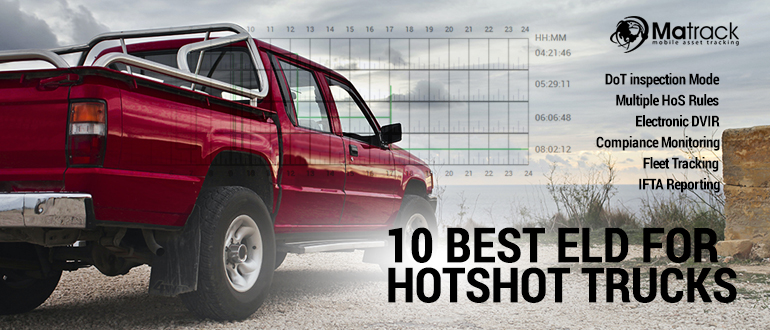
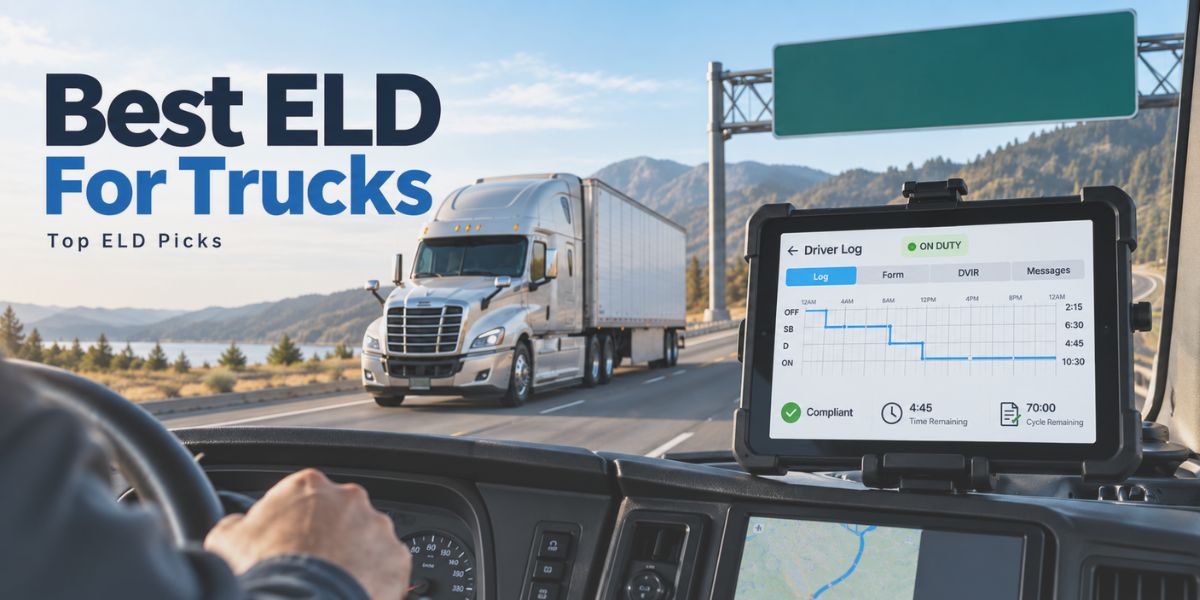
Hotshot trucking involves time-sensitive freight, flexible routes, and frequent duty-status changes, which makes accurate log tracking a daily compliance need. Electronic Logging Devices record Hours of Service automatically and help drivers replace manual logbooks with FMCSA-compliant digital records.
Owner-operators and small hotshot fleets often need devices that work without complex installation, long contracts, or expensive fleet software. Core ELD functions include HOS recording, DVIR tools, GPS tracking, violation alerts, inspection mode, and secure log transfer during DOT checks.
Selecting an ELD for hotshot trucks in 2026 depends on compliance reliability, monthly cost, app usability, service quality, and features that match real hauling conditions. Drivers carrying urgent loads need a system that keeps records accurate, reduces paperwork, and helps them manage hours confidently on the road.
Our Top Picks For ELD For Hotshot Trucks
- Best For: SMB Fleets
- Cost: $19.95/month
- Key Strengths: Affordable pricing, no contract, versatile features
- Best For: Cross-Border Fleets
- Cost: $25/month
- Key Strengths: U.S.-Canada compliance, multi-language access
- Best For: Large Fleets
- Cost: $35/month
- Key Strengths: Advanced dashboard, fleet management tools
- Best For: Mobile Logging
- Cost: $75 one-time
- Key Strengths: Compact device, simple setup, mobile app access
- Best For: Basic Compliance
- Cost: $19.50/month
- Key Strengths: Simple interface, affordable pricing, 24/7 assistance
- Best For: Enterprise Fleets
- Cost: $20/month
- Key Strengths: Fleet tools, driver logs, operational control
- Best For: Remote Routes
- Cost: $25/month
- Key Strengths: Driver-friendly touchscreen, accurate tracking
- Best For: Flexible Fleets
- Cost: $19/month
- Key Strengths: Quick setup, log management, responsive assistance
- Best For: Rugged Fleets
- Cost: $200
- Key Strengths: Cross-border compliance, durable hardware
- Best For: Driver Communication
- Cost: Varies
- Key Strengths: Strong connectivity, communication tools
How Did We Test ELD For Hotshot Trucks?
Our evaluation focused on factors that directly affect hotshot trucking, including FMCSA compliance, installation time, log accuracy, and daily usability. Devices were reviewed to determine how effectively they handled hours of service tracking across demanding freight schedules and changing routes.
Testing also examined GPS performance, violation notifications, DVIR functionality, and inspection readiness. Mobile applications, reporting tools, and dashboard accessibility were assessed to measure how efficiently drivers and fleet managers could manage compliance tasks.
Pricing, contract requirements, customer service quality, and feature depth were compared across all providers. Final rankings favored solutions that combined reliable performance, practical functionality, and long-term value for owner-operators, small businesses, and expanding fleets.
What Are The Best ELD For Hotshot Trucks In 2026?
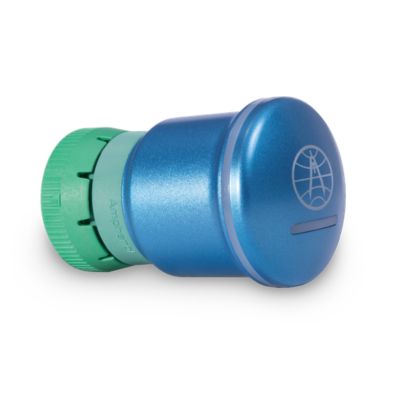
Matrack ELD — Best for Small To Medium Hostshot Fleets
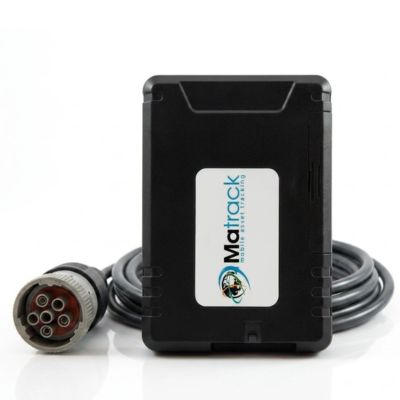
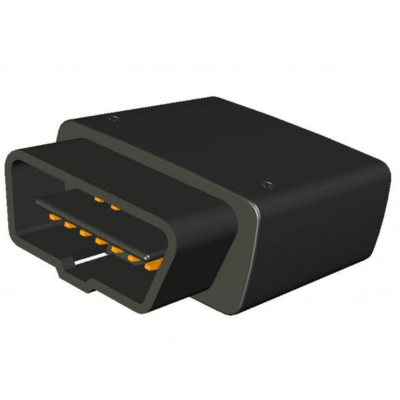
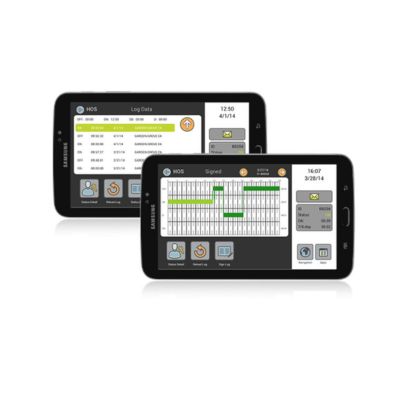
Testing Matrack ELD in a two-pickup setup showed why it works for SMB teams and owner-operators, since installation took minutes and the driver log view stayed clear during a regional equipment haul. For a lean business handling dispatch, paperwork, and compliance with limited staff, that low-friction setup matters.
Matrack kept trip details, duty status changes, GPS location history, DVIR records, and IFTA mileage data close enough for quick review without creating a heavy software burden. Report depth is modest, but that lighter approach suits smaller hotshot businesses and small business operators better than an oversized command center.
During a simulated roadside check, inspection mode presented HOS records cleanly and avoided unnecessary screen navigation. Its best value is controlled recordkeeping, FMCSA-ready compliance support, real-time violation alerts, affordable pricing, and no-contract flexibility and can buy with an ELD & fleet dash cam combo at a complexity level that matches hotshot teams.
Key Features
- HOS tracking
- DVIR with photo proofs
- IFTA reports
- GPS tracking
- Driver Coaching & Scoring
- API & Integrations
- Violation alerts
- Inspection mode
Pros and Cons
| Pros | Cons |
|---|---|
| ✅ No long-term contracts | ❌ Limited deep reporting |
| ✅ Budget-friendly monthly pricing | ❌ Lighter enterprise tools |
| ✅ Fast plug-in setup | |
| ✅ Clean inspection mode |
Azuga eLogs ELD — Best for Cross-Border Fleets
Azuga eLogs proved well on U.S.–Canada freight planning, where hours, inspections, and border timing all needed clean alignment. Border-route use showed fewer driver-side corrections than expected, mainly because rule changes and log prompts stayed easy to follow.
Cross-border hotshot work benefits from Azuga’s multi-language layout and rule flexibility, especially for teams with varied driver backgrounds. Back-office reporting adds useful oversight, although companies may need time before the full toolset feels natural.
Live driver tracking helped dispatch judge load availability without relying only on phone updates. Azuga’s advantage is confidence across regulatory lines rather than sheer feature volume.
Key Features
- Canada compliance
- Driver app
- Custom reports
- DVIR tools
- Rule alerts
- Fleet tracking
Pros and Cons
| Pros | Cons |
|---|---|
| ✅ Cross-border support | ❌ Needs setup tuning |
| ✅ Multi-language driver access | ❌ Less solo-focused |
| ✅ Useful back-office reports | |
| ✅ Mobile-first log control |
Teletrac Navman ELD — Best for Large Fleets
Several active trucks exposed Teletrac Navman’s real strength: it gave dispatch enough context to assign freight without guessing. Load status, driver availability, document access, and vehicle position appeared in a connected view, which matters for larger hotshot fleets.
Small single-truck users may find the system too broad for daily needs. Scale changes that equation, because busy teams need structure once phone calls and spreadsheets start creating gaps.
Load planning became more disciplined with Teletrac Navman because legal-hour limits and vehicle status influenced decisions before freight was accepted. Its best role is helping larger fleets tie driver availability, records, and dispatch judgment into one workflow.
Key Features
- Load management
- Document storage
- Driver hours
- IFTA tools
- Status alerts
- Fleet dashboard
Pros and Cons
| Pros | Cons |
|---|---|
| ✅ Built for larger fleets | ❌ Higher monthly cost |
| ✅ Dispatch visibility | ❌ Heavy for solos |
| ✅ Useful load tracking | |
| ✅ Detailed manager dashboard |
Rand McNally ELD 50 — Best for Mobile Logging
Cab-space use favored Rand McNally ELD 50, since the compact unit did not compete with binders, chargers, straps, and navigation gear. Pairing with a phone or tablet was quick, and the app stayed usable while moving between the cab and trailer.
After a load check, mobile access made log review and inspection entries easier than returning to a fixed display. Smaller screens remain the compromise for drivers who prefer larger in-cab controls on long towing days.
Vehicle-health and fuel-use details added useful context during heavier pulls. Rand McNally ELD 50 suits solo drivers who want portable logging without bulky hardware.
Key Features
- Bluetooth pairing
- Fuel data
- Engine diagnostics
- Mobile logs
- Connection alerts
- Duty prompts
Pros and Cons
| Pros | Cons |
|---|---|
| ✅ One-time device cost | ❌ Needs mobile pairing |
| ✅ Minimal hardware setup | ❌ Limited fleet tools |
| ✅ Good fuel insights | |
| ✅ Helpful diagnostics data |
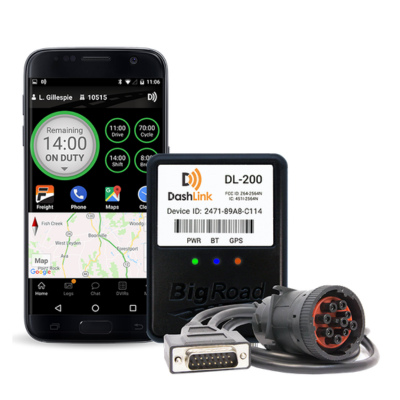
BigRoad Dashlink ELD — Best for Basic Compliance
BigRoad Dashlink kept its focus narrow, and that helped during a stop-heavy day. Log updates, duty changes, location records, and inspection notes were simple to handle while pickup windows kept shifting.
Basic compliance is clearly the priority, not deep analytics or advanced maintenance planning. That restraint became useful late in the route, as loading delays reduced drive time and the driver needed quick alerts instead of another complex screen.
Risk notifications gave timely warnings near the end of the day. BigRoad Dashlink works well for independent hotshot drivers who want clean records with minimal distraction.
Key Features
- Dual logs
- GPS trips
- Duty edits
- Driver app
- Risk alerts
- Log reminders
Pros and Cons
| Pros | Cons |
|---|---|
| ✅ Supports team drivers | ❌ Basic fleet controls |
| ✅ Helpful risk notices | ❌ Limited analytics depth |
| ✅ Driver support | |
| ✅ Simple log workflow |
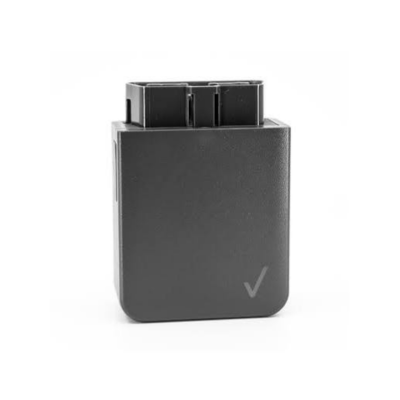
Verizon Connect ELD — Best for Enterprise Fleets
Verizon Connect showed its value through management visibility across multiple trucks and time-sensitive loads. Dispatch could compare driver status, vehicle use, idle time, and maintenance needs from a broader control view.
Driver-side hour checks were clear enough to prevent unrealistic load acceptance. Smaller businesses may not use the full range, but enterprise fleets can turn those added layers into better scheduling and fewer roadside surprises.
Maintenance oversight was the most useful addition beyond the logbook itself during evaluation. Verizon Connect is best suited to high-volume hotshot companies that need asset tracking and dispatch planning working together.
Key Features
- Fuel monitoring
- Maintenance tracking
- Location dashboard
- Mobile HOS
- Idle alerts
- Service reminders
Pros and Cons
| Pros | Cons | |
|---|---|---|
| ✅ Fleet oversight | ❌ Package review needed | |
| ✅ Useful idle tracking | ❌ Broad for solos | |
| ✅ Maintenance visibility included |
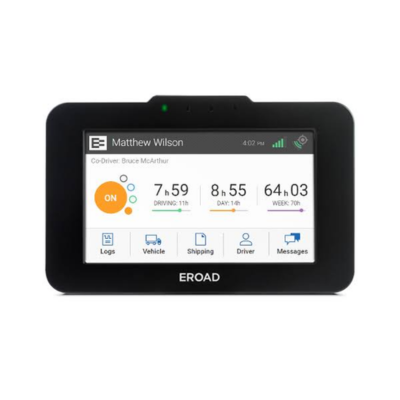
EROAD Ehubo ELD — Best for Remote Routes
Rural use gave EROAD Ehubo a clear purpose, especially on routes with long gaps between towns and limited office contact. Dedicated touchscreen hardware made daily entries easier to complete without depending entirely on a personal phone.
Remote deliveries to farms, energy sites, and construction areas reward predictable hardware more than flashy software. Some drivers may prefer a phone-only setup, but EROAD’s fixed unit felt steadier in low-convenience conditions.
Mileage records and vehicle data were easy to review later through the web portal. EROAD Ehubo is strongest for remote routes where record accuracy must hold up despite distance and poor service coverage.
Key Features
- Touchscreen unit
- Web portal
- Vehicle diagnostics
- Mileage reports
- Network alerts
- Compliance flags
Pros and Cons
| Pros | Cons |
|---|---|
| ✅ Dedicated touchscreen device | ❌ Less app-flexible |
| ✅ Reliable remote reporting | ❌ Higher device dependency |
| ✅ Focused driver workflow | |
| ✅ Good mileage records |
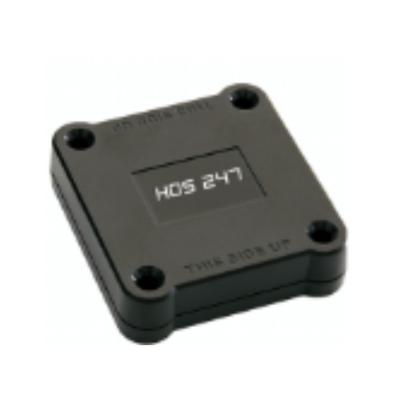
HoS 247 ELD — Best for Flexible Fleets
HoS 247 stood out during truck swaps, a common reality for hotshot teams using mixed pickups, leased units, and rotating drivers. Device transfer was straightforward, and the app resumed logging without a drawn-out setup process.
Interface design is plain, yet the essential items stayed easy to find through local work and an interstate delivery. Quick support access also adds value for teams that cannot afford long compliance delays.
Flexible fleets need an ELD that adapts to changing truck, trailer, and driver pairings. HoS 247 handled the changeover cleanly enough that vehicle reassignment did not feel like extra paperwork.
Key Features
- Portable device
- Log app
- Fleet portal
- IFTA support
- GPS alerts
- Status warnings
Pros and Cons
| Pros | Cons |
|---|---|
| ✅ Transferable between trucks | ❌ Simple analytics only |
| ✅ Helpful customer support | ❌ Basic reporting tools |
| ✅ Quick compliance view | |
| ✅ Good small-fleet fit |
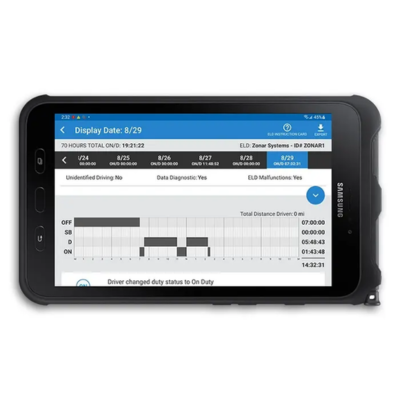
Zonar ELD — Best for Rugged Fleets
Gravel yards and rough access roads gave Zonar ELD a more realistic evaluation than a clean highway loop. Tablet-based hardware proved better suited to construction, utility, and industrial hotshot work than a lighter phone-only setup.
Bulk is the tradeoff, especially in a pickup cab already short on free space. In return, Zonar delivers a tougher driver interface, tamper-resistant logging, disciplined pre-trip checks, and cross-border rule coverage.
Inspection readiness stayed organized because driver and vehicle records remained in one durable system. Zonar works best for rugged teams that value accountability and hardware resilience over a minimalist footprint.
Key Features
- Rule switching
- Driver tablet
- Manager portal
- Maintenance records
- Border alerts
- Violation updates
Pros and Cons
| Pros | Cons |
|---|---|
| ✅ Rugged fleet hardware | ❌ Higher upfront cost |
| ✅ Cross-border rule handling | ❌ Less solo-friendly |
| ✅ Tamper-resistant design | |
| ✅ Dedicated driver tablet |
AT&T Fleet Complete ELD — Best for Driver Communication
Mid-route schedule changes made AT&T Fleet Complete stand apart from simpler logging tools. Push-to-talk contact helped confirm pickup instructions, delivery timing, and site directions faster than scattered calls or texts.
Communication is the main advantage, but route planning, fuel data, maintenance reminders, electronic inspection reports, and legal-hour tracking add useful depth. Drivers needing only a basic logbook may not use every layer.
Dispatch alignment remained the perfect result from use. AT&T Fleet Complete closes the gap between the office and the truck better than the simpler ELDs in this group.
Key Features
- Push-to-talk
- eDVIR tools
- Route planning
- Motion status
- Safety alerts
- Route updates
Pros and Cons
| Pros | Cons |
|---|---|
| ✅ Push-to-talk communication | ❌ Pricing varies widely |
| ✅ Driver connectivity | ❌ Communication-heavy setup |
| ✅ Useful route planning | |
| ✅ Good dispatch coordination |
Features To Look For In An ELD For Hotshot Trucking
Affordable Price
Cost matters for hotshot truckers because many operate with thin margins and limited back-office support. A dependable ELD should cover core compliance needs without forcing drivers to pay for tools they will not use.Low Monthly Subscription
Recurring fees can add up quickly across multiple trucks. Hotshot operators should compare monthly plans, included features, and support access before choosing a device.FMCSA Certification
FMCSA certification confirms that the ELD is listed for federal electronic logging requirements. Using a certified device helps drivers maintain compliant HOS records and reduce inspection risk.Additional Features
Useful extras include GPS tracking, eDVIR, IFTA mileage reporting, alerts, and basic fleet visibility. These tools help hotshot businesses manage records, mileage, and compliance from one place.Customer Support
Support quality matters when drivers need setup help, log corrections, or roadside inspection guidance. Quick access to knowledgeable assistance can reduce downtime and prevent small issues from turning into compliance problems.No Contract
Contract flexibility is valuable for owner-operators and small hotshot fleets. A no-contract ELD lets businesses adjust, cancel, or switch providers without being locked into a long-term agreement.No Hidden Fees
Transparent pricing makes budgeting easier. Hotshot truckers should check whether hardware, activation, data transfer, support, or cancellation charges are included before signing up.Easy-to-Use Interface
Drivers need a screen that makes duty status, logs, alerts, and inspection mode simple to find. A clean interface reduces mistakes and keeps attention on the haul instead of the app.Simple Installation
Fast installation helps trucks get back on the road without professional setup. Plug-and-play hardware is especially useful for hotshot teams that need quick deployment across pickups or small commercial trucks.Final Verdict
Matrack ELD is the best choice for hotshot truckers who need compliance handled without adding another heavy system to the cab. Quick setup, FMCSA-ready logs, inspection mode, HOS tracking, DVIR support, IFTA reports, GPS visibility, driver coaching, violation alerts, affordable pricing, and no-contract terms give owner-operators and SMB fleets the right mix of control and simplicity.
Azuga works well for U.S.–Canada routes, while Teletrac Navman and Verizon Connect fit fleets that need broader management oversight. EROAD suits remote deliveries; HoS 247 works well for teams that switch vehicles often; Zonar handles rougher job sites; BigRoad keeps log work simple; Rand McNally favors mobile-first drivers; and AT&T Fleet Complete stands out in operations where dispatcher contact plays a key role.
Your final decision should reflect how the truck actually runs: route length, inspection frequency, driver count, support needs, and budget. For most hotshot businesses that want clean records, quick deployment, roadside readiness, and room to operate lean, Matrack ELD remains the most balanced pick.