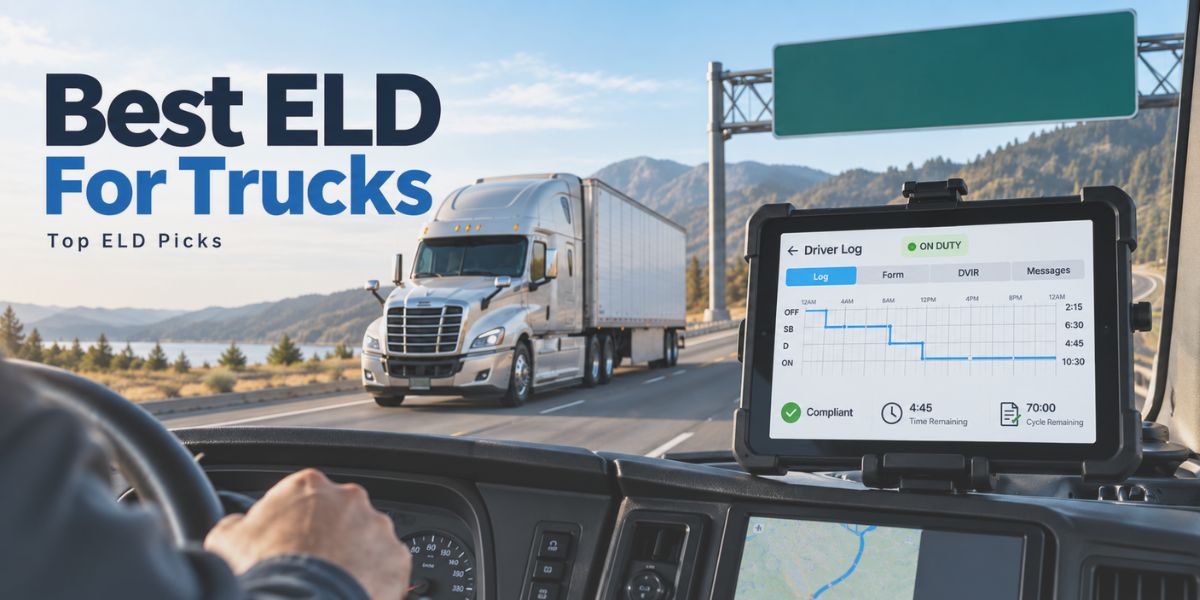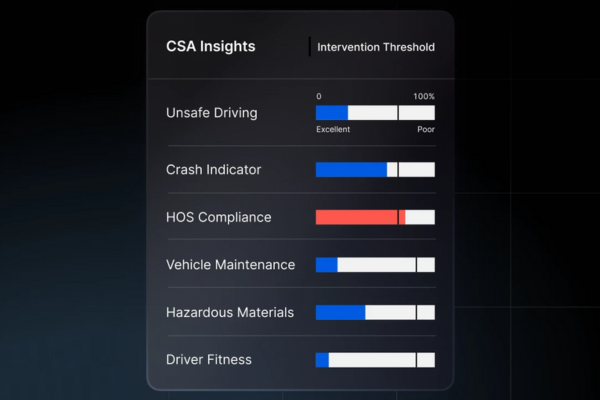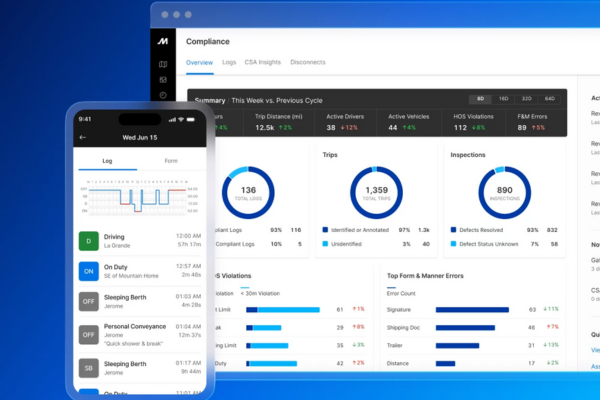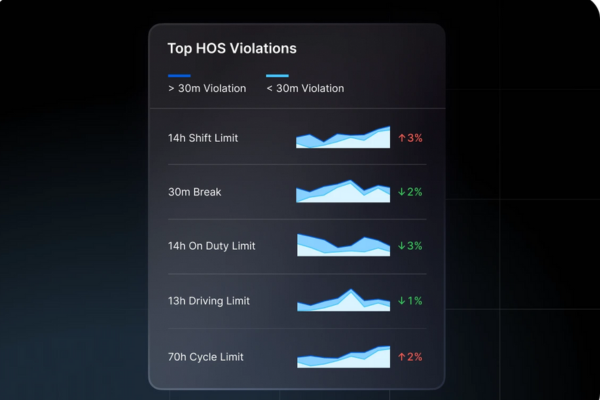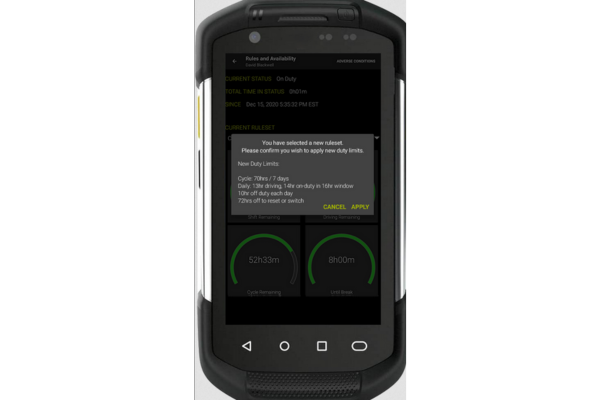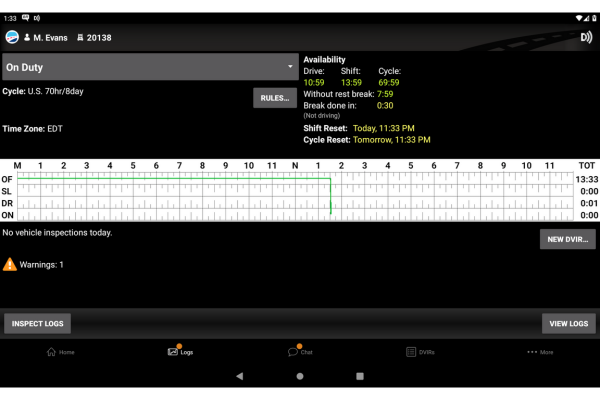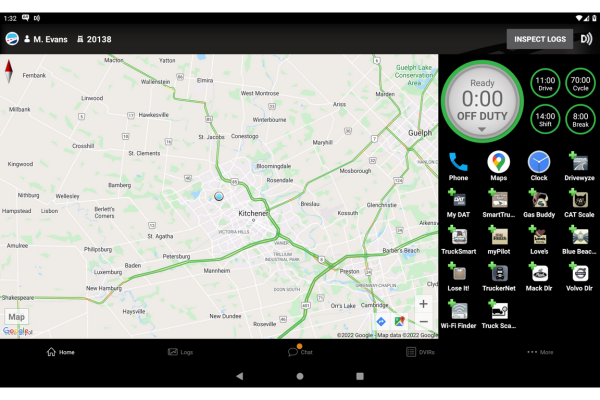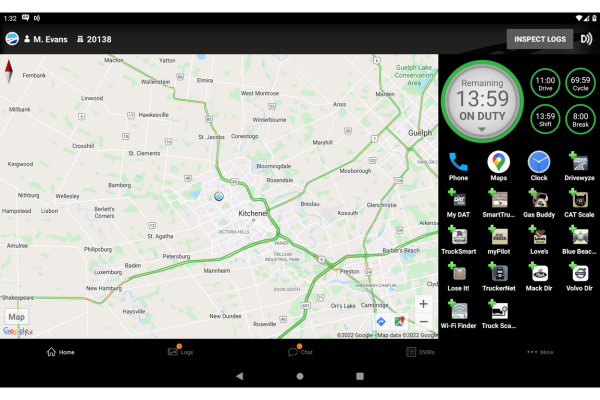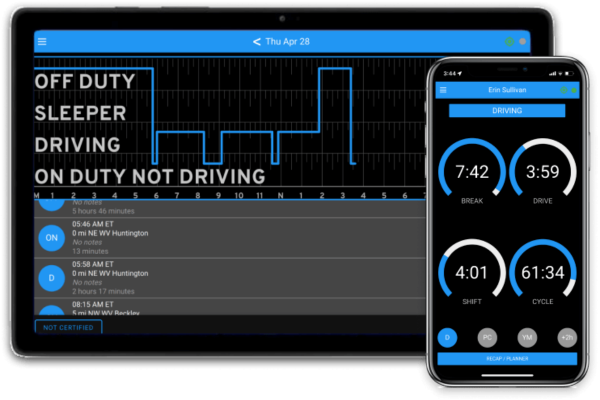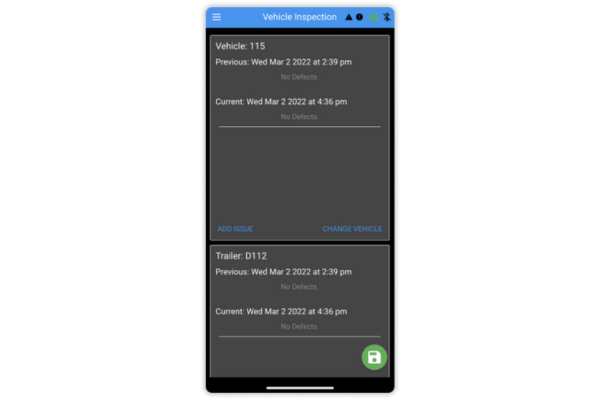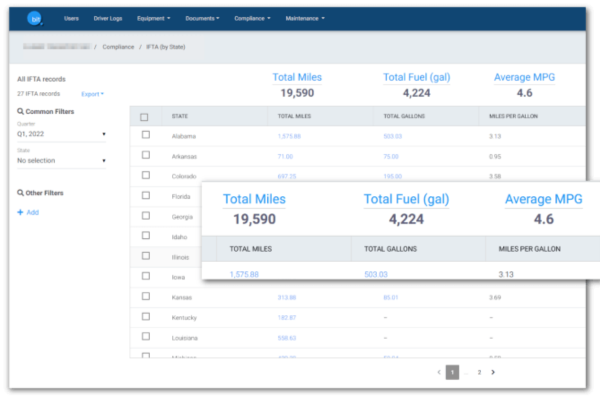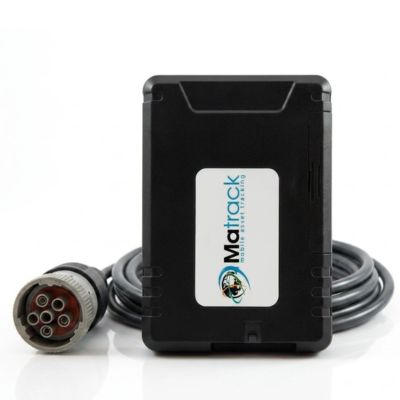
Matrack ELD is our top choice for owner-operators and smaller fleets in 2026 because it combines quick installation, HOS logging, DVIRs, IFTA support, public pricing, and month-to-month billing. Samsara is better suited to large fleets managing a high volume of exceptions, Motive emphasizes early HOS and form-and-manner warnings, and Geotab Drive fits fleets that need deeper ruleset control.

The practical differences show up after the truck is in service. Some ELDs make edits and roadside transfer easier, others give managers deeper control over exceptions or rulesets, and some are simpler to install or leave at the end of a contract. Those differences matter more than a long feature list once the basic logging requirement is covered.

FMCSA recorded 31,822 violations under code 395.24, “HOS (ELD) – ELD form and manner,” across 17,827 roadside inspections involving U.S.-domiciled carriers through July 31, 2026. Those figures count violations, not individual drivers or failed devices.

What Is an ELD and Which Truckers Are Required to Use One?

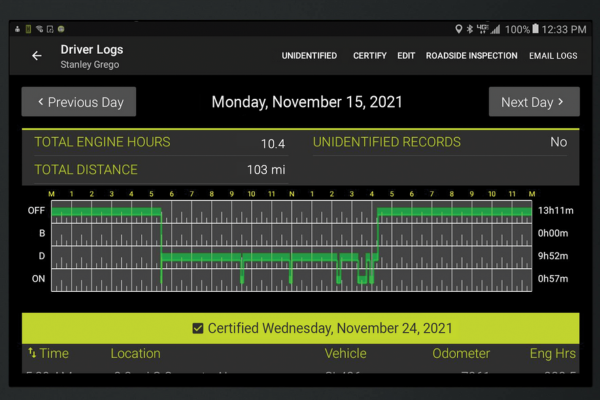
An electronic logging device connects with a commercial vehicle’s engine and captures the events used to build a driver’s HOS record. Vehicle motion, miles driven, engine hours, identification details, and duty status are recorded electronically. Drivers still enter non-driving duty status, annotations, edits, and certification.

Why Are ELDs Required?

Most drivers who must maintain Records of Duty Status under federal Hours of Service provisions must use an ELD. Electronic records give carriers and enforcement officers a standardized view of driving time and duty status instead of relying only on handwritten logs. Federal ELD applicability follows RODS obligations, not CDL status alone. A CMV operating in interstate commerce can fall under the federal CMV and Hours of Service framework at 10,001 pounds, although ELD use still depends on the driver’s RODS obligation and any qualifying exception. Common ELD exceptions include:
  • Short-haul operations: Qualifying drivers may operate within a 150-air-mile radius, return to their normal work-reporting location, and be released within 14 consecutive hours, provided the remaining §395.1(e) conditions are met.
  • Limited RODS use: Manual records are allowed for drivers who need RODS on no more than eight days within any continuous 30-day period.
  • Older vehicles: Federal regulations exempt qualifying vehicles manufactured before model year 2000. FMCSA guidance also recognizes certain CMVs equipped with pre-2000 engines.
  • Driveaway-towaway operations: An exception may apply to operations in which the vehicle being driven is part of the shipment being delivered or to qualifying motorhome and recreational-vehicle-trailer transport.
FMCSA registration can change after a device reaches the market. The agency removed five ELDs from its registered-device list on August 6, 2026, after determining they did not meet minimum federal requirements. Carriers using the affected devices have until October 6, 2026, to replace them with compliant registered ELDs.

Our Top Picks for the Best ELD Devices for Trucks

Matrack ELD device
Matrack ELD
Best For
Owner-Operators & Smaller Fleets
Current Pricing
$19.95–$24.95/truck/month
Customer Rating
4.5/5 (76 reviews)
View Product
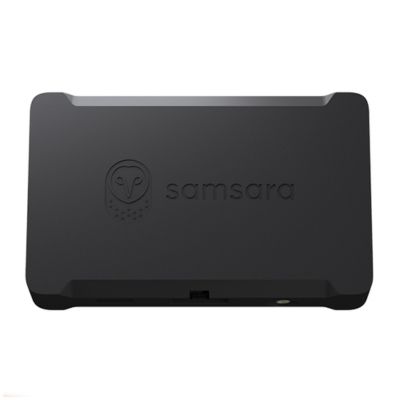
Samsara ELD device
Samsara ELD
Best For
Large Fleets
Current Pricing
Quote-based
Customer Rating
4.5/5 (1,019 reviews)
View Product
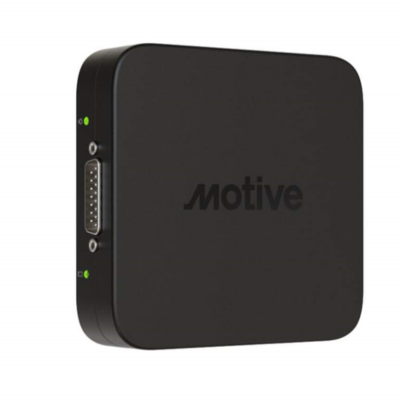
Motive ELD device
Motive ELD
Best For
Safety-Conscious Operators
Current Pricing
Quote-based
Customer Rating
4.5/5 (1,688 reviews)
View Product
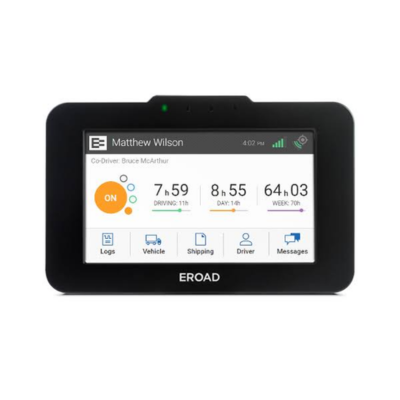
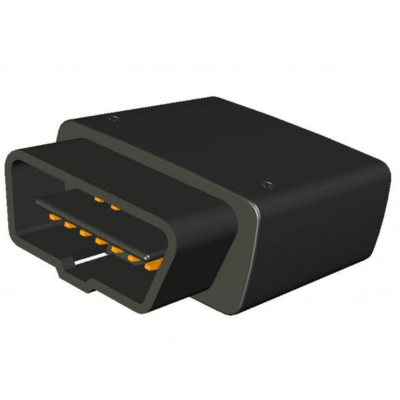
EROAD ELD device
EROAD ELD
Best For
Box Truck Fleets
Current Pricing
Quote-based
Customer Rating
4.4/5 (106 reviews)
View Product
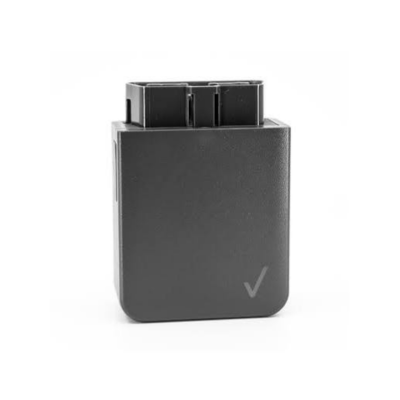
Verizon Connect ELD device
Verizon Connect ELD
Best For
Enterprise Fleets
Current Pricing
Quote-based
Customer Rating
3.2/5 (946 reviews)
View Product
Azuga ELD device
Azuga ELD
Best For
IFTA Reporting
Current Pricing
From $30/month
Customer Rating
4.3/5 (302 reviews)
View Product
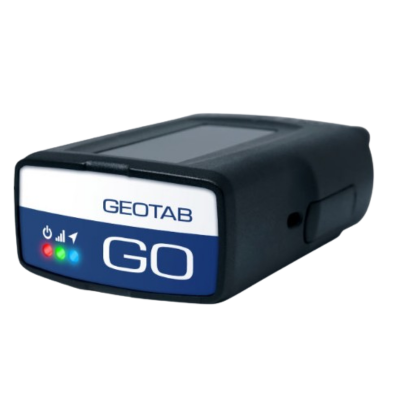
Geotab Drive ELD
Geotab Drive ELD
Best For
Fleet Data & Integrations
Current Pricing
Quote/reseller-based
Customer Rating
4.4/5 (100 reviews)
View Product
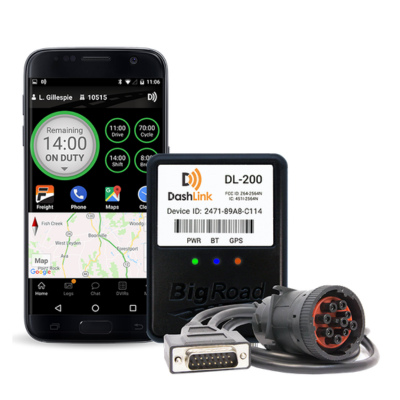
BigRoad ELD device
BigRoad ELD
Best For
No-Frills Compliance
Current Pricing
Current public price unavailable
Customer Rating
3.8/5 (12 reviews)
View Product
BIT ELD device
BIT ELD
Best For
Bluetooth Connectivity
Current Pricing
$30/month
Customer Rating
3.3/5 (432 reviews)
View Product

Note: Customer ratings and review counts for Matrack, Samsara, Motive, EROAD, Verizon Connect, Azuga, Geotab, and BigRoad are from Capterra. BIT ELD ratings are from Google Play. Ratings and review counts were checked in September 2026 and may change over time.
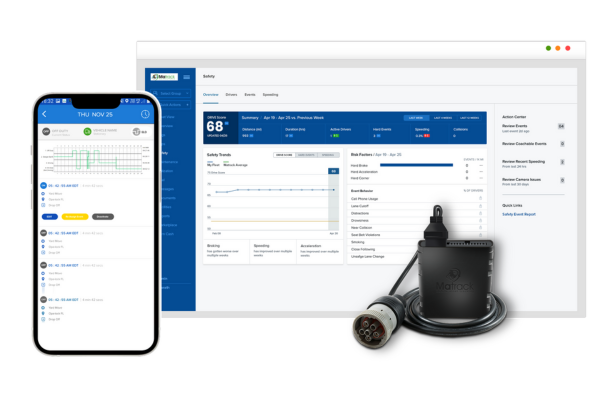
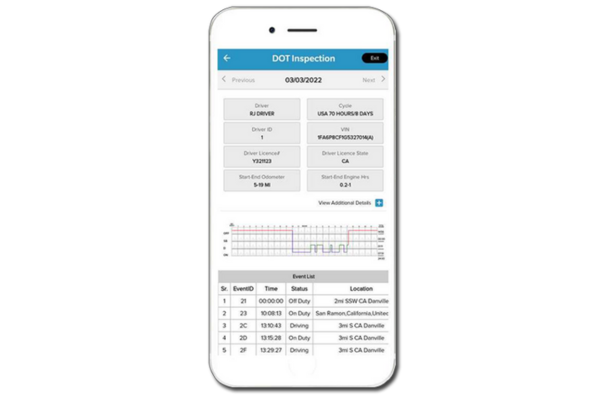
How to Pick the Right ELD for Your Trucking Fleet

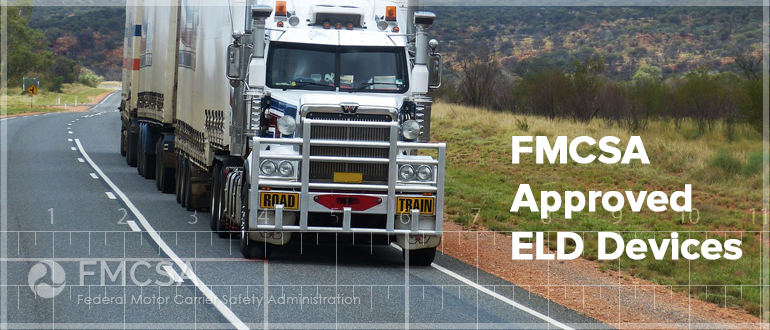
Start with an ELD on FMCSA’s registered-device list, then narrow the field by truck compatibility, HOS workflow, roadside-transfer methods, DVIR and IFTA needs, and total cost. The best fit is the device that covers the records your operation actually manages without adding unnecessary steps.

Compliance and HOS

Look first at how the ELD handles duty status. Review, permitted edits, certification, and inspection access should sit close together instead of being buried in unrelated menus.

Fleet and vehicle fit

Confirm the connector and hardware match your trucks, then check whether the available rulesets suit your routes and driver types. A long feature list does not compensate for the wrong vehicle interface or HOS configuration.

Installation and setup

Installation affects downtime at rollout. Plug-and-play hardware is usually easier to deploy across multiple trucks; more involved setups may need technical help or additional onboarding.

Driver app and usability

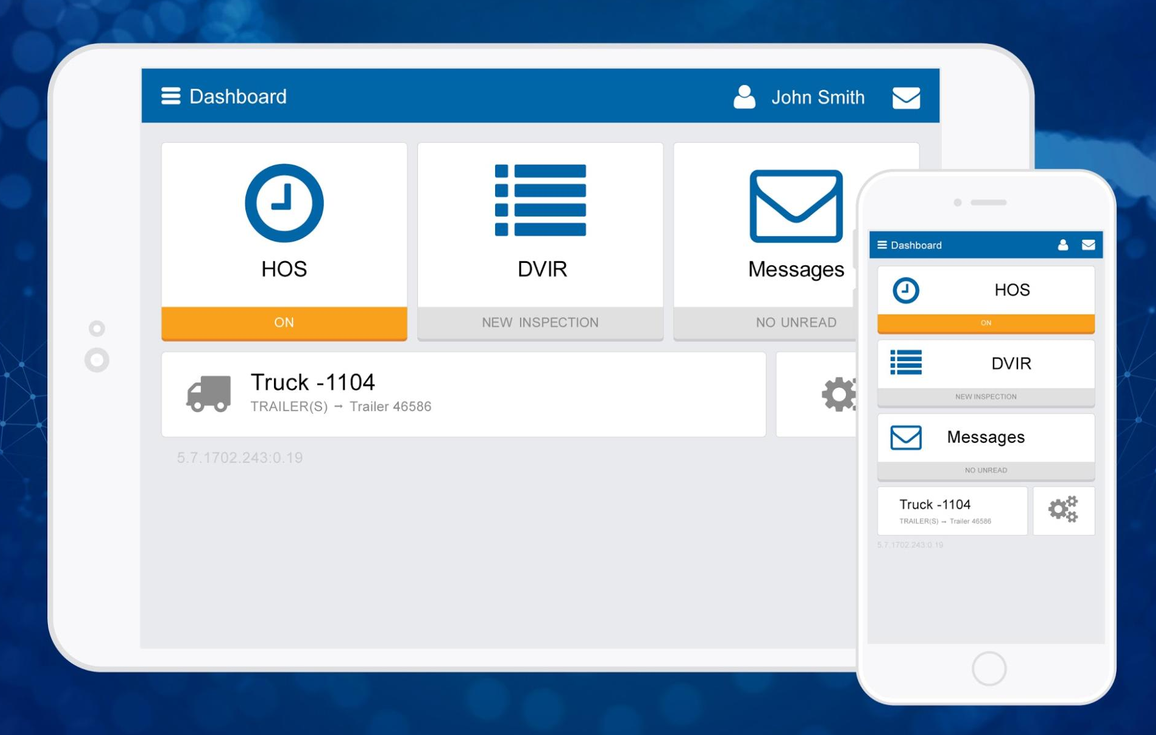
Daily ELD actions need to stay easy to reach in the mobile app. Duty-status changes, alerts, DVIRs, inspection screens, and log review all belong close to the main driver view.

DVIR and IFTA

For fleets handling inspections and interstate mileage, DVIR and IFTA work best near the HOS record. That arrangement reduces duplicate entry and movement between separate applications.

Support and integrations

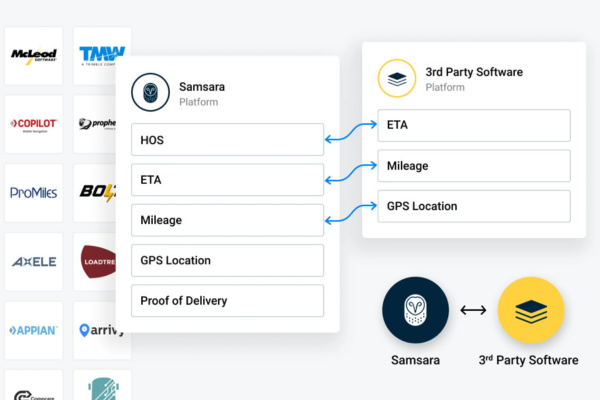
Support becomes critical if a driver cannot access a log, complete a transfer, or resolve an equipment problem before returning to service. Existing dispatch, TMS, fuel-card, or management software also needs to work with the ELD selected.

Pricing and contracts

Compare the full cost of putting each truck on a plan. Hardware charges, subscription tiers, installation, minimum commitments, and cancellation terms often separate two plans that look similar at the monthly-rate level.

How We Tested ELD Devices?

We compared FMCSA-registered ELDs using the buying criteria defined above, then assigned each product to the use case where its documented strengths were clearest. The comparison focused on how those strengths affect real driver or back-office work, not on feature count alone.

A product moved up the list only if its strongest attributes matched the category assigned to it. That keeps a specialized ELD from ranking higher simply because it lists more functions.

What Are the Best ELD Devices for Trucks in 2026?

The nine products solve different parts of the ELD workload, including roadside transfer, regional mileage reporting, ruleset administration, unassigned driving, HOS warnings, and mobile-first logging. 

1. Matrack ELD — Best for Owner-Operators & Smaller Fleets

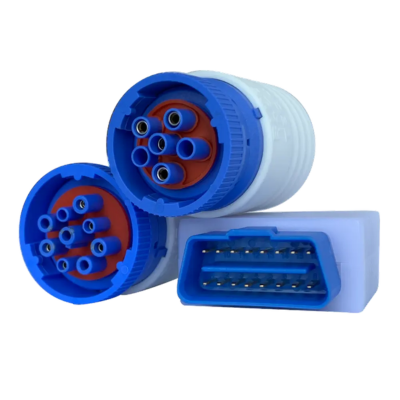
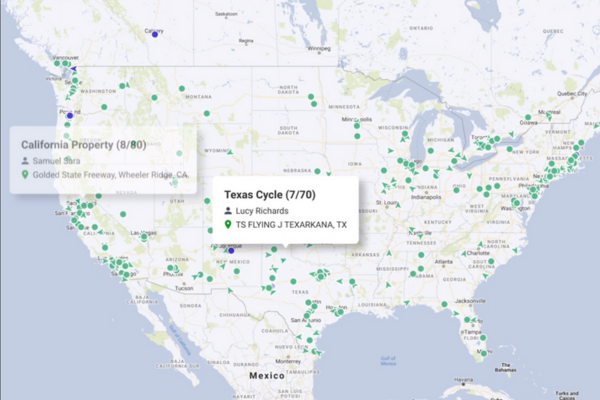
Matrack ELD took less than 10 minutes to set up in the configurations we reviewed. For owner-operators and smaller fleets, that keeps installation simple and gets the ELD running without a lengthy setup. Once connected, it records duty activity automatically, keeps logs through weak cellular coverage, and supports photo-based DVIRs. Live vehicle location tracking is also available alongside HOS logging and related compliance functions.

Drivers have several options during a roadside inspection: web services, email, USB, ePrint, or an offline display. Having multiple transfer methods gives owner-operators and smaller fleets more flexibility to present records during an inspection without depending on a single option.

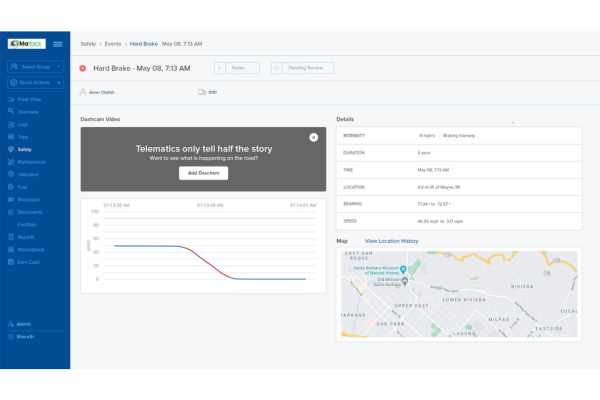
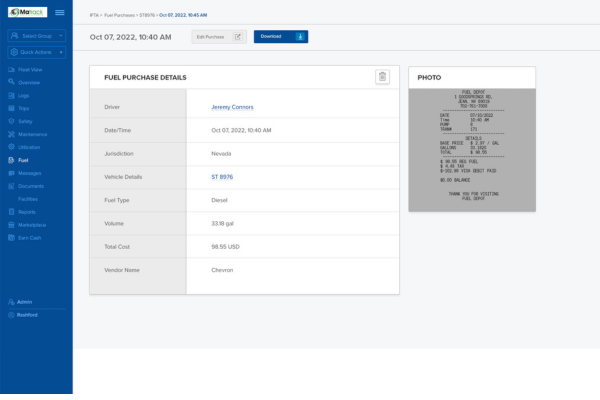
Premium service adds jurisdiction mileage for IFTA reporting. Fleets that later want video monitoring can add the ELD + AI Dashcam combo for an extra charge; the dashcam remains separate from the standard ELD service.

Gallery - Click to Expand

Image source : Matrack

Why Matrack Ranks 1st for Best Trucking ELD Device

The commercial terms are the deciding factor in Matrack’s first-place position. Qualifying plans include the hardware, billing is month-to-month, and there is no long-term contract. Forbes Advisor also recommended Matrack ELD as an affordable option, reinforcing its fit for owner-operators and smaller fleets that want to limit upfront commitment. 

  • Automatic Duty Recording
  • Offline Logging
  • Photo DVIR
  • Team Driving
  • DOT Transfer
  • Web Services Transfer
  • Email Transfer
  • USB Transfer
  • ePrint
  • Offline Inspection Display
  • Dual Rulesets
  • U.S. and Canada Rulesets
  • IFTA Mileage
  • Optional AI Dashcam Combo


ProsCons
✅ Multiple roadside transfer options❌ IFTA mileage requires the Premium plan
✅ Low commitment for new users 
Pros
✅ Multiple roadside transfer options
✅ Low commitment for new users
Cons
❌ IFTA mileage requires the Premium plan
Product InformationDetails
Setup TimeUnder 10 minutes
ContractNo long-term contract
Vehicle Connection9-pin / 6-pin / OBD-II
Roadside TransferWeb, email, USB, ePrint
Ruleset CoverageU.S.

2. Samsara ELD — Best for Large Fleets

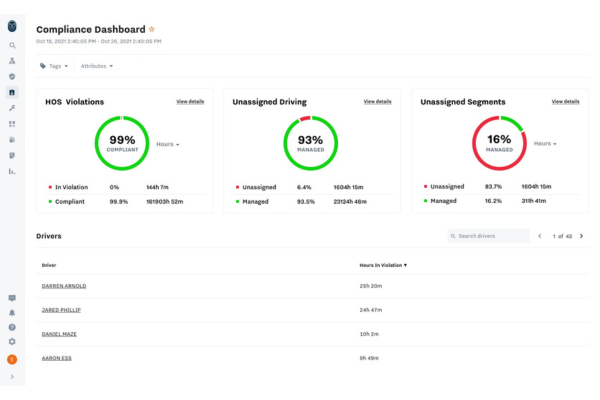
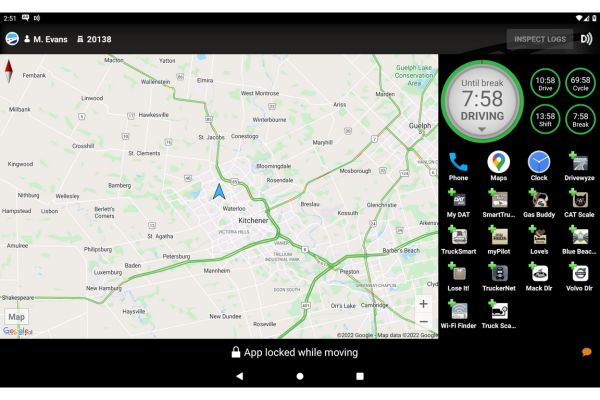
Large fleets generate more unassigned-driving events, certification issues, and available-hours checks as driver count grows. Samsara places those exceptions in one administrative view, so managers can identify the records needing attention instead of opening each driver log individually.

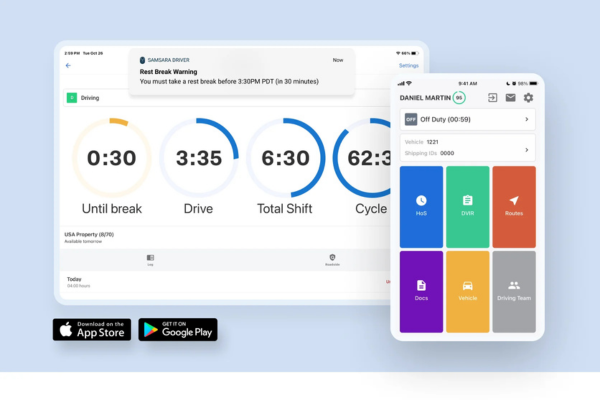
HOS countdowns show remaining time throughout the day. Supported ruleset changes reduce manual switching between operating zones, which matters for fleets moving drivers across different U.S. and Canadian requirements. Internet loss does not stop trip capture. The Vehicle Gateway stores trip data locally until connectivity returns, then makes the stored activity available to the back office.

Gallery - Click to Expand

Image source : Samsara

Managing exceptions at fleet scale

Unspecified mileage, certification status, driver availability, and operating-zone changes create much of the administrative load in a large fleet. Samsara places those exceptions where compliance teams can identify and resolve them without reviewing every driver record from the beginning. 

  • HOS Countdown
  • Automatic Ruleset Changes
  • Unassigned Driving Management
  • Certification Status Review
  • Driver Availability View
  • Inspection Mode
  • AI Annotations
  • Offline Trip Storage
  • Local Gateway Storage


ProsCons
✅ Strong unassigned-driving administration❌ Needs more setup oversight
✅ Clear driver availability view 
Pros
✅ Strong unassigned-driving administration
✅ Clear driver availability view
Cons
❌ Needs more setup oversight
Product InformationDetails
Setup TimeFew minutes in most vehicles
ContractOrder Form-specific
Vehicle ConnectionOBD-II / J1939 / J1708
Offline FunctionGateway stores data locally
Operating ZonesU.S. / Canada South / North

3. Motive ELD — Best for Safety-Conscious Operators

A completed log may still contain a form-and-manner issue or show an approaching HOS violation. Motive surfaces those problems during the workday through form checks, remaining-hours visibility, and violation warnings. Drivers can edit and certify logs in the same compliance process. The edit history stays intact after changes, which keeps corrections tied to the original activity instead of replacing it.

Roadside transfer methods cover DOT inspection needs, and the available vehicle connections include OBD-II, J1939, J1708, RP1226, and hardwired configurations. Hardware selection therefore depends on the truck being equipped.

Gallery - Click to Expand

Image source : Gomotive

Earlier warning before violations

Safety teams need to see record problems while there is still time to correct them. Motive’s form checks and HOS warnings expose issues during the working day instead of leaving them for an inspection or later audit. 

  • Form-and-Manner Checks
  • HOS Clocks
  • Remaining-Hours Visibility
  • Violation Warnings
  • Rule Exceptions
  • Log Editing
  • Log Certification
  • Edit History
  • File Transfer
  • Roadside Display
  • Web Service Transfer
  • Email Transfer
  • IFTA Capture
  • Short-Haul Rules
Pros Cons
✅ Intuitive mobile app makes log tracking easy ❌ Minor sync delays in status updates
✅ Real-time updates ensure compliance without delay
Pros
✅ Intuitive mobile app makes log tracking easy
✅ Real-time updates ensure compliance without delay
Cons
❌ Minor sync delays in status updates
Product InformationDetails
Setup TimeVehicle-dependent
ContractOrder Form-specific
Vehicle ConnectionOBD-II / J1939 / J1708 / RP1226
Roadside TransferDisplay, web service, email
Ruleset CoverageU.S., state, Canada, short-haul

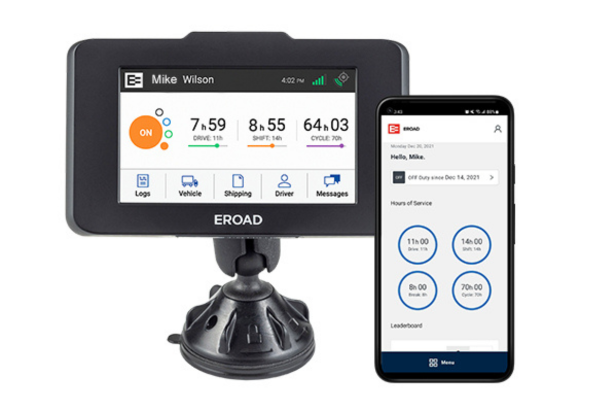
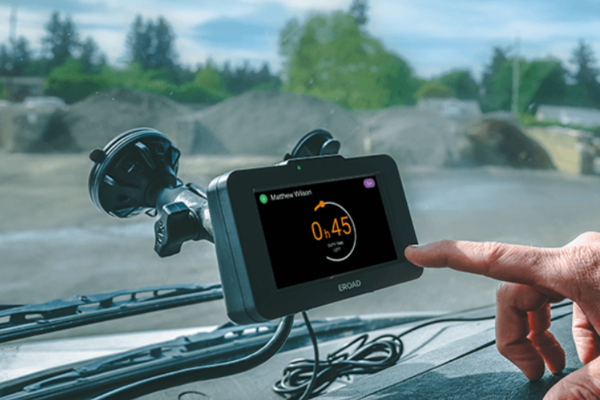
4. EROAD ELD — Best for Box Truck Fleets

Regional box-truck work often combines short-haul limits, repeated stops, border changes, geofences, and jurisdiction mileage. EROAD ties those location-sensitive tasks to the route through short-haul notifications, border prompts, geofence events, and driver messaging.

The same regional focus extends into tax reporting. IFTA, IRP, and Oregon Weight-Mile Tax tools keep jurisdiction mileage close to the trip and compliance data already generated on the route. EROAD uses more than one deployment architecture. Ehubo and Drive differ in installation and driver workflow, so they should be compared as separate configurations rather than treated as one identical setup.

Gallery - Click to Expand

Image source : Eroad

Built around regional work

Box trucks often move through several stops, local operating rules, inspections, and jurisdiction boundaries in one shift. EROAD’s route-aware alerts and regional tax tools address that pattern directly rather than treating the trip like a long uninterrupted highway run. 

  • HOS 
  • Border Alerts
  • Geofence Alerts
  • IFTA / IRP
  • Oregon WMT
  • Driver Messaging
Pros Cons
✅ Rugged design ensures long-lasting performance ❌ Limited customization for advanced users
✅ High-accuracy GPS and engine diagnostics
Pros
✅ Rugged design ensures long-lasting performance
✅ High-accuracy GPS and engine diagnostics
Cons
❌ Limited customization for advanced users
Product InformationDetails
Setup TimeConfiguration-dependent
ContractSales Agreement-specific
Vehicle ConnectionECM / EROAD gateway
Tax ReportingIFTA / IRP / Oregon WMT
Driver WorkflowEhubo or Drive architecture

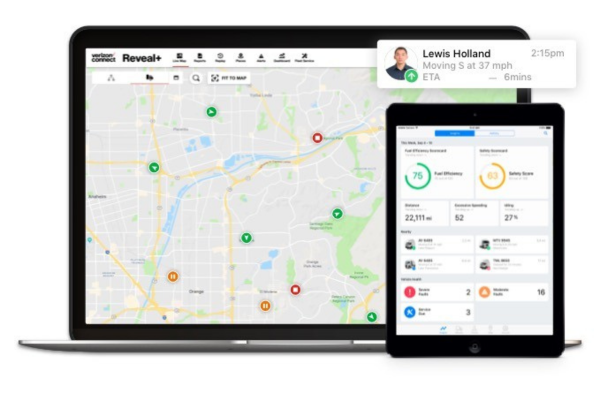
5. Verizon Connect ELD — Best for Enterprise Fleets

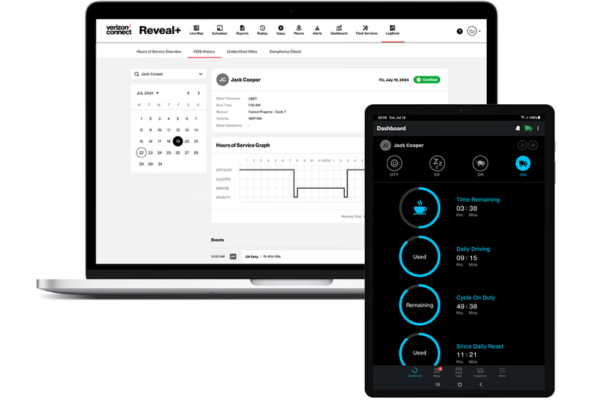
Enterprise fleets often manage different cycle settings, break rules, remaining hours, and unidentified mileage across large driver groups. Verizon Connect brings those HOS exceptions into one administrative environment instead of leaving managers to resolve them truck by truck.

Unidentified driving can be assigned to the correct person or exempted where appropriate. That keeps unresolved mileage from accumulating as driver and vehicle counts increase.

Hardware choice depends on the installation. The Vehicle Data Device connects through OBD-II, 9-pin, or 6-pin adapters, while a hard-wired Xirgo unit is available for concealed mounting. Activation is completed through the Verizon Connect Spotlight app.

RODS remain accessible away from an active truck connection. Live reporting still depends on connectivity, so offline record access and real-time fleet reporting serve different parts of the ELD process.

Gallery - Click to Expand

Image source : Verizonconnect

Handling enterprise exceptions

Enterprise fleets often deal with different schedules, cycle settings, break requirements, and unidentified mileage at the same time. Verizon Connect brings those variations into a central review process rather than forcing managers to resolve them truck by truck. 
  • Break Clocks
  • Cycle Settings
  • Unidentified Driving
  • Unidentified-Mile Assignment
  • Exempt Mileage Handling
  • Cloud Logs
  • Offline RODS
  • Plug-In VDD
  • Hard-Wired Xirgo
  • Spotlight App Activation
  • OBD-II Support
  • 9-Pin Support
  • 6-Pin Support

ProsCons
✅ Integrated fleet tracking with real-time compliance❌ Occasional GPS drift in remote areas
✅ Proactive violation alerts keep drivers compliant 

Pros
✅ Integrated fleet tracking with real-time compliance
✅ Proactive violation alerts keep drivers compliant

Cons
❌ Occasional GPS drift in remote areas
Product InformationDetails
Setup TimeHardware-dependent
ContractInitial term varies
InstallationPlug-in VDD or hard-wired Xirgo
ActivationVerizon Connect Spotlight app
Offline FunctionRODS remain available

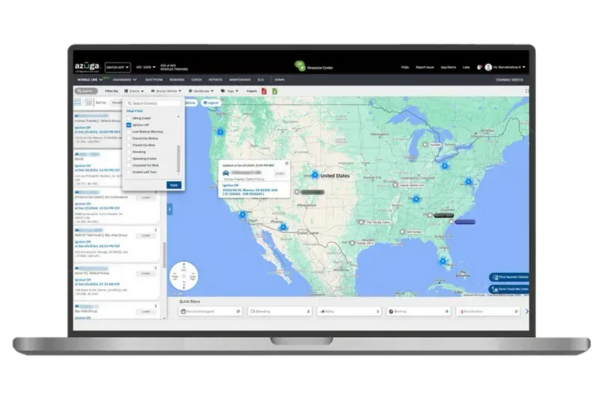
6. Azuga ELD — Best for IFTA Reporting

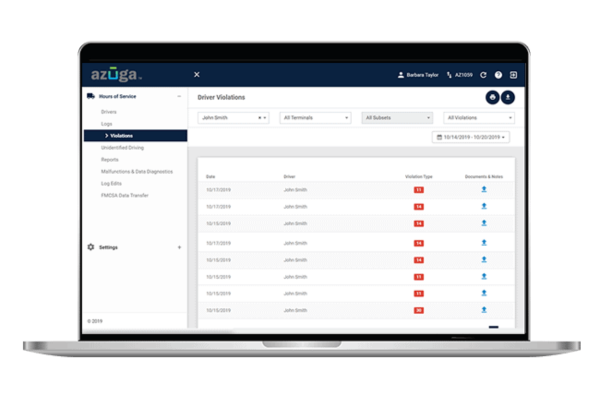
IFTA cleanup becomes harder once mileage or log conflicts surface at filing time. Azuga moves that review earlier by flagging incomplete or inconsistent entries during the quarter.
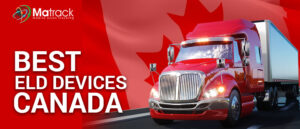
HOS records and jurisdiction mileage stay close to the quarterly reporting process, giving managers time to identify gaps before preparing the final IFTA filing. Cross-border routes add another layer to that work. Location-aware switching covers U.S. and Canadian rules, and the driver app is available in English, French Canadian, and Spanish.

Gallery - Click to Expand

Image source : Azuga

Cleaning up IFTA administration

Most IFTA cleanup becomes harder when missing or conflicting information is found at filing time. Azuga moves that review earlier by exposing record inconsistencies before the final report is prepared. 
  • Conflict Detection
  • Incomplete-Entry Alerts
  • DVIR Reminders
  • Rule Switching
  • U.S. Rulesets
  • Canadian Rulesets
  • Back-Office Logs
  • Roadside Support
  • IFTA Mileage
  • Jurisdiction Tracking
  • English Interface
  • French Canadian Interface
  • Spanish Interface

ProsCons
✅ Automated IFTA reporting saves time on tax filings❌ Learning curve for advanced reporting features
✅ Strong compliance tracking with proactive alerts 

Pros
✅ Automated IFTA reporting saves time on tax filings
✅ Strong compliance tracking with proactive alerts

Cons
❌ Learning curve for advanced reporting features
Product InformationDetails
Setup Time10–30 minutes
ContractFlexible agreement
ELD ConfigurationActive HOS001 versions
LanguagesEnglish / French Canadian / Spanish
Ruleset CoverageU.S. and Canada

7. Geotab Drive ELD — Best for Fleet Data and Integrations

More than 100 HOS rulesets and exemptions give Geotab Drive the deepest ruleset coverage among the products compared here. The range includes U.S., Canadian, intrastate, short-haul, agricultural, team-driving, and other operating scenarios.

That ruleset depth is paired with heavier administrative controls. Unallocated logs can be handled in bulk, up to three co-drivers are supported, and driver availability is visible without opening each record separately.

DVIR functions extend the same administrative approach to vehicle condition. Photos, comments, defect notifications, and missed-inspection alerts keep inspection details attached to the surrounding compliance record.

Gallery - Click to Expand

Image source : GEOTAB

When ruleset depth matters

Operations with several rulesets, exemptions, driver types, or connected systems need ELD information that remains structured across all of them. Geotab is positioned here because its deeper administrative controls are designed for that level of complexity, not because every fleet needs a larger feature set. 

  • 100+ HOS Rulesets
  • U.S. Rulesets
  • Canadian Rulesets
  • Intrastate Rules
  • Short-Haul Rules
  • Agricultural Exemptions
  • Team-Driving Support
  • Bulk Annotations
  • Unallocated Log Management
  • Three Co-Drivers
  • Driver Availability
  • Photo DVIR
  • Defect Notifications
  • Missed-Inspection Alerts


ProsCons
✅ Extensive ruleset coverage❌ More complex than basic ELDs
✅ Detailed log administration 
Pros
✅ Extensive ruleset coverage
✅ Detailed log administration
Cons
❌ More complex than basic ELDs
Product InformationDetails
Setup TimeGO9+: about 10 minutes
ContractOrder/reseller-specific
HardwareGO-series devices
Co-DriversUp to three
Ruleset CoverageU.S. / Canada / exemptions

8. BigRoad ELD — Best No-Frills Compliance

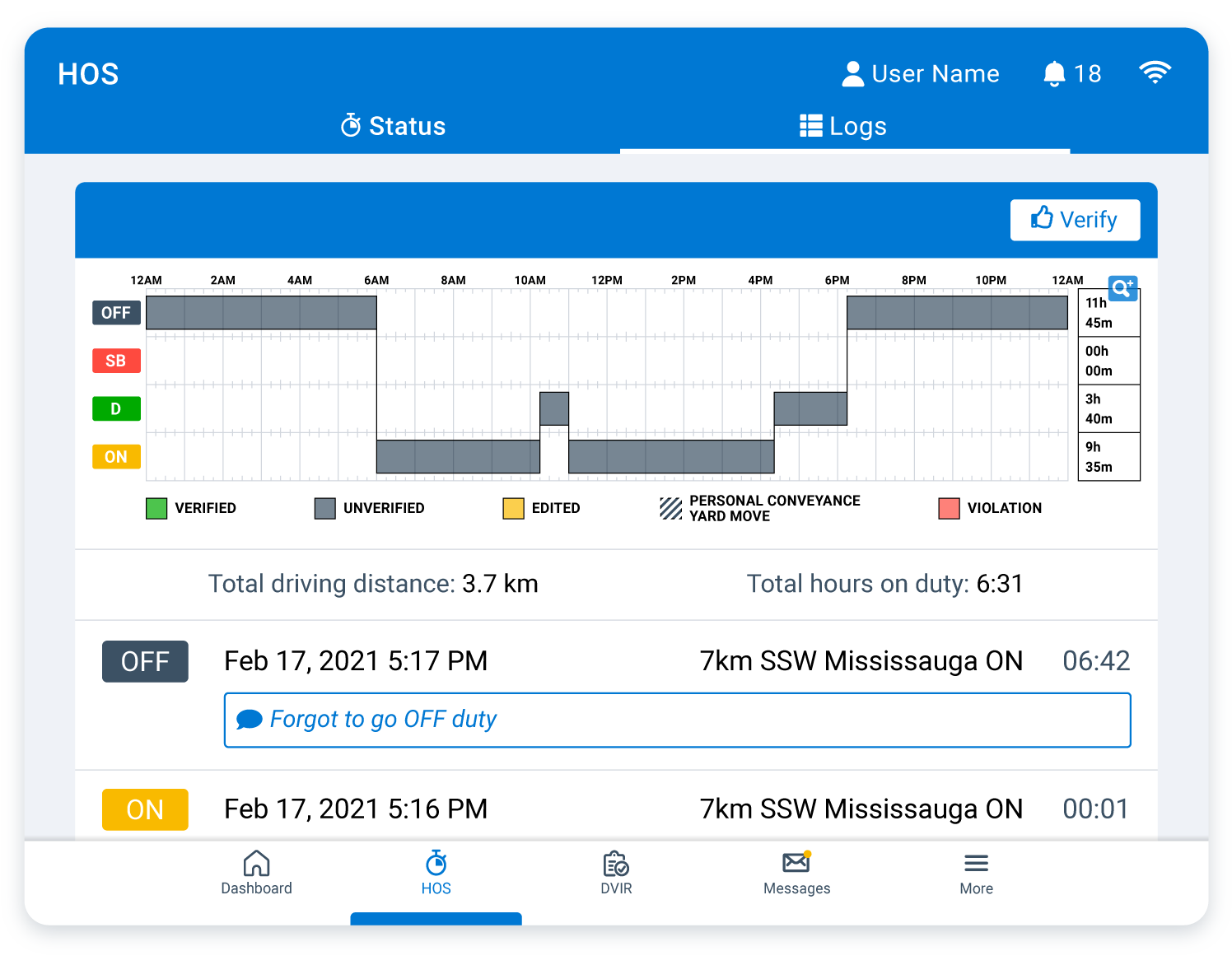
Drivers who mainly need HOS logging, DVIRs, and roadside-ready records get a focused mobile workflow in BigRoad. The ELD covers HOS countdowns, Personal Conveyance, Yard Move, sleeper-berth rules, team driving, and edit reason codes.

Supporting documents and DVIR reports stay close to the duty log. That keeps the main driver-facing compliance tasks together instead of spreading them across a broader telematics environment. Current public pricing and contract details are limited in the information reviewed for this article, so BigRoad is evaluated here primarily on the logging and inspection workflow rather than on a current commercial comparison.

Gallery - Click to Expand

Image source :Bigroad

Compliance without extra layers

BigRoad’s narrower scope is what defines this category. It makes the most sense for fleets prioritizing daily logging, DVIRs, supporting documents, and roadside access over a larger fleet-management stack. 

  • Personal Conveyance
  • Yard Move
  • Sleeper-Berth Rules
  • Team Driving
  • Edit Reason Codes
  • DVIR
  • DVIR Reports
  • Supporting Documents
  • Roadside Reports
  • Mobile Logging
  • U.S. Rulesets
  • Canadian Rulesets
Pros Cons
✅ Seamless mobile app experience ❌ Occasional  connectivity drops
✅ User-friendly for drivers on the go
Pros
✅ Seamless mobile app experience
✅ User-friendly for drivers on the go
Cons
❌ Occasional connectivity drops
Product InformationDetails
Setup TimeCurrent exact time unavailable
ContractCurrent term unavailable
Vehicle ConnectionECM-based
Roadside TransferElectronic reports
Ruleset CoverageU.S. and Canada

9. BIT ELD — Best for Bluetooth Connectivity

BIT ELD delivered strong Bluetooth connectivity, making it a great fit for truckers who prefer wireless solutions. After pairing with the mobile app, the device maintained a stable connection without frequent disconnections.

Drivers could use the mobile app’s simple interface to log HOS, manage duty statuses, and complete DVIRs. Digital storage for inspection reports and fuel receipts helped drivers stay compliant without extra paperwork.

Bluetooth range remained dependable in most use cases, though occasional signal drops occurred in high-interference areas. BIT provided a dependable option for drivers who want a wire-free and hassle-free ELD.

Gallery - Click to Expand

Image source : Blueinktech

A mobile-first Bluetooth setup

Drivers who already prefer working from a phone or tablet get most of the daily compliance process in the same place. BIT uses Bluetooth for the vehicle connection, while logging, inspections, mileage, edits, and roadside records remain in the mobile interface. 

  • Bluetooth 5.0
  • Phone Interface
  • Tablet Interface
  • HOS Clocks
  • Cycle Recap
  • Sleeper Split
  • Guided Edits
  • Log Certification
  • eDVIR
  • Roadside Cards
  • State Mileage
  • IFTA Mileage
  • Fuel Receipts
  • Supporting Documents
Pros Cons
✅ Strong Bluetooth connectivity for stable pairing ❌ Sometimes requires firmware updates
✅ Compact design makes it highly portable
Pros
✅ Strong Bluetooth connectivity for stable pairing
✅ Compact design makes it highly portable
Cons
❌ Sometimes requires firmware updates
Product InformationDetails
Setup TimeFive-minute driver setup
ContractMonth-to-month
Vehicle Connection9-pin / OBD-II
Roadside AccessDriver / Inspector cards
Location SourceDriver phone or tablet

ELD Buying Mistakes to Avoid

An ELD purchase usually goes wrong because a truck-compatibility, HOS, plan, or contract detail was missed before installation.

  • Choosing by price alone: A cheaper plan loses its advantage if needed functions sit behind an upgrade, installation adds unexpected effort, or exit terms are expensive.
  • Buying incompatible equipment: The wrong connector, harness, or truck configuration delays deployment and sometimes means replacing hardware.
  • Assuming lost signal means lost records: Weak cellular coverage and an actual ELD malfunction are different problems. Confusing them risks unnecessary manual reconstruction of driving events already stored locally.
  • Choosing the wrong ruleset: Short-haul, Canadian, intrastate, team-driving, and specialized operations depend on the matching HOS configuration.
  • Learning transfer at the roadside: A driver unfamiliar with inspection mode or the transfer process is more likely to struggle during an officer’s request for logs.
  • Assuming DVIR and IFTA are included: Access depends on the plan in some cases, leaving the buyer with an unexpected upgrade later.
  • Leaving unassigned driving unresolved: Driving assigned to the wrong person—or to nobody—creates cleanup and leaves the final HOS history incomplete.
  • Ignoring mobile usability: Extra screens, confusing edits, or difficult certification make routine ELD work harder.
  • Signing without reading renewal terms: Minimum commitments, automatic renewals, cancellation terms, and truck-change policies determine how easily a fleet can change providers.
  • Checking FMCSA registration only once: Registration status is not permanent after installation. Confirm the exact ELD configuration remains on FMCSA’s registered list.

Common ELD Problems and How to Handle Them

At the first sign of an ELD problem, preserve the original log data and identify whether the issue involves synchronization, driver assignment, duty status, roadside transfer, or hardware. Correct only the affected part.

ELD stops syncing

If the engine-linked unit is still recording, check whether recent driving events are stored locally. Restore connectivity and allow synchronization to finish before entering anything manually. If events are still missing afterward, follow the provider’s correction procedure instead of rebuilding the trip from memory.

Wrong driver gets the trip

Open the unassigned-driving area and match the event to the person who actually drove the truck. Keep the original driving event intact so the reassignment history remains visible.

Duty status is wrong

Correct the status through the ELD edit function and include any applicable reason or annotation. Review the surrounding time because an incorrect status affects the rest of the day’s HOS calculation, then certify the updated log.

Roadside transfer does not work

Start with the ELD’s registered transfer method. If electronic submission fails, move to the supported fallback, such as an on-screen display or another built-in method. The inspection screen should be familiar before the first roadside stop.

App disconnects from the truck

Identify which connection failed. If the app opens but cannot reach the ELD, check Bluetooth or local pairing; loss of unit power points to the diagnostic port or cable. Restore the failed connection and verify that new driving events appear.

Logs look missing

A screen-level gap does not automatically mean driving history is gone. After connectivity returns, compare stored events with the mobile log and allow delayed entries to populate. Document any true gap and follow the approved edit process.

Malfunction alert appears

A malfunction alert calls for the ELD’s malfunction procedure, not ordinary app troubleshooting. Preserve the existing HOS records, document the problem, and contact the provider if compliant operation cannot be restored.

FMCSA removes the device

Confirm the exact model and registration entry because a removal may apply only to a specific ELD version. If your installed unit is affected, follow FMCSA’s transition timeline and arrange a compliant replacement by the deadline.

Final Verdict

The best ELD depends on the type of operation you run and the amount of compliance work your drivers and managers handle every day. Owner-operators and smaller fleets may care more about simple setup, clear pricing, and easy roadside access, while larger fleets often need stronger controls for unassigned driving, rulesets, exceptions, and back-office review.

Matrack ELD is our top choice for owner-operators and smaller fleets because it combines quick installation, core HOS functions, multiple roadside transfer options, and flexible commercial terms. Samsara, Motive, EROAD, Verizon Connect, Azuga, Geotab, BigRoad, and BIT each make more sense for different operating needs, from large-fleet administration and early compliance warnings to IFTA work, complex rulesets, and mobile-first logging.

Before choosing an ELD, match the product to your trucks, routes, HOS requirements, driver workflow, reporting needs, and contract preferences. A longer feature list is not automatically better; the stronger choice is the one that handles the parts of ELD compliance your operation actually uses without adding unnecessary complexity.

FAQs for Best ELD Devices

An ELD (Electronic Logging Device) automatically tracks a driver’s Hours of Service (HOS) to meet FMCSA regulations, replacing paper logs. Know more.

The price range of the best ELD Devices varies from $15 monthly to $250 one-time. 

Yes, many ELDs also provide real-time diagnostics, fuel tracking, and can help improve fleet efficiency.

Matrack is the best ELD for owner-operators due to its easy setup, user-friendly interface, and strong compliance tracking.

Look for an ELD that fits your budget, offers HOS tracking, GPS, and IFTA reporting, and has good customer support. Low-cost options are available, as are ELDs with fleet management extras.

Yes, some ELDs track idling and braking to help reduce fuel costs.

Most ELDs work with light, medium, and heavy-duty trucks, but check compatibility with your specific vehicle type.

Matrack is the best ELD for SMB, owner-operators and other trucking operations, providing real-time GPS tracking, seamless fleet management, and strong connectivity.

Many ELD providers offer 24/7 support through chat, phone, or email for quick assistance.