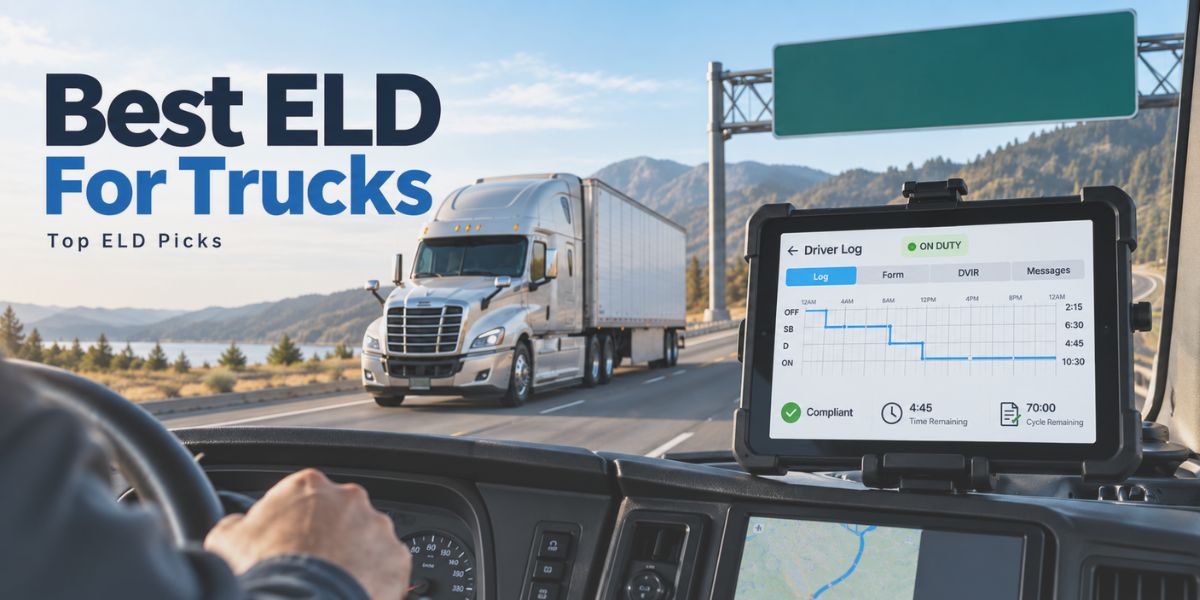
FMCSA-approved electronic logging devices (ELDs) are certified systems that automatically record driving time, engine hours, vehicle movement, and driver duty status to enforce Hours-of-Service compliance. In 2026, fleets depend on properly registered and inspection-ready ELDs to replace paper logs, reduce manual errors, and meet increasingly strict roadside enforcement standards.
Certification alone does not guarantee real-world performance, especially as inspections and compliance audits become more frequent. Reliable ELDs maintain consistent uptime, automate HOS tracking without sync delays, install quickly across vehicle types, and transfer logs cleanly during roadside checks.
This guide ranks seven leading ELD solutions using compliance accuracy, installation speed, total cost efficiency, and support reliability as the core decision factors for owner-operators and fleets alike. According to FMCSA estimates, improved ELD compliance helps save 26 lives and prevent 562 injuries each year, underscoring why choosing a dependable system matters beyond administrative reporting.
What Does FMCSA Approval Mean for an ELD?
FMCSA approval means an electronic logging device is registered with the Federal Motor Carrier Safety Administration and meets the technical standards set under the ELD mandate. This confirms the device can automatically record driving time, engine activity, vehicle movement, and driver duty status without manual input.
To qualify for FMCSA approval, an ELD must connect directly to the vehicle’s engine, apply Hours-of-Service rules automatically, and protect original log records from improper edits. It must also support secure, standardized data transfer so logs can be presented accurately during roadside inspections.
What Technical Requirements Must an ELD Meet to Stay Compliant?
Technical standards set by FMCSA require an ELD to record Hours-of-Service data accurately, securely, and consistently.
Engine Synchronization
Direct engine connection allows the ELD to capture engine power status, engine hours, miles driven, and vehicle movement. Driving status changes should happen automatically once the vehicle moves, reducing manual input and log errors.
HOS Automation
Automatic HOS tracking records driving time and duty status based on the driver’s operating profile. Built-in rule application helps carriers manage limits, breaks, violations, and daily log certification.
Log Security
Secure log storage keeps original records available even after edits, corrections, or annotations. Time stamps, edit history, and user attribution help maintain audit value during inspections and compliance reviews.
Roadside Log Transfer
Roadside transfer capability lets drivers share ELD records with enforcement officers through accepted transfer methods. Complete and accessible logs reduce inspection delays and support accurate compliance verification.
FMCSA-Approved ELD Comparison Table 2026
- Best For: SMB Business Fleets
- Cost: $19.95, free device, no contract
- Installation: Plug-and-play, 5 minutes
- Support: 24/7 live & SMS support, lifetime warranty
- Best For: Box Trucks
- Cost: $30–$35
- Installation: Hard-wired, professional setup
- Support: Dedicated support, online resources
- Best For: Simple Installation
- Cost: $25.95
- Installation: Plug-and-play
- Support: Phone and chat support, business hours
- Best For: IFTA Reporting
- Cost: $39–$45
- Installation: BYOD or tablet option
- Support: 24/7 driver hotline and technical support
- Best For: Mobile App
- Cost: $19.50
- Installation: Bluetooth pairing
- Support: In-app and phone support
- Best For: Large Fleets
- Cost: $33–$40
- Installation: Plug-and-play gateway
- Support: 24/7 enterprise-grade support
- Best For: Enterprise Level Fleets
- Cost: $35–$45
- Installation: Plug-and-play
- Support: 24/7 support with live assistance
How We Reviewed FMCSA-Approved Electronic Logging Devices?
Registered ELDs were reviewed by how well they perform in daily fleet operations, not by product claims alone. Log accuracy, system uptime, engine sync, duty-status tracking, and roadside inspection behavior shaped the review criteria.
Compliance reliability, installation experience, and driver interaction were closely observed during normal fleet use. Log transfer performance during inspections, along with pricing clarity and support availability, also influenced the findings.
A consistent standard was applied across different fleet sizes a and operating conditions to maintain meaningful comparisons. The results highlight which ELDs deliver dependable compliance and practical value beyond minimum regulatory requirements.
What Are The Top 7 FMCSA-Approved ELD List In 2026?
1. Matrack ELD — Best for Small and Medium Business Fleets
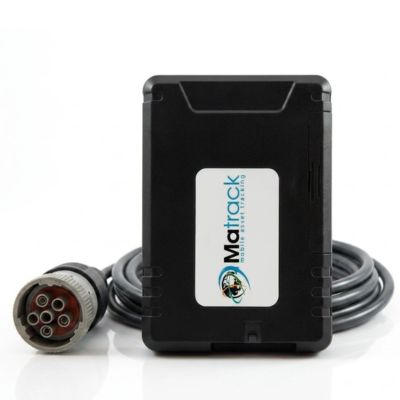
Matrack ELD is one of the most affordable choices for small and medium business fleets, owner-operators, and growing carriers that need dependable compliance without contracts or upfront device costs. Its plug-and-play setup is quick to install, while engine-connected Hours of Service tracking keeps logs accurate with minimal driver correction.
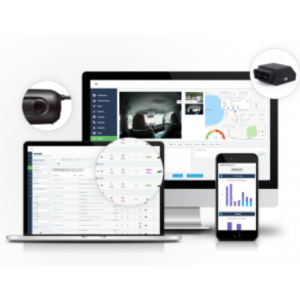
HOS records, DVIRs with photo proof, IFTA mileage, GPS history, API access, and integrations are organized in one dashboard, making daily fleet oversight easier across mixed routes and vehicle types. Fleets can also pair the ELD with a dash cam package, giving managers a clearer way to review road events, driver behavior, and vehicle movement together.
Driver monitoring and coaching tools help identify habits like harsh braking, rapid acceleration, and unsafe driving patterns before they become larger safety concerns. The $19.95 monthly price, free device, and 24/7 live and SMS support make it a practical fit, though operations needing highly specialized analytics may want deeper reporting controls.
Pros and Cons
| Pros | Cons |
|---|---|
| ✅ Free hardware with no contract requirements | ❌ Dashboard visuals feel dated |
| ✅ Stable GPS updates on long or short routes | ❌ Limited analytics for performance-focused fleets |
| ✅ Lifetime warranty for long-term reliability | |
| ✅ Early violation warnings reduce HOS errors |
Key Features
- Plug-and-play OBD connection
- Real-time HOS cycle alerts
- Geo-fencing with vehicle-specific zones
- Automatic idle-time detection
- DVIR defect notifications for flagged issues
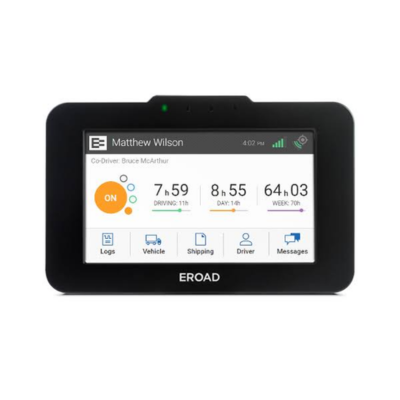
2. EROAD Ehubo — Best for Box Trucks
Box trucks running local delivery work need an ELD that can keep clean records through idling, loading-zone stops, short hops, and frequent route changes. EROAD Ehubo fits that environment well because its hard-wired hardware favors stable data capture over quick device swapping.
Delivery activity is easier to document when stop duration, movement history, HOS status, and inspection details are recorded with consistent timing. DVIR workflows support routine pre-trip and post-trip checks, though some advanced settings may take extra time for new users to navigate.
FMCSA registration and PIT third-party verification give the system added credibility for fleets that want dependable compliance records during inspections. With pricing around $30–$35 per month, it works best for assigned box trucks on repeat routes where durability and log accuracy matter more than the lowest monthly cost.
Pros and Cons
| Pros | Cons |
|---|---|
| ✅ Rugged hardware suited for delivery environments | ❌ Multi-layer menu navigation |
| ✅ PIT-verified ELD accuracy | ❌ Fixed mount limits repositioning in tight cabs |
| ✅ Precise dwell-time tracking in loading areas | |
| ✅ Structured DVIR screen for quick inspections |
Key Features
- Hard-wired ECM tether for vibration-heavy use
- Geofenced entry/exit alerts for dock zones
- On-device DVIR prompts
- Automatic IFTA distance logging
- Speed-threshold alerts for urban routes
3. GPSTrackit — Best ELD With Simple Installation
GPSTrackit works best for fleets that want an ELD installed quickly without turning setup into a long technical process. Its plug-and-play design makes vehicle changes easier, especially when trucks rotate between routes or need to be added with minimal downtime.
Duty-status updates, mileage capture, HOS logs, and DVIR support stay focused on core compliance rather than heavy reporting layers. That simple structure helps drivers keep records clean on regional, short-haul, and daily return routes, though teams wanting deeper analytics may find the platform more basic.
Phone and chat support during business hours gives users a direct path when setup or log questions come up. At $25.95 per month, it offers a practical balance between straightforward installation, FMCSA-compliant tools, and manageable operating cost.
Pros and Cons
| Pros | Cons |
|---|---|
| ✅ Fast setup for rotating fleet vehicles | ❌ Shallow diagnostic data |
| ✅ Multilingual driver support | ❌ No advanced performance metric customization |
| ✅ Clean log timestamps reduce corrections | |
| ✅ Smooth DVIR submissions for basic checks |
Key Features
- Universal app compatibility
- Early HOS-limit notifications
- Idle-time alerts tied to cost thresholds
- Stop-duration updates for route delays
- Mileage summaries stored automatically
4. J. J. Keller ELD — Best for IFTA Reporting
Fuel-tax accuracy becomes critical when trucks move across multiple states, and J. J. Keller ELD is built around that kind of compliance pressure. Its reporting structure separates jurisdiction mileage clearly, helping fleets keep IFTA records aligned with actual route activity.
Long-haul routes, cross-border operations, HOS logs, DVIR documentation, and audit-support tools are handled through a framework that favors consistency over quick setup. The BYOD and tablet options add flexibility for different cab setups, though the interface works best once drivers and managers follow established workflows.
Pricing around $39–$45 per month places it above simpler ELD choices, but the added value shows in fuel-tax summaries and regulatory documentation. 24/7 driver hotline access and technical support make it a strong fit for fleets that face frequent reviews and need organized records ready before questions come up.
Pros and Cons
| Pros | Cons |
|---|---|
| ✅ Strong Bluetooth stability on long hauls | ❌ Complex interface for new users |
| ✅ Roadside Inspection Hotline assistance | ❌ Too feature-dense for smaller fleets |
| ✅ Highly accurate IFTA state-line tracking | |
| ✅ Deep behavior monitoring for coaching |
Key Features
- Compliance Tablet option for controlled use
- Automated fuel-tax mapping
- Behavior alerts for braking and acceleration
- Border-rule notifications for U.S./Canada shifts
- SmartAssign event-cleanup engine
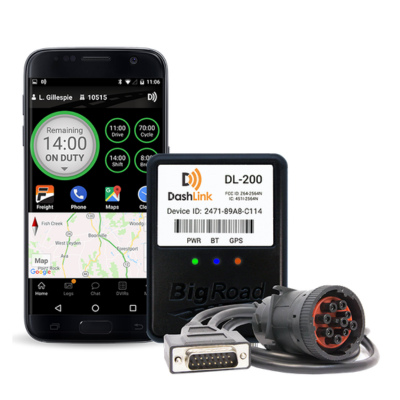
5. BigRoad Dashlink — Best for Mobile App
Drivers who already manage routes, calls, and dispatch updates from their phones will find BigRoad Dashlink easy to settle into because the app keeps logs, DVIRs, edits, and certification steps close at hand. Bluetooth pairing removes most of the setup friction, and Transport Canada compliance helps cross-border loads move with fewer documentation gaps.
During urban and regional work, the mobile layout keeps HOS tasks straightforward while responsive messaging gives dispatch a clearer view of delays as they happen. The integrated load board adds useful earning potential during downtime, though the GPS trail can lose precision during tight yard turns and slow repositioning.
Phone quality matters more with this setup because navigation, calls, messages, and ELD activity often run on the same device throughout the day. At $19.50 per month, Dashlink is a practical pick for fleets that value mobile convenience, quick driver adoption, and simple compliance over dedicated in-cab hardware.
Pros and Cons
| Pros | Cons |
|---|---|
| ✅ Phone-based workflow drivers adapt to quickly | ❌ Lower GPS precision in tight yards |
| ✅ Transport Canada compliant | ❌ Older phones may slow during heavy use |
| ✅ Integrated load board to fill downtime | |
| ✅ Reliable in-app messaging |
Key Features
- Bluetooth module for fast truck pairing
- Movement-triggered duty-status prompts
- Log-certification reminders
- Yard-move notifications
- Speed alerts set to custom thresholds
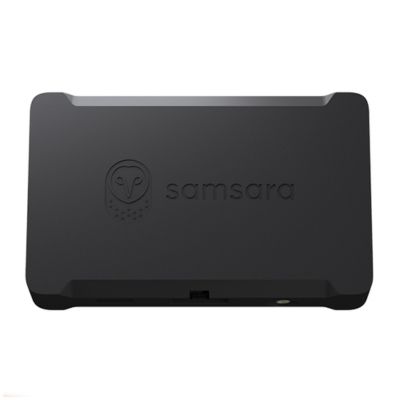
6. Samsara — For Large Fleets
Samsara suits large truck fleets that need ELD compliance tied directly into dispatch, maintenance, safety, and driver performance data. HOS logs, DVIRs, GPS activity, and duty-status records connect inside a broader fleet platform, giving managers stronger visibility across multiple locations.
Safety events, vehicle health alerts, route history, and compliance trends can be reviewed together, which helps spot recurring issues before violations or downtime grow. Setup requires careful planning, especially when a fleet is moving away from a simpler ELD and building consistent driver workflows.
AI-supported annotations, automated reporting, and 24/7 support make the system valuable for operations with centralized oversight and established processes. Pricing around $33–$40 per month reflects its deeper platform capability, though smaller teams may not use enough features to justify the added complexity.
Pros and Cons
| Pros | Cons |
|---|---|
| ✅ Fast diagnostic capture supports maintenance | ❌ Learning curve for teams new to large platforms |
| ✅ AI-driven log annotations | ❌ More features than mid-sized fleets often need |
| ✅ Strong fatigue and routing insight tools | |
| ✅ Hotspot keeps devices connected anywhere |
Key Features
- 200+ integration ecosystem
- AI driving-event alerts
- Real-time detour and inefficiency warnings
- Automatic duty-state corrections
- Predictive maintenance prompts
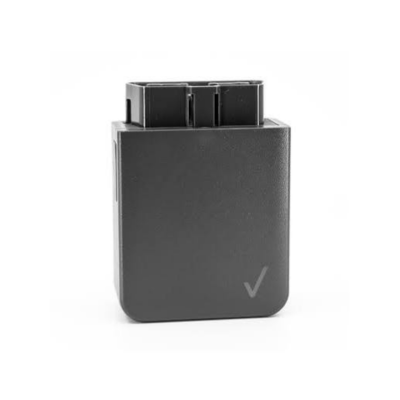
7. Verizon Connect — For Enterprise-Level Fleets
Expedited and hotshot trucking run on tight timing, where a delayed update can affect the next load, delivery window, or driver assignment. Verizon Connect keeps duty-status records aligned with frequent pickups, fuel stops, route changes, and interstate movement, helping reduce log corrections during demanding schedules.
Real-time GPS tracking gives dispatch teams a clearer view of vehicle location, delay points, and arrival timing across long-distance routes. Support availability during nonstandard hours adds reassurance, although fleets needing highly tailored workflows may find the platform less flexible.
Revenue protection depends on steady visibility, clean compliance records, and fewer gaps between dispatch decisions and vehicle activity. Pricing near $35–$45 per month reflects its focus on uptime, tracking reliability, and operational control rather than a basic low-cost ELD setup.
Pros and Cons
| Pros | Cons |
|---|---|
| ✅ Auto duty-status shifts fit hotshot workflows | ❌ Older maintenance logs require extra filtering |
| ✅ 24/7 support for time-critical loads | ❌ Broad system may exceed small-team needs |
| ✅ GPS detail strengthens ETA accuracy | |
| ✅ Smooth DVIR-to-maintenance syncing |
Key Features
- Network-backed data integrity
- Real-time reroute alerts for time-sensitive jobs
- DVIR-based repair notifications
- Speed-variance alerts for highway corridors
- Movement-triggered duty-state prompts
How to Choose the Right FMCSA-Approved ELD for Your Fleet?
Selecting the right ELD starts with fleet size, vehicle type, route pattern, compliance workload, driver usability, and service access.
Fleet Size
Small fleets usually need simple setup, affordable pricing, and basic HOS compliance without complex reporting layers. Larger fleets often need centralized dashboards, role-based access, deeper analytics, and wider account control.
Vehicle Type
Vehicle compatibility affects installation speed, engine sync quality, and long-term system stability. Mixed fleets should prioritize ELDs that work across different truck classes, diagnostic ports, and driving conditions.
Route Profile
Long-haul, regional, urban delivery, and hotshot routes create different logging demands. Frequent stops, interstate mileage, yard movement, and changing schedules can affect duty-status accuracy and inspection readiness.
Cost Structure
Monthly fees, hardware charges, contract terms, activation costs, and upgrade fees should be reviewed together. Lower pricing only helps when the system still delivers stable logs, clean transfers, and accessible help.
Driver Usability
Simple driver workflows reduce log errors, missed certifications, and inspection delays. Clear screens, easy duty-status changes, and quick access to records help drivers stay compliant during daily use.
Service Coverage
Service access matters most during setup, roadside checks, malfunctions, and account changes. Fast assistance helps fleets fix device issues and keep compliance records available.
Which FMCSA-Approved ELD Is Best for Each Fleet Type?
Fleet type shapes ELD selection because a small business fleet, a box truck route, an IFTA-heavy carrier, a large fleet, and an enterprise network all place different demands on logging, reporting, setup, and daily driver use.
Matrack ELD
Matrack ELD works well for SMB business fleets that need cost control, fast setup, and complete compliance coverage without long-term contract pressure. It gives smaller and growing fleets a practical way to manage HOS records, DVIRs, IFTA reporting, GPS visibility, and roadside readiness from one system.
EROAD Ehubo
EROAD Ehubo is a strong option for box trucks because delivery routes involve repeated stops, loading areas, short movements, and frequent changes in vehicle activity. Its hardware-focused setup helps maintain consistent records where urban driving and stop-and-go routes can make logging less predictable.
GPSTrackit
GPSTrackit is useful for fleets that want ELD compliance without a long setup process. Its simple installation makes it easier for small teams, rotating vehicles, or first-time ELD users to start tracking hours-of-service records quickly.
J. J. Keller ELD
J. Keller ELD is built for fleets where IFTA reporting and compliance documentation carry extra weight. Carriers running across states or borders benefit from organized mileage records, fuel tax details, trip history, and audit-ready reporting.
BigRoad Dashlink
BigRoad Dashlink is a practical choice for drivers who prefer handling logs through a mobile app instead of a fixed in-cab screen. It keeps duty-status changes, inspections, log certification, and daily record access closer to the driver’s regular phone or tablet workflow.
Samsara ELD
Samsara ELD works best for large fleets that need more than basic log recording. Centralized dashboards, driver activity visibility, analytics, maintenance data, and connected compliance records help managers oversee many vehicles from one platform.
Verizon Connect
Verizon Connect serves enterprise-level fleets that need broad visibility across vehicles, teams, locations, and reporting layers. Its value is strongest where live tracking, account control, integrations, and structured fleet data are part of daily management.
Frequently Asked Questions
What is an FMCSA-Approved ELD Device?
An FMCSA-approved ELD is a certified electronic logging device listed on the FMCSA registry. It automatically records driving hours, engine data, and duty status to maintain Hours-of-Service compliance.
How Do I Check If an ELD Is FMCSA Approved?
You can confirm approval by visiting the official FMCSA ELD registry. Only listed devices are verified to meet federal technical and compliance standards.
What Features Are Most Important in an ELD?
The most critical features include automatic HOS recording, real-time GPS tracking, DVIR support, IFTA automation, and secure DOT inspection transfer options.
How Long Does ELD Installation Take?
Plug-and-play ELDs such as Matrack and GPSTrackit install in under five minutes using standard diagnostic ports, requiring no technical expertise.
Do Small Fleets and Owner-Operators Need ELDs?
Yes, all commercial drivers operating under FMCSA Hours-of-Service rules must use an approved ELD unless they meet exemption criteria like short-haul or driveaway-towaway operations. Matrack ELD is the best option for small fleets and owner-operators.
Final Verdict
FMCSA-approved ELD selection should not stop at registration, since daily compliance depends on log accuracy, engine sync, HOS automation, roadside transfer, pricing, and driver usability. Among the listed options, Matrack ELD gives SMB business fleets the most balanced choice with low cost, fast setup, contract-free use, and complete compliance coverage.
EROAD Ehubo works well for box trucks, GPSTrackit is practical for simple installation, J. J. Keller ELD handles IFTA-heavy reporting, and BigRoad Dashlink serves mobile-first drivers. Samsara is better aligned with large fleets that need connected analytics, while Verizon Connect serves enterprise-level fleets requiring broader visibility and account control.