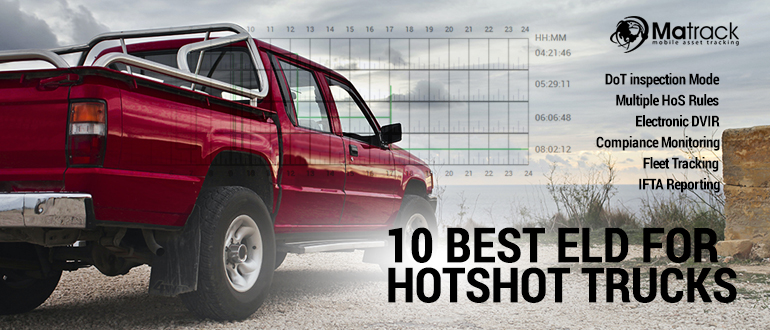
Matrack leads this comparison for hotshot truckers in 2026 seeking HOS compliance without a long-term contract. Plans start at $19.95 per month, and there is no upfront hardware purchase. Owner-operators and small fleets get the HOS functions without moving to an enterprise fleet-management suite.
Hours-of-Service compliance remains a roadside issue for commercial drivers. During CVSA’s 2026 International Roadcheck, HOS violations accounted for 23.4% of all driver out-of-service violations. Hotshot operators whose truck-and-trailer combinations fall under federal HOS and ELD rules are subject to those requirements.
The review compares day-to-day compliance work, installation, and support. Those factors differ between one-truck operations and larger hotshot fleets.
Our Top Picks For ELD For Hotshot Trucks
- Best For: Affordable no-contract ELD
- Cost: No upfront hardware purchase; $19.95–$24.95/month
- Key Strengths: HOS logging, DVIR, IFTA reporting, and straightforward compliance management
- Best For: Cross-border fleets
- Cost: BYOD or $99 hardware; $20–$35/month
- Key Strengths: U.S.-Canada compliance, multilingual driver access, and fleet tracking
- Best For: Large fleets
- Cost: Hardware included with qualifying plans; $35–$45/month
- Key Strengths: Detailed fleet dashboard, driver-hour visibility, and dispatch oversight
- Best For: Mobile logging
- Cost: $149.99 hardware; $19.95/month
- Key Strengths: Compact plug-and-play device, mobile logs, and engine diagnostics
- Best For: Basic compliance
- Cost: No upfront hardware fee; $19.99–$36/month
- Key Strengths: Simple log management, duty-status updates, and driver risk alerts
- Best For: Enterprise fleets
- Cost: Hardware included or up to $250; $20–$45/month
- Key Strengths: Fleet oversight, maintenance tracking, and vehicle-status monitoring
- Best For: Remote routes
- Cost: Hardware purchase or lease; $25–$35/month
- Key Strengths: Dedicated in-cab display, mileage records, and vehicle diagnostics
- Best For: Flexible fleets
- Cost: $79 hardware on monthly plans or included with annual plan; $19–$25/month
- Key Strengths: Portable hardware, easy truck reassignment, and straightforward log management
- Best For: Rugged fleets
- Cost: Quote-based hardware; $26–$48/month
- Key Strengths: Rugged hardware, inspection workflows, and driver-vehicle record management
How Did We Test ELD For Hotshot Trucks?
Our evaluation focused on factors that directly affect hotshot trucking, including FMCSA compliance, installation time, log accuracy, and daily usability. Devices were reviewed to determine how effectively they handled hours of service tracking across demanding freight schedules and changing routes.
Testing also examined GPS performance, violation notifications, DVIR functionality, and inspection readiness. Mobile applications, reporting tools, and dashboard accessibility were assessed to measure how efficiently drivers and fleet managers could manage compliance tasks.
Pricing, contract requirements, customer service quality, and feature depth were compared across all providers. Final rankings favored solutions that combined reliable performance, practical functionality, and long-term value for owner-operators, small businesses, and expanding fleets.
What Are the Best ELDs for Hotshot Trucks in 2026?
Hotshot operators can choose between simple HOS tools for one-truck businesses and broader systems that combine logging with dispatch, vehicle tracking, maintenance, and fleet oversight.
1. Matrack ELD — Best affordable no-contract ELD
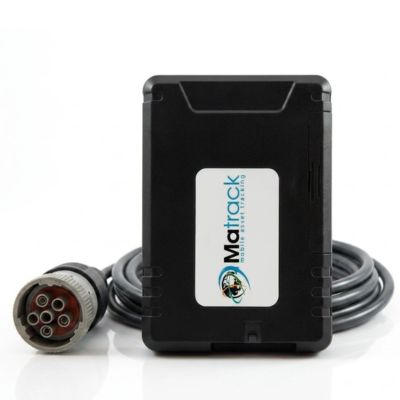
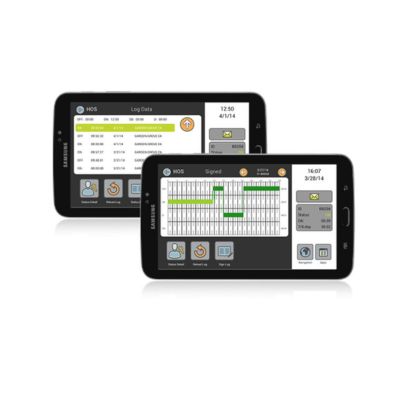
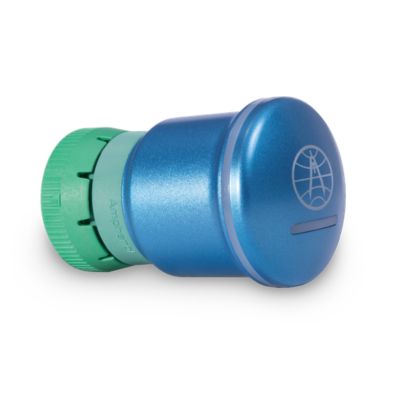
Matrack ELD keeps HOS compliance simple for owner-operators and small hotshot fleets. Engine activity feeds duty-status records automatically, so driving time is captured as the day moves between loading, fueling, waiting, inspections, and highway miles. Drivers handle HOS and DVIR in the iOS or Android app, while DOT Inspection Mode displays logs during roadside checks and web service or email handles electronic transfer.
Higher tiers add IFTA reporting and live GPS, with geofences and alerts covering day-to-day vehicle movement. TMS access and API or webhook connections can send mileage and location data into other systems. The ELD can also be purchased with an AI dashcam, keeping video under the same provider.
The device is included at no extra cost, there is no setup fee or long-term contract, and installation takes about 10 minutes. Month-to-month service and U.S.-based support keep the commitment light, while Enterprise adds custom integrations, dedicated success support, SLA options, and on-prem data export. That leaves room for a hotshot operation to take on more complex fleet needs later without replacing the ELD provider.
Key Features
- HOS tracking
- DVIR with photo proofs
- IFTA reports
- GPS tracking
- Driver Coaching & Scoring
- API & Integrations
- Violation alerts
- Inspection mode
Pros and Cons
| Pros | Cons |
|---|---|
| ✅ No long-term contracts | ❌ Limited deep reporting |
| ✅ Budget-friendly monthly pricing | ❌ Lighter enterprise tools |
| ✅ Fast plug-in setup | |
| ✅ Clean inspection mode |
2. Azuga eLogs ELD — Best for cross-border hotshot fleets
Crossing between the U.S. and Canada adds another layer to HOS compliance because the applicable rules change with the jurisdiction. Azuga eLogs covers both countries, allowing duty-status changes to stay in one interface as the route crosses the border.
Multi-language access helps mixed-language teams use the platform, and the mobile app handles HOS and DVIR tasks from a phone. Fleet tracking shows truck location and how much legal driving time remains before dispatch assigns the next load, giving dispatchers the information they need before sending the truck out again.
Key Features
- Canada compliance
- Driver app
- Custom reports
- DVIR tools
- Rule alerts
- Fleet tracking
Pros and Cons
| Pros | Cons |
|---|---|
| ✅ Cross-border support | ❌ Needs setup tuning |
| ✅ Multi-language driver access | ❌ Less solo-focused |
| ✅ Useful back-office reports | |
| ✅ Mobile-first log control |
3. Teletrac Navman ELD — Best for larger hotshot fleets
Once several pickups are hauling at the same time, dispatch has to compare legal hours with where each truck is before taking the next load. Teletrac Navman puts remaining hours, vehicle location, load status, and documents in one fleet view, giving dispatchers the information needed before freight is assigned.
The shared view becomes especially useful when vehicles are spread across different regions. Staff can compare remaining hours with truck status instead of piecing availability together through phone calls and spreadsheets. A solo owner-operator has much less need for that level of oversight, but several active trucks create more dispatch decisions to coordinate throughout the day.
Key Features
- Load management
- Document storage
- Driver hours
- IFTA tools
- Status alerts
- Fleet dashboard
Pros and Cons
| Pros | Cons |
|---|---|
| ✅ Built for larger fleets | ❌ Higher monthly cost |
| ✅ Dispatch visibility | ❌ Heavy for solos |
| ✅ Useful load tracking | |
| ✅ Detailed manager dashboard |
4. Rand McNally ELD 50 — Best for mobile logging
The compact Rand McNally ELD 50 is built around a phone or tablet rather than a larger fixed display. Bluetooth pairs the unit with the mobile screen already used during the day, where HOS records and duty-status changes are handled.
Portability is especially useful when work continues outside the cab. Log review and inspection entries remain accessible around the truck or trailer, while engine diagnostics and fuel-use data add another view of vehicle condition and performance. Connection alerts and duty prompts help catch routine HOS issues.
The arrangement depends on a paired mobile device. Anyone who prefers a permanent in-cab screen may be better served by dedicated hardware.
Key Features
- Bluetooth pairing
- Fuel data
- Engine diagnostics
- Mobile logs
- Connection alerts
- Duty prompts
Pros and Cons
| Pros | Cons |
|---|---|
| ✅ One-time device cost | ❌ Needs mobile pairing |
| ✅ Minimal hardware setup | ❌ Limited fleet tools |
| ✅ Good fuel insights | |
| ✅ Helpful diagnostics data |
5. BigRoad Dashlink ELD — Best for basic compliance
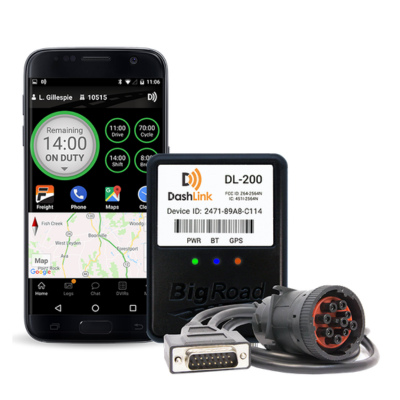
BigRoad Dashlink keeps the focus on everyday compliance rather than adding a wide fleet-analytics layer. Duty-status records, GPS trip history, inspection records, and reminders cover the main tasks an independent hotshot operator needs to manage.
Frequent stops can quickly reshape a shift when pickup times move or loading delays reduce the hours left to drive. Status changes are handled from the log screen as those delays happen, while risk alerts and end-of-shift reminders help keep the record current. Team-driver support separates each person’s logs when two people share the same trip without adding a larger fleet-management system
Key Features
- Dual logs
- GPS trips
- Duty edits
- Driver app
- Risk alerts
- Log reminders
Pros and Cons
| Pros | Cons |
|---|---|
| ✅ Supports team drivers | ❌ Basic fleet controls |
| ✅ Helpful risk notices | ❌ Limited analytics depth |
| ✅ Driver support | |
| ✅ Simple log workflow |
6. Verizon Connect ELD — Best for enterprise hotshot fleets
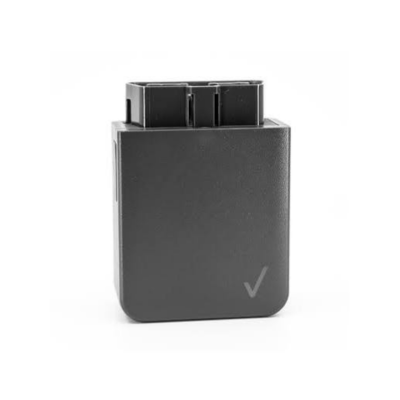
Enterprise dispatch decisions often involve more than the hours left on a driver’s clock. Verizon Connect places HOS status alongside vehicle location, idle time, and maintenance records, allowing managers to consider the truck and remaining legal time together before assigning freight.
Remaining legal hours can be checked before a load goes to someone who cannot complete it within the time left in the shift. Maintenance information adds another constraint to the decision, helping staff account for vehicle condition and upcoming service alongside utilization.
Smaller hotshot businesses are less likely to need that much fleet-wide detail. At enterprise scale, managers can check driver availability, vehicle use, and maintenance schedules together before planning the next assignment.
Key Features
- Fuel monitoring
- Maintenance tracking
- Location dashboard
- Mobile HOS
- Idle alerts
- Service reminders
Pros and Cons
| Pros | Cons | |
|---|---|---|
| ✅ Fleet oversight | ❌ Package review needed | |
| ✅ Useful idle tracking | ❌ Broad for solos | |
| ✅ Maintenance visibility included |
7. EROAD Ehubo ELD — Best for remote routes
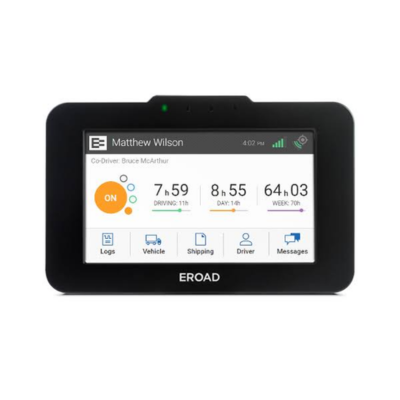
A dedicated touchscreen gives EROAD Ehubo an advantage on hotshot jobs where a personal phone is not the preferred way to handle every compliance task. The fixed in-cab display gives drivers a permanent screen for log entries and other ELD functions.
That can be practical on trips to farms, energy sites, construction areas, and other locations far from an office. Mileage records and vehicle diagnostics can be reviewed later in the web portal, while compliance and network alerts remain tied to the in-cab unit.
The fixed screen sacrifices some of the portability of a mobile-first system. In return, day-to-day HOS work does not depend entirely on a personal phone.
Key Features
- Touchscreen unit
- Web portal
- Vehicle diagnostics
- Mileage reports
- Network alerts
- Compliance flags
Pros and Cons
| Pros | Cons |
|---|---|
| ✅ Dedicated touchscreen device | ❌ Less app-flexible |
| ✅ Reliable remote reporting | ❌ Higher device dependency |
| ✅ Focused driver workflow | |
| ✅ Good mileage records |
8. HoS 247 ELD — Best for fleets that switch trucks often
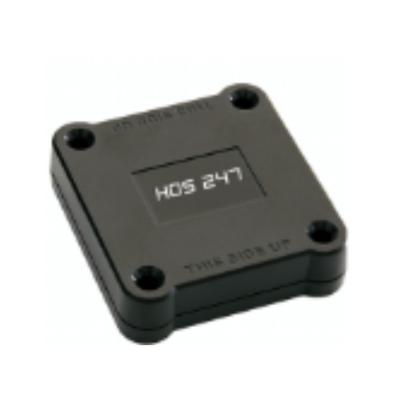
Leased pickups, backup vehicles, and rotating assignments can make truck changes a regular part of hotshot work. HoS 247 uses portable hardware that can move between compatible vehicles while HOS records remain tied to the app.
A reassignment therefore does not mean rebuilding the record from the beginning. IFTA support, GPS alerts, and status warnings remain available across vehicle changes, keeping the product focused on portability and continuity rather than a large enterprise toolset.
Key Features
- Portable device
- Log app
- Fleet portal
- IFTA support
- GPS alerts
- Status warnings
Pros and Cons
| Pros | Cons |
|---|---|
| ✅ Transferable between trucks | ❌ Simple analytics only |
| ✅ Helpful customer support | ❌ Basic reporting tools |
| ✅ Quick compliance view | |
| ✅ Good small-fleet fit |
9. Zonar ELD — Best for rugged hotshot operations
Construction, utility, and industrial hauling can expose in-cab equipment to gravel yards, rough access roads, and active work sites. Zonar uses dedicated in-cab hardware for those conditions instead of relying on a lightweight phone-only arrangement.
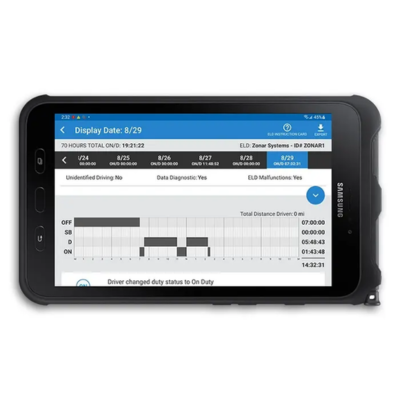
Duty-status records, inspection reports, and vehicle diagnostics stay together as the pickup moves between highway miles and harsher job-site environments. Cross-border rule support covers fleets that travel beyond domestic routes, while tamper-resistant logging and a dedicated tablet give managers tighter control over record capture.
The larger hardware takes up more room in the cab than a mobile-first setup. Fleets that prioritize durable equipment and structured records may accept the extra footprint for a dedicated in-cab system.
Key Features
- Rule switching
- Driver tablet
- Manager portal
- Maintenance records
- Border alerts
- Violation updates
Pros and Cons
| Pros | Cons |
|---|---|
| ✅ Rugged fleet hardware | ❌ Higher upfront cost |
| ✅ Cross-border rule handling | ❌ Less solo-friendly |
| ✅ Tamper-resistant design | |
| ✅ Dedicated driver tablet |
Features To Look For In An ELD For Hotshot Trucking
For hotshot trucking, compare the ELD’s roadside compliance functions, total cost, and features the operation will actually use.
Total cost
Compare the total cost of getting the ELD into the truck, including hardware, activation, required accessories, and any contract-related charges.
Low monthly subscription
Recurring fees become increasingly noticeable as a fleet adds trucks. Check what the monthly plan includes before comparing rates, especially HOS logging, DVIR access, reporting, and customer support.
FMCSA registration
When federal ELD rules apply, look for a device listed on FMCSA’s registered ELD list. Verify the exact ELD and provider before signing up. General “compliance” language does not establish FMCSA registration.
Fleet features
Count extra features when they replace separate paperwork or reduce a daily task. Common fleet features include:
- GPS tracking for vehicle location
- eDVIR for inspection records
- IFTA mileage reporting
- Violation and status alerts
- Vehicle diagnostics or basic fleet reporting
Solo owner-operators may use only a few of these. Location and reporting functions matter more when one dispatcher oversees several pickups.
Customer support
Log issues become urgent when a driver is preparing for an inspection. Look for a support team that handles setup questions, log edits, malfunctions, and data-transfer problems directly so the driver is not sent through multiple departments.
No contract
With month-to-month service, a hotshot operator can change providers when the ELD no longer matches its needs. Longer agreements are not automatically a poor choice; compare the commitment with what the plan includes.
No hidden fees
Read past the advertised subscription rate and account for activation charges, hardware leases, cellular fees, replacement-device costs, and cancellation fees when comparing the real first-year expense.
Driver interface
Duty status, remaining hours, log edits, DVIR, and inspection functions should be reachable from the driver’s normal screen without several menu changes. Stop-heavy hotshot days leave little time to work through several menus between pickups.
Installation
Compare plug-in hardware and device-pairing requirements when a fleet rotates among pickups, leased trucks, and backup vehicles.
Final Verdict
For hotshot owner-operators and small fleets, Matrack combines HOS compliance with month-to-month service. Its FMCSA-registered ELD covers HOS tracking, DVIR, and IFTA mileage reporting without a multi-year commitment.
Azuga covers regular U.S.-Canada runs. Teletrac Navman and Verizon Connect cover broader fleet oversight, while EROAD uses dedicated in-cab hardware for remote routes. HoS 247 is for fleets where trucks and drivers change often.
The final choice depends on how the truck actually runs and which functions the operator will use. Matrack combines core ELD compliance with a month-to-month service model for operators prioritizing those two factors.