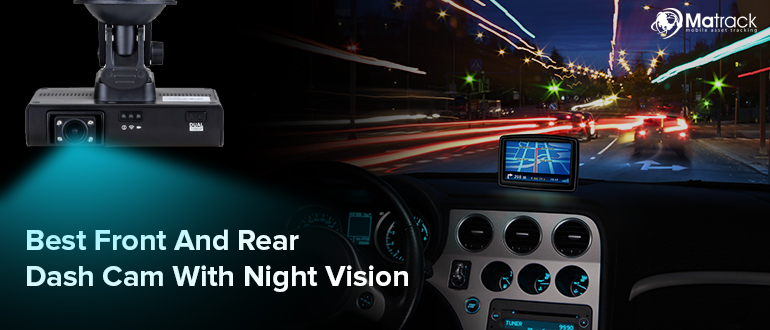


Matrack M4000 AI Dashcam stores uploaded fleet event clips in the cloud for 30 days by default, with 90-day and 365-day retention options; continuous driving footage records to microSD storage. Nextbase iQ 4K uploads selected impact and parking events for remote review, with 30-day retention on Protect and 180 days on Protect Plus. Fleet teams get longer incident-review windows and video tied to vehicle records; individual drivers retrieve parking and impact footage remotely without handling the camera.
Cloud-connected dash cams are growing faster than basic local units as remote review and AI-triggered events shift video handling beyond on-device recording. Mordor Intelligence’s 2026 tracking identifies smart AI and cloud-integrated units as the fastest-growing segment globally at an 11.83% CAGR, linking that growth to cloud-based computer vision and recurring software subscriptions.
Upload method, retention period, LTE availability, local fallback, camera coverage, and subscription requirements shape what happens to footage after an incident. Fleet review, parking monitoring, off-vehicle evidence retrieval, and longer-term online storage place different demands on that combination.
Our Top Choice For Dash Cams With Cloud Storage
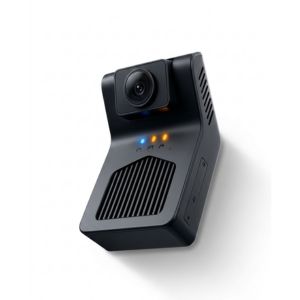
- Device Cost: $99
- Best For: Small fleets
- Cloud Storage: Event clips
- Retention: 30 / 90 / 365 days
- Connectivity: 4G LTE
- Local Storage: microSD up to 512GB
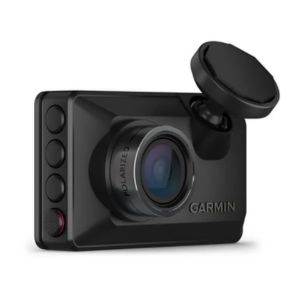
- Device Cost: $400
- Best For: LTE access
- Cloud Storage: Garmin Vault
- Retention: 7 / 30 days
- Connectivity: LTE + Wi-Fi
- Local Storage: 16GB microSD
- Device Cost: $650
- Best For: Parking monitoring
- Cloud Storage: Event uploads
- Retention: 30 / 180 days
- Connectivity: 4G
- Local Storage: SD up to 256GB
- Device Cost: $604
- Best For: Dual 4K
- Cloud Storage: Cloud backup
- Retention: 5GB free
- Connectivity: Wi-Fi + optional LTE
- Local Storage: microSD up to 1TB
- Device Cost: $200–$300
- Best For: Unlimited storage
- Cloud Storage: LTE cloud
- Retention: Unlimited
- Connectivity: 4G multi-carrier
- Local Storage: Internal up to 256GB
How We Reviewed Dash Cams With Cloud Storage?
The review followed an incident from capture through retrieval: what triggers a saved clip, its first storage location, whether upload starts automatically, and which connection carries the file online. Retention was recorded as a fixed-day window, storage allowance, or plan-based limit so the available review period stayed comparable across models.
Next came the functions available away from the vehicle, including Live View, playback, alerts, GPS tools, and fleet-side review. Local capacity and camera coverage completed the picture by showing what remains on the device when the network or paid service is unavailable.
What Are the Best Dash Cams With Cloud Storage in 2026?
In 2026, cloud dash cams differ most in what gets uploaded, how long it stays online, and which connection works beyond Wi-Fi. Those choices affect fleet review, parked-vehicle incidents, high-resolution evidence, and long-term online retention.
1. Matrack M4000 AI Dashcam — Best for Small Fleets
Matrack M4000 AI Dashcam retains uploaded event clips for 30 days by default, with 90-day and 365-day retention options. A g-sensor impact preserves a 60-second clip covering the 30 seconds before and after the incident; built-in 4G LTE sends that footage to the fleet platform. Managers retrieve event clips or open live road and cabin video before a vehicle returns. Continuous loop footage records to microSD storage up to 512GB.
Standard hardware uses road- and driver-facing cameras, with infrared night vision for the cabin after dark. Multi-camera deployments expand to as many as five synchronized front, cabin, side, and rear angles for 360-degree coverage of the same incident.
On-device ADAS flags forward collision, tailgating, lane departure, and stop-sign events. Driver monitoring identifies phone use, distraction, drowsiness, smoking, and seat-belt status. In-cab audio alerts run on the device, so temporary cellular loss does not interrupt the warning. Matrack ELD adds HOS logging for fleets that need compliance records; the Premium package adds GPS tracking and automated IFTA reporting.
Pros and Cons
| Pros | Cons |
|---|---|
| ✅ Low $99 hardware entry cost | ❌ Built for fleets, not personal cars |
| ✅ Audio alerts work without cellular signal | ❌ GPS tracking needs Premium package |
| ✅ Optional HOS and IFTA compliance tools |
Product Features
- 365-Day Clip Retention
- 60-Second Event Clips
- Infrared Cabin Night Vision
- Five-Camera Expansion
- On-Device ADAS Alerts
- Driver Distraction Detection
- 512GB microSD Slot
2. Garmin Dash Cam Live — Best for LTE Cloud Access
Saved footage uploads to Garmin Vault through the built-in LTE connection on Garmin Dash Cam Live without relying on nearby Wi-Fi. A basic Vault account retains uploaded clips for up to 24 hours; LTE Vault plans extend retention to seven days on Standard and 30 days on Advanced. An active cellular plan is required for Live View, vehicle location, unidentified-driver alerts, and incident messaging.
Parking Guard records an incident affecting an unattended vehicle, places the clip in Vault, and sends the owner a notification. Depending on the installation, longer parked operation may still require constant vehicle power.
The forward-facing camera records in 1440p with HDR and logs location, time, and speed with saved footage. Cabin or rear views require additional compatible Garmin cameras; Auto Sync groups recordings from as many as four units.
Pros and Cons
| Pros | Cons |
|---|---|
| ✅ Uploads clips without nearby Wi-Fi | ❌ Basic Vault keeps clips 24 hours |
| ✅ Live road view from anywhere | ❌ Cabin view needs extra Garmin camera |
| ✅ Messages owner after detected incidents |
Product Features
- 1440p HDR Recording
- Parking Guard Mode
- Four-Camera Auto Sync
- Unidentified Driver Alerts
- Speed and Location Stamping
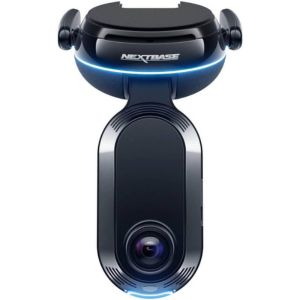
3. Nextbase iQ 4K — Best for Parking Cloud Monitoring
Smart Sense Parking on the Nextbase iQ 4K uses proximity sensing and AI to monitor activity around an unattended vehicle. Relevant events trigger notifications over built-in 4G. Automatic impact upload is available, whereas regular driving recordings go primarily to the SD card. Protect includes 4G, Live View, Witness Mode, and 30-day retention. Protect Plus extends the window to 180 days and adds automated incident backup and Emergency SOS.
A 4K front camera pairs with a 1440p cabin camera, and an optional rear unit adds a view behind the vehicle. Installation uses the OBD port instead of relying solely on a cigarette-lighter connection.
Pros and Cons
| Pros | Cons |
|---|---|
| ✅ Up to 180-day cloud retention | ❌ Highest upfront price in this lineup |
| ✅ Impact clips upload automatically over 4G | ❌ Driving footage stays on SD card |
| ✅ Flags activity before physical impact |
Product Features
- Dual-Channel 4K
- Sony STARVIS 2
- 1TB Card Capacity
- Remote SD Playback
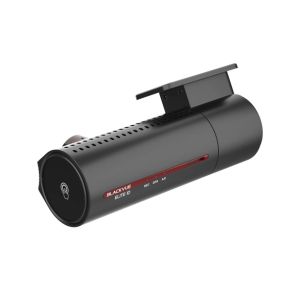
4. BlackVue ELITE 10-2CH — Best for Dual 4K Recording With Cloud Access
The BlackVue ELITE 10-2CH records 4K video from both the front and rear cameras, preserving high-resolution evidence in both directions without reducing quality on the rear channel. Sony STARVIS 2 sensors record both views, and local storage reaches 1TB for the two streams. BlackVue Cloud offers backup for selected event footage and includes 5GB of storage. Remote playback reaches recordings already stored on the microSD card over an internet connection. Higher FLEETA tiers increase the online allowance. LTE is not built into the camera, so connected functions away from Wi-Fi require BlackVue’s separate LTE Connectivity Module or a hotspo
Pros and Cons
| Pros | Cons |
|---|---|
| ✅ Rear footage matches front resolution | ❌ No built-in LTE in camera |
| ✅ Includes 5GB free cloud backup | ❌ No cabin-facing camera included |
| ✅ FLEETA tiers scale cloud allowance |
Product Features
- Dual-Channel 4K
- Sony STARVIS 2
- 1TB Card Capacity
- Remote SD Playback
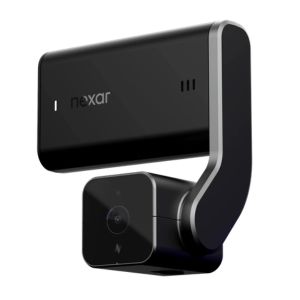
5. Nexar Beam2 Pro — Best for Unlimited Cloud Storage
Unlimited cloud storage on the Nexar Beam2 Pro requires an active LTE Protection Plan. Its built-in 4G connection uses a multi-carrier SIM that connects through AT&T, Verizon, or T-Mobile according to signal availability. Automatic upload is available for selected clips through that service. Remote live streaming, real-time GPS tracking, emergency alerts, and parking monitoring depend on the plan; without it, recording and Wi-Fi viewing remain active.
The road camera records in QHD and the cabin camera in FHD, with a compatible rear camera adding rear coverage. Local video uses internal storage in capacities up to 256GB; there is no replaceable microSD card, so onboard capacity is selected at purchase.
Pros and Cons
| Pros | Cons |
|---|---|
| ✅ Unlimited uploads at mid-range price | ❌ No replaceable microSD card slot |
| ✅ Keeps recording without active plan | ❌ Road camera stops short of 4K |
| ✅ Supports compatible rear camera add-on |
Product Features
- Unlimited Cloud Storage
- Multi-Carrier SIM
- QHD Road Camera
- FHD Cabin Camera
- Real-Time GPS Tracking
How Do Dash Cams Upload Footage to the Cloud?
Event Triggers
An impact, parking incident, motion alert, or manual save marks the relevant segment for preservation. Instead of sending an entire drive online, the camera isolates the moments around the trigger and leaves ordinary loop video on local media. That split reduces bandwidth demand and keeps the remote archive focused on evidence likely to be reviewed.Network Connection
The preserved file then needs a route off the vehicle. Integrated LTE sends it over cellular service during a trip; Wi-Fi holds transmission until a known network comes into range. Models without embedded mobile hardware depend on an added LTE module or hotspot. The connection type sets whether off-site viewing starts during the trip or after the vehicle reaches a usable network.Upload Timing
Timing depends on the connection available when the event is saved. Active cellular service sends eligible footage during the trip; a Wi-Fi queue waits for a compatible network.Storage Handling
After upload, retention follows the provider’s model: a fixed-day window, capacity allowance, or active subscription tier. Continuous driving video records to microSD or internal memory in systems that reserve online space for selected clips. Hardware capacity governs on-device files; account rules set the limit for uploaded evidence.Failure Handling
If connectivity drops before transmission finishes, recording continues on the camera. The event stays on the device until the network returns, delaying off-site review. Files already stored remotely remain retrievable during the interruption. Pending footage transfers after the internet connection is restored.How to Choose the Right Dash Cam With Cloud Storage?
Start with how footage needs to be handled after an incident, not with camera resolution alone. Upload behavior, retention, connectivity, off-vehicle review, and onboard fallback determine whether a model matches the review routine.
Check these factors before choosing a cloud dash cam:
- Upload method: Confirm which clips move online automatically and which require manual saving. Event-based transfer works best when collision or parking footage needs to reach a reviewer quickly; routine driving video records locally.
- Storage retention: Check how long uploaded footage remains before deletion. Short windows suit immediate review. Fleets handling claims or internal investigations need additional time to download and preserve the file.
- Remote review: Verify which functions work away from the vehicle: saved-clip playback, Live View, location tracking, parking notifications, or fleet-side records.
- Connectivity type: Built-in LTE keeps connected functions active on the road. Wi-Fi-only transfer waits for a usable network. A separate cellular module or hotspot adds an extra device to the connection path.
- Alerts: Impact and parking notifications flag footage that needs attention. Driver-facing warnings act inside the vehicle and serve a separate purpose from off-site notifications.
- Local storage: Adequate onboard capacity still matters because continuous video often records to microSD or internal memory. Check card capacity and overwrite behavior for incidents that have not uploaded.
- Camera coverage: A forward-facing view captures road evidence. Cabin, rear, and side channels add context around collisions, driver activity, or parking incidents. Extra angles increase local storage demand.
- Subscription requirements: Identify which functions stop when the paid service ends. Cloud backup, extended retention, remote streaming, alerts, or tracking depend on an active plan on some services even though the camera keeps recording.
- Privacy controls: Cabin video, GPS records, and audio often require stricter handling than road footage. Fleet permissions define who views, downloads, and shares recordings; retention follows applicable workplace and privacy rules.
- Usage fit: Small fleets often prioritize automatic uploads and centralized incident review. Individual drivers tend to value parking alerts or remote playback. Persistent LTE or extended retention earns its cost only when those functions are part of routine incident review.
Are Cloud Dash Cams Worth the Subscription Cost?
Subscription Coverage
Plan coverage varies by provider, combining storage with LTE connectivity, remote viewing, alerts, location tracking, automated backup, or extended retention. Compare the functions that stop at expiration with those that continue on the camera.Practical Value
Remote service earns its cost when footage is needed before someone physically reaches the vehicle. A saved collision clip, parking alert, or live feed is reviewable off-site even though the original file remains inside the car, shortening the time between an incident and the first fleet review.Cost Tradeoffs
Recurring fees add to the hardware price, and some setups require separate cellular equipment or a higher service tier for longer retention. Paying extra makes sense only when the connected features are used regularly. On-device files are enough when footage is reviewed infrequently and physical retrieval is not a problem.Who Benefits
Centralized event retrieval matters most to fleet managers whose vehicles spend much of the day away from the office. Parking surveillance serves drivers who need notifications or live viewing when the car is unattended. Occasional users with little need for off-site review are less likely to justify a full-time connected plan.How Do Cloud Dash Cams Compare to SD-Only Dash Cams?
Cloud-connected cameras add off-device backup and remote review; SD-only models keep all footage inside the vehicle.
Factor | Cloud Dash Cams | SD-Only Dash Cams |
Storage | Local + online | Local only |
Incident retrieval | Remote | Physical |
Upload | LTE / Wi-Fi | No upload |
Backup | Selected clips online | Card dependent |
Parking alerts | Remote notifications | Local recording |
Live View | Supported plans | Not available |
Retention | Plan-based | Capacity-based |
Connection need | Remote features | Not required |
Subscription | Often required | Usually none |
Failure risk | Uploaded clips stay off-device | Card loss affects footage |
Best use | Remote review | Basic recording |
The difference appears after an incident. SD-only recording works when someone reaches the camera and retrieves the card. Uploaded footage covers incidents that require off-site review or preservation before the device is handled.
Final Verdict
Cloud storage matters when footage requires review away from the vehicle. For small fleets, Matrack M4000 AI Dashcam combines event uploads, extended retention options, and video tied to GPS and HOS records. Drivers focused on parking incidents prioritize remote alerts and Live View over fleet-side context.
Footage reaches remote storage through built-in LTE, Wi-Fi, or added cellular hardware. Extended retention increases the review window, and onboard memory preserves routine video during connection loss. Subscription terms determine whether playback, alerts, tracking, or online backup continue after a plan ends.
Start with three questions: who reviews the footage, how soon they need it, and how long it needs to remain online. Connectivity, onboard capacity, and off-site controls then become practical comparison points.