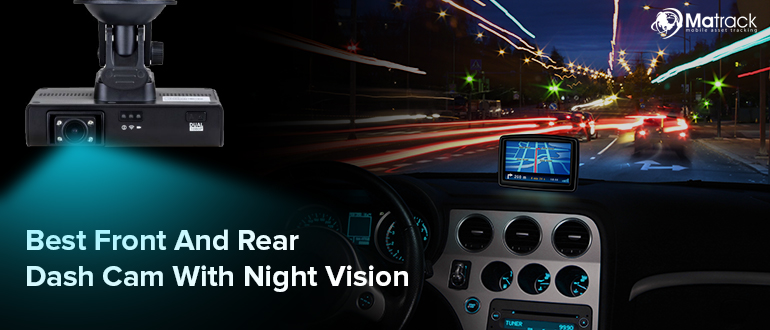


The best dash cams with night vision for truckers and commercial fleets in 2026 are the Matrack AI Dashcam M4000, Lytx DriveCam, Netradyne Driver•i, and Geotab FleetCam Pro. Matrack M4000 is aimed at owner-operators, Lytx DriveCam is built around driver coaching, Netradyne Driver• emphasises AI-based driver monitoring, and Geotab FleetCam Pro pairs camera footage with fleet telematics.
Resolution is only part of the picture after dark. Road-facing low-light imaging and driver-facing infrared handle different visibility needs, while AI alerts, remote footage retrieval, and GPS context affect how useful the recording is when an incident needs to be reviewed. A higher resolution spec alone does not tell you what the camera will actually capture or how easily the footage can be pulled afterwards.
Our Topic Choice For Best Dash Cams With Night Vision
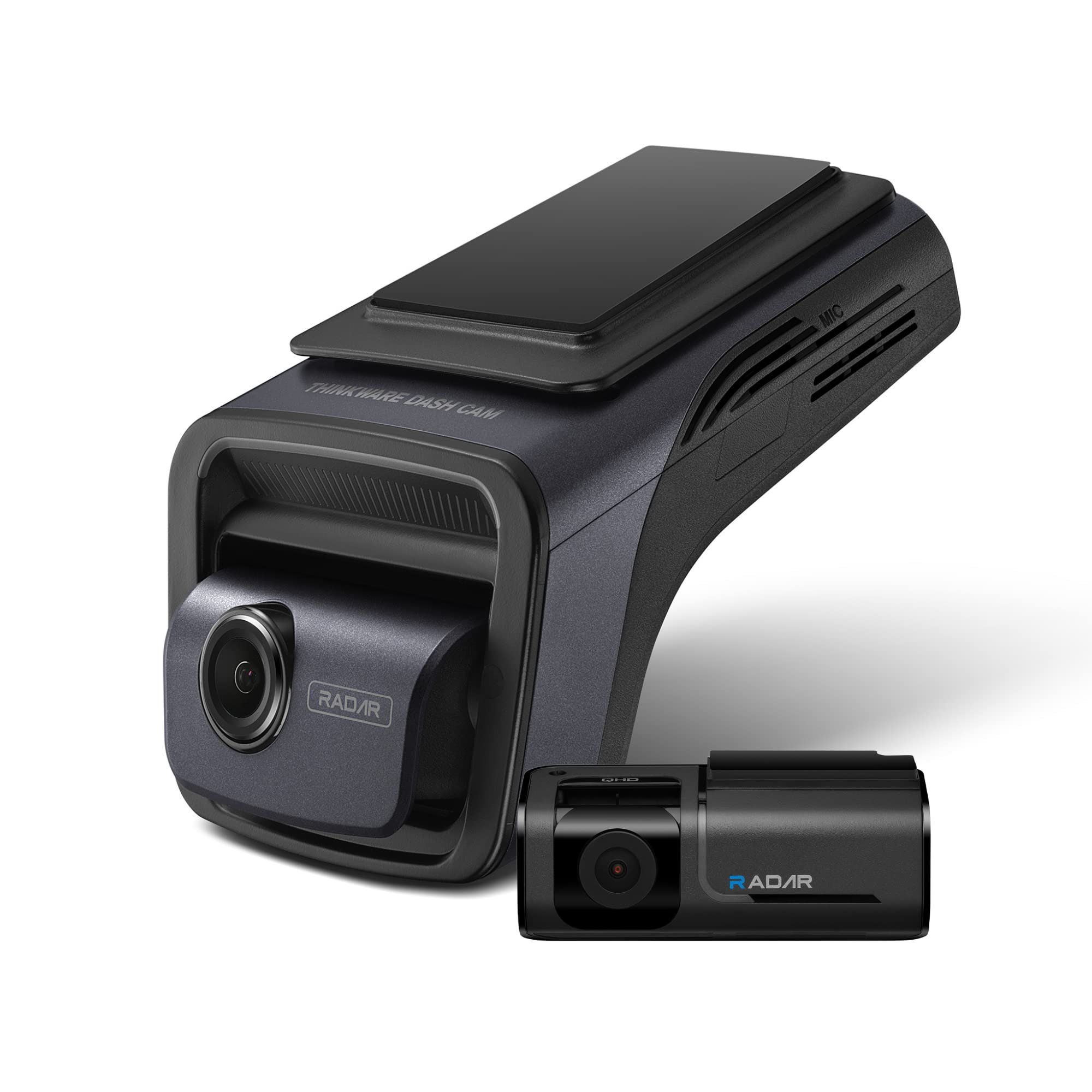
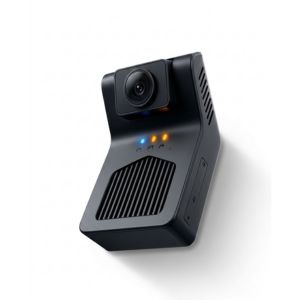 Matrack M4000
- Best For: Owner-Operators
- Cost: $99 upfront + $19.95/mo
- Night Vision: Active cabin IR
- Driver Safety: DMS + ADAS
- Video & Storage: Live streaming; up to 512GB; up to 5 cameras
- GPS / Telematics: Integrated GPS + 4G cloud
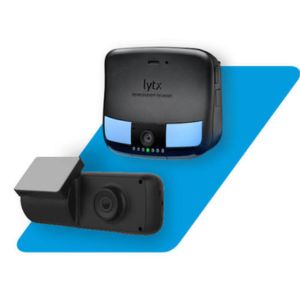 Lytx DriveCam
- Best For: Driver Coaching
- Cost: Custom quote
- Night Vision: 4 IR LEDs
- Driver Safety: MV+AI + fatigue detection
- Video & Storage: Live streaming; up to 400 hrs; auxiliary cameras
- GPS / Telematics: Built-in GNSS
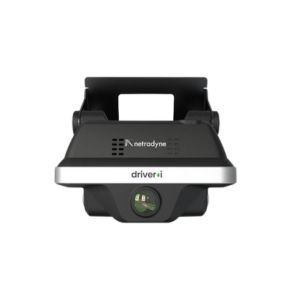 Netradyne Driver•i
- Best For: AI Monitoring
- Cost: Custom quote; used hardware around $150
- Night Vision: HD night vision
- Driver Safety: AI alerts + optional DMS
- Video & Storage: Live streaming; up to 200 hrs; multi-camera
- GPS / Telematics: GPS tracking + remote access
Geotab FleetCam Pro- Best For: Telematics Integration
- Cost: Custom quote; software plans around $20–$60/mo
- Night Vision: Infrared low-light
- Driver Safety: DMS accessory + voice alerts
- Video & Storage: Live streaming; up to 1TB; up to 6 cameras
- GPS / Telematics: MyGeotab integra
How We Compared Night Vision Dash Cams?
The comparison starts with what matters most after dark: how well each camera handles the road ahead, the driver inside the cab, and changing light conditions. Camera coverage and live viewing were considered alongside those basics.
Driver safety was reviewed through AI and DMS features, in-cab alerts, GPS context, event capture, and storage.
Beyond the camera itself, we considered how footage is accessed, how closely the system ties into telematics, and whether it makes sense for an owner-operator or a larger fleet. Since there is no common controlled nighttime benchmark across all four products, we do not rank them by image quality.
Best Dash Cams With Night Vision for Commercial Fleets in 2026
Commercial dash cams approach night vision in different ways. The meaningful differences are how well they monitor a dark cab, turn low-light footage into coaching, identify driver fatigue, or connect video with telematics records.
1. Matrack AI Dashcam M4000 — Best for Owner-Operators
Matrack AI Dashcam M4000 uses active infrared on its 1080p cabin camera to maintain driver monitoring in darkness. For an owner-operator, that capability sits alongside road video, GPS tracking, 4G LTE connectivity, and app-based footage review in a setup designed for relatively simple installation. Matrack also sells ELD bundles, which can simplify purchasing for drivers who want dash-cam and compliance services from the same provider.
The 100-degree cabin lens works with DMS to identify drowsiness, distraction, phone use, smoking, and seat-belt use, with audible warnings available for selected behaviors. A separate 1080p, 105-degree road camera runs ADAS functions for forward collision, following distance, lane departure, and stop signs. The infrared hardware is concentrated on the driver-facing view, so cab monitoring is the more convincing low-light capability.
4G LTE sends live video and event clips to the app, removing the need to return to the truck just to pull a recording. Continuous recording and event-triggered clips can use up to 512GB of local storage, alongside 30 days of cloud retention. Matrack estimates roughly 20 to 30 minutes for DIY installation.
Pros and Cons
| Pros | Cons |
|---|---|
| ✅ DIY setup takes roughly thirty minutes | ❌ Infrared coverage favors cabin over roadway |
| ✅ Cloud footage remains available thirty days | |
| ✅ ELD bundles simplify paired service purchasing |
Features
Active IR night vision
1080p cabin camera
DMS behavior detection
ADAS road alerts
4G LTE streaming
512GB local storage
2. Lytx DriveCam — Best for Driver Coaching at Night
Low-light risk footage can move directly into driver follow-up with Lytx DriveCam. A recorded incident can enter self-coaching or manager-led coaching, turning what happened behind the wheel into a specific behavior discussion rather than leaving the clip as post-incident evidence.
The SF400 uses four high-lumen infrared LEDs and advanced infrared image sensors to record activity in dark conditions. Driver Check-In organizes follow-up, performance reporting tracks behavior over time, and human review can help prioritize incidents that warrant closer attention. The camera therefore serves a larger coaching process instead of functioning only as a recorder.
Pros and Cons
| Pros | Cons |
|---|---|
| ✅ Tamper-resistant mounting deters unauthorized device removal | ❌ Exterior view spans only ninety-six degrees |
| ✅ Manual buttons let drivers tag incidents | |
| ✅ Firmware updates require no manual downloads |
Features
Four infrared LEDs
MV+AI risk detection
Continual video recording
ECM data capture
Driver Check-In
3. Netradyne Driver•i — Best for AI-Powered Nighttime Driver Monitoring
A visible cabin image alone says little about whether fatigue is developing. Netradyne Driver•i can pair with a dedicated DMS Sensor that uses infrared sensing to examine eye and head behavior associated with drowsiness, moving beyond simple driver visibility.
The sensor measures eye closure, blink behavior, percentage of eye closure over time, microsleeps, and head movement. Those measurements allow Driver•i to distinguish specific fatigue signals instead of relying on a broad distraction event.
Its infrared design is intended to function in darkness and through most non-polarized sunglasses. Severity-based warnings can alert the driver as signs of drowsiness develop.
The deeper analysis depends on the installed hardware. The dedicated DMS Sensor is currently associated with the D-450, while D-810 materials describe DMS within a broader modular camera architecture. Fleets buying specifically for eyelid, blink, and microsleep analysis should confirm the sensor included in their configuration.
Pros and Cons
| Pros | Cons |
|---|---|
| ✅ Detects fatigue before visible head nodding | ❌ Dedicated sensor currently requires D-450 hardware |
| ✅ Works through most non-polarized sunglasses | |
| ✅ Granular signals support focused coaching sessions |
Features
Infrared eye sensing
Microsleep detection
Blink measurement
Eye-closure tracking
Head-movement analysis
Severity grading
Audio warnings
4. FleetCam Pro Road & Driver Dashcam — Best for MyGeotab-Integrated Night Vision
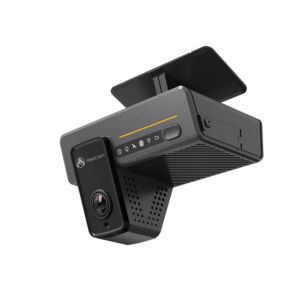
Low-light footage is most valuable here when it remains attached to the telematics record surrounding the incident. FleetCam Pro Road & Driver Dashcam links road- and driver-facing video with MyGeotab vehicle, rule, event, and Trip History data, allowing a manager to move from a flagged event to the related clip without reconciling separate records.
Both cameras record at 1080p and include infrared capability for night and low-light event detection. The North American configuration uses a 140-degree road-facing field of view and a 170-degree driver-facing view, covering the traffic scene and cab from the same installation.
FleetCam synchronizes vehicles, users, permissions, groups, and events with Geotab. Managers can move between Maps, rules, Trip History, event clips, livestreams, remote wake functions, and driver scorecards inside the connected MyGeotab environment. The integration turns recorded video into part of the existing incident-review process instead of another standalone source to check.
Road-facing footage shows what happened outside the truck, while cabin infrared shows what was happening inside. Fleets that need both incident evidence and driver-behavior context will usually want both views.
Pros and Cons
| Pros | Cons |
|---|---|
| ✅ Voice coaching reacts inside the cab | ❌ Base unit omits required power harness |
| ✅ Historical clips download without vehicle access | |
| ✅ Supports hardwire, OBD-II, or JBUS harnesses |
Feature
Dual 1080p cameras
Infrared low-light capture
Native MyGeotab integration
Six-channel expansion
Remote wake
Live streaming
Dual SD redundancy
Breadcrumb snapshots
What’s the Difference Between Road Night Vision and Cabin Infrared?
Exterior low-light imaging and cabin infrared handle two different parts of an incident. The outward camera records traffic, signs, hazards, and nearby vehicles, while infrared captures activity inside a dark cab.
Use Case | Exterior View | Cabin IR |
Collision evidence | Traffic and nearby vehicles | Cab activity |
Driver behavior | Limited | Behavior monitoring |
Drowsiness detection | — | Supports compatible DMS |
Cabin activity | — | Interior view |
Exterior hazards | Primary view | — |
Signs and vehicles | Primary view | — |
Coaching | Road context | Coaching context |
Incident review | Outside sequence | Inside sequence |
Outside footage shows what happened around the truck. Cabin IR shows what was happening with the driver, so fleets that need the full picture should look for a system with both views.
What to Look for in a Night Vision Dash Cam for Trucks
Low-Light Performance
Road cameras have to handle limited light, glare, reflective signs, and oncoming headlights without losing useful detail. Resolution contributes to image quality, but sensor sensitivity and HDR/WDR become more relevant when bright and dark areas appear together.Cabin Infrared
Infrared lets the driver-facing camera record inside a dark cab without depending on interior lighting, which is especially relevant on overnight routes or when the inward camera supports DMS.Driver Monitoring
DMS capabilities vary by product and configuration. Some setups detect distraction or drowsiness and issue alerts inside the cab. Enhanced detection in darkness sometimes requires optional hardware, so buyers should verify what is included with the selected package.Recording Modes
Event recording captures the moments around a triggered incident, while continuous video keeps a broader portion of the drive available. Fleets should compare how much surrounding footage they want when reviewing an event.GPS Context
GPS ties location and trip details to the footage. Reviewers can place an incident along the route and connect it with the surrounding drive.Video Storage
Capacity alone does not tell the whole story. Local retention, remote uploads, and the time footage remains available often vary with the hardware and service plan.Remote Access
When trucks spend long stretches away from the office, remote access lets a fleet review footage without waiting until the vehicle returns. Depending on the system, cellular connectivity supports event clips, historical footage, or live views.Camera Coverage
A road-and-cab arrangement covers the main views many fleets need; side, rear, cargo, or auxiliary cameras add perspective but rely on available channels.Driver Alerts
Immediate in-cab warnings suit fleets that want drivers notified as risky behavior happens. Other safety programs rely more heavily on recorded events during later coaching sessions, while some use both approaches.Installation Fit
Mounting position, power supply, cable routing, cellular coverage, and auxiliary cameras all influence deployment; hardware has to match the vehicles in service, and windshield placement must follow commercial-vehicle mounting rules.Driver Privacy
A privacy policy should spell out what the cameras capture, when they operate, who has permission to view footage, and how long recordings are retained. Privacy and audio-recording requirements vary by jurisdiction, so each fleet should confirm the rules that apply before deployment.What Are the Dash Cam Mounting Rules for Commercial Vehicles?
For commercial vehicles, qualifying vehicle safety technology must stay outside the driver’s sight lines. Under 49 CFR 393.60, it may be mounted within specific upper or lower areas of the windshield, but not every dash cam or installation automatically qualifies.
To apply the rule, first identify the part of the windshield swept by the wipers. An upper-mounted device may sit within 8.5 inches below the upper edge of that swept area, while a lower-mounted device may sit within 7 inches above its lower edge.
- Upper zone: Measure downward from the upper edge of the wiper-swept area.
- Lower zone: Measure upward from the lower edge of the wiper-swept area.
- Driver view: Even within those zones, the device must remain outside the driver’s sight lines to the road, highway signs, and signals.
Before installation, confirm that the device qualifies as vehicle safety technology and review any additional state requirements that apply where the vehicle operates.
How Do You Evaluate Night Vision Before Deploying a Dash Cam?
Before a wider rollout, run the camera on the routes and in the conditions it will actually face. Pay attention to what it captures after dark, how driver monitoring responds, and what footage is available afterward.
Include a dark interstate, an unlit rural road, city lighting, oncoming headlights, rain, and a cab with the lights off. Add scenarios such as glasses, looking away, drowsiness, and sudden braking so the evaluation covers image quality and monitoring behavior.
Key questions include:
- Is the relevant object or behavior easy to identify?
- Does cabin IR produce a usable interior image?
- Do the intended AI alerts trigger?
- Where are alerts processed: locally or in the cloud?
- Is event footage protected?
- Do GPS and time stay attached to the recording?
- Can a manager retrieve clips remotely?
- What stays in local storage when connectivity drops?
Deliberately interrupt cellular service during the trial. Then verify local retention, post-reconnection uploads, and remote access before the truck returns.
Can Night Vision Dash Cams Prevent Fatigue or Distraction?
No. Low-light cameras and DMS can document or flag certain conditions, but they cannot eliminate fatigue or distraction.
Fatigue is an alertness problem. FMCSA notes that people are generally less alert at night, especially during natural drowsy periods such as midnight to 6 a.m. DMS may identify signs associated with drowsiness, but rest, Hours of Service compliance, and fatigue-management policies remain essential.
Distraction is a separate behavior issue. DMS may recognize actions such as looking away from the road and issue an in-cab warning. Recorded video can then support coaching or incident review, but none of these features guarantees prevention.
Final Verdict
A night-capable dash cam should match what the operation needs to capture after dark. Roadway evidence points toward strong low-light performance, while driver monitoring makes cabin infrared and DMS more important.
Matrack M4000 suits owner-operators, Lytx DriveCam is built around coaching, Netradyne Driver•i leans toward AI-based monitoring, and Geotab FleetCam Pro works best for fleets already using telematics as part of their video workflow.
Rather than chasing the highest resolution or the longest feature list, compare how each system handles the situations your drivers actually face. The right option is the one that delivers the footage, alerts, and access your fleet will use in practice.