

Matrack AI Dashcam M4000 is our top budget dash cam pick for owner-operators and small fleets in 2026, with remote access to road and cab footage, GPS tracking, and driver-safety alerts. Drivers who want to record more than the road ahead have the three-channel Galphi M2 or dual-4K Miofive S1 Ultra, while Kingslim D5 captures 4K footage through a single front-facing lens. Rexing V1-4K suits vehicles exposed to extreme heat or cold, 70mai M200 handles low-light recording, and Vantrue E1 Lite fits discreetly behind the rearview mirror.
After a collision, even sharp 4K footage won’t show what happened behind the vehicle if the camera was facing forward. Retrieving the recording presents another challenge when it’s stored on a memory card inside a truck hundreds of miles away. A driver might review the clip after stopping, but a fleet manager investigating the same incident needs access without waiting for the vehicle to return.
How long that footage remains available depends on the recording setup. Loop recording eventually overwrites older files, with high-resolution video taking up more storage space, especially across multiple cameras. Several models also require a separate hardwire kit to capture incidents while parked, so recording coverage alone doesn’t tell you what the camera will capture throughout the day.
Our Top Choice For Most Affordable Dash Cams
 Matrack AI Dashcam
- Price: $99
- Best For: Owner-operators & Small fleets
- Coverage: 360 Degrees
- Key Feature: Safety events
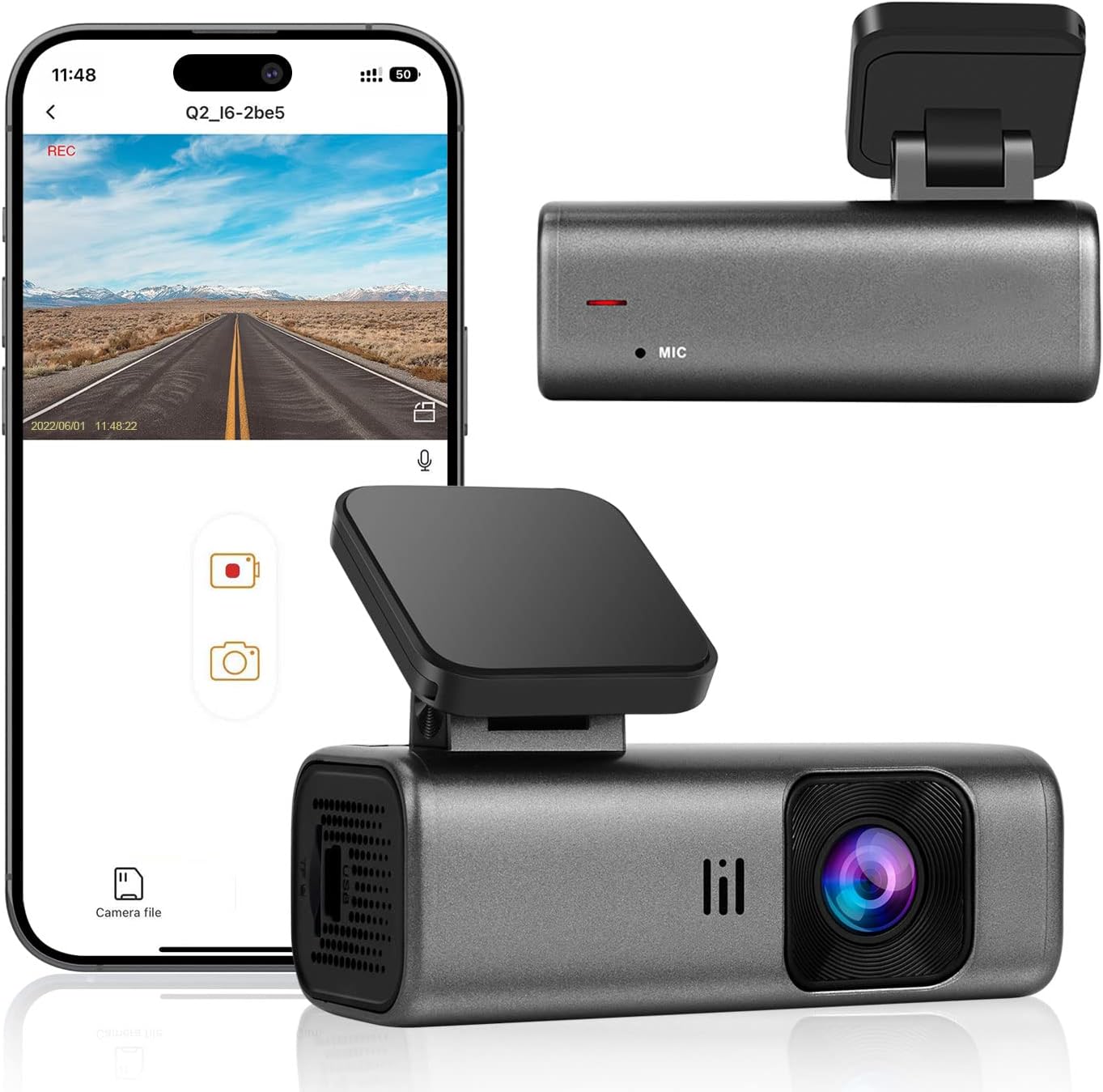 Galphi M2
- Price: $55.98
- Best For: Parking mode
- Coverage: Front + cabin + rear
- Key Feature: Motion detection
 Kingslim D5
- Price: $79.99
- Best For: 4K recording
- Coverage: Front
- Key Feature: HDR + routes

 70mai M200
- Price: $49.99
- Best For: Remote monitoring
- Coverage: Front
- Key Feature: Mobile access
 Vantrue E1 Lite
- Price: $89.99
- Best For: Compact setup
- Coverage: Front
- Key Feature: GPS logging
 Miofive S1 Ultra
- Price: $129.59
- Best For: Dual coverage
- Coverage: Front + rear
- Key Feature: OTA updates
How We Tested Budget Dash Cams?
We compared daylight and nighttime footage, parking coverage, storage limits, app access, and installation needs. Resolution alone does not tell the full story; footage also needs readable detail and quick retrieval after an incident.
The criteria change with the type of camera. Three-channel models expand coverage around the vehicle, compact designs reduce windshield obstruction, and connected models support remote access. Fleet-focused options are compared on driver-safety events and trip context alongside recorded video.
Accessory requirements appear with the product details. Hardwire-dependent parking protection is noted because extra hardware changes installation and total setup cost.
What are the best budget dash cams for different driving and monitoring needs in 2026?
Budget dash cams differ in how they capture, store, and retrieve evidence. The right choice may depend on remote fleet oversight, cabin coverage, frame rate, temperature tolerance, low-light hardware, discreet placement, or detail from both ends of the vehicle.
1. Matrack AI Dashcam M4000 — Best for Owner-Operators & Small Fleets
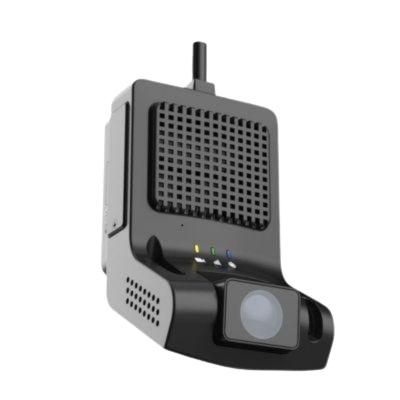
Matrack AI Dashcam M4000 sends road and cab video over 4G LTE, allowing owner-operators and small fleets to inspect an incident without retrieving a memory card from the vehicle. GPS, live streaming, cloud clips, and dashboard tools keep location and recent events together, with 30 days of cloud retention by default.
Two 1080p lenses cover the road and cab, and infrared illumination keeps the interior visible after dark. Operations needing more angles can expand the setup to as many as five cameras for broader 360-degree visibility around the vehicle.
DMS and ADAS can flag documented event types and attach the related clip, reducing the amount of routine material a manager has to search. Fleets that need electronic hours-of-service logging can pair the M4000 with Matrack’s separate ELD offering; its ML2-001 model appears on the Federal Motor Carrier Safety Administration’s ELD Registry. That registration applies to the logging device, not the dash cam’s image quality or AI performance.
The road-facing lens tops out at 1080p with a 105-degree field of view. Fine road detail is therefore not its main strength, but a fleet manager can still retrieve clips remotely, check cab activity, see location data, and review flagged events without waiting for the vehicle to return.
Pros and Cons
| Pros | Cons |
|---|---|
| ✅ Investigate incidents before trucks return | ❌ Road-facing resolution limited to 1080p |
| ✅ Review flagged events without searching manually | ❌ Full surround coverage requires additional cameras |
| ✅ Coach drivers using recorded behavior evidence | |
| ✅ Access recordings without removing memory cards |
Key features
4G LTE Streaming
Dual 1080p Cameras
Infrared Cabin Recording
AI Driver Monitoring
ADAS Safety Alerts
GPS Location Tracking
30-Day Cloud Retention
Five-Camera Expansion
Tech Specification
Specification | Details |
|---|---|
Resolution | Dual 1080p Full HD, 30fps |
Lens Angle | 105° front, 100° cabin |
Storage | Up to 512GB microSD + cloud storage |
Screen | No built-in display |
2. Galphi M2 - Best for Parking Mode
An incident may unfold ahead of the vehicle, inside the cabin, and behind it. The Galphi M2 records all three areas at once, using 2.5K for the front and 1080p for the interior and rear channels. Infrared illumination keeps the cabin feed available after dark, adding evidence that a standard front-and-rear arrangement cannot capture.
Both secondary channels stop at 1080p, so Galphi does not chase maximum detail in every direction. Its advantage is preserving three distinct perspectives of the same event, which is especially relevant for rideshare and taxi work where activity inside the vehicle may matter as much as what happens outside.
Pros and Cons
| Pros | Cons |
|---|---|
| ✅ Triple-channel coverage (front, cabin, rear) | ❌ Parking mode requires separate hardwire kit |
| ✅ Reliable 24-hour parking surveillance | ❌ Adhesive mount limits repositioning flexibility |
| ✅ Night vision enhances parked car monitoring | |
| ✅ WiFi app with direct clip transfer |
Key features
Three-Channel Recording
2.5K Front Recording
1080p Rear Recording
Infrared Cabin Vision
Motion Detection
Tech Specification
| Specification | Details |
|---|---|
| Resolution | 2.5K front + 1080P cabin + 1080P rear |
| Lens Angle | 160° wide view |
| Storage | 64GB SD included, up to 512GB |
| Screen | 2.35-inch LCD |
| Parking Mode | 24-hour (hardwire kit required) |
3. Kingslim D5 — Best for Budget 60fps Recording
Fast-moving scenes are where the Kingslim D5 becomes more interesting. Its recording menu includes 4K/30fps, 2K/30fps, and 1080p/60fps. Moving to 60fps doubles the number of frames captured each second compared with either 30fps setting, producing smoother motion during playback.
The faster mode is available only at 1080p. Choosing 4K preserves finer image detail; switching to 60fps prioritizes motion. Drivers who care about fluid playback can make that trade directly in the recording settings without changing hardware.
Pros and Cons
| Pros | Cons |
|---|---|
| ✅ True 4K video quality for sharper details | ❌ Parking mode only works when hardwired |
| ✅ GPS logs speed and routes automatically | ❌ Adhesive mount makes adjustment difficult |
| ✅ App control allows easy video sharing | |
| ✅ Night vision delivers usable clarity in low light |
Key features
4K Video Recording
60fps Recording Mode
HDR Video Recording
GPS Route Tracking
Adhesive Windshield Mount
Tech Specification
| Specification | Details |
|---|---|
| Resolution | 4K UHD (2160p) |
| Lens Angle | 170° wide |
| GPS | Built-in with route + speed logging |
| Storage | Supports up to 256GB microSD |
| Screen | 2.0-inch LCD |
4. Rexing V1-4K — Best for Extreme Cabin Temperatures
Rexing documents a -20°F to 176°F operating range for the V1-4K, backed by a supercapacitor rather than a larger lithium battery for normal operation. That combination is suited to vehicles regularly exposed to very hot or cold cabin conditions. A single forward-facing lens captures advertised 4K/30fps across a 170-degree field of view, with storage support up to 512GB. GPS is optional, and the base configuration has no cabin or rear channel, keeping the emphasis on temperature resilience and broad coverage of the road ahead.
Pros and Cons
| Pros | Cons |
|---|---|
| ✅ Supercapacitor ensures durability in hot climates | ❌ Adhesive mount restricts repositioning |
| ✅ 4K video captures sharp road detail | ❌ No rear camera support at this price |
| ✅ Wide 170° coverage across multiple lanes | |
| ✅ Discreet design blends with windshield |
Key features
Supercapacitor Power
170-Degree Viewing Angle
4K Video Recording
Extreme Temperature Tolerance
512GB Storage Support
Optional GPS Module
Tech Specification
| Specification | Details |
|---|---|
| Resolution | 4K UHD (2160p) |
| Lens Angle | 170° wide |
| Power Supply | Supercapacitor (heat-resistant) |
| Storage | Supports up to 256GB microSD |
| Screen | 2.4-inch LCD |
5. 70mai M200 / Dash Cam 3 — Best for Budget Low-Light Recording
Sony’s STARVIS 2 IMX662 sensor sits at the center of the 70mai M200’s low-light design. An F1.8 aperture and hardware HDR work alongside it to handle darker roads and sharp transitions between headlights, streetlights, signs, and shadowed areas.
Output remains 1080p/30fps across a 130-degree field of view. The sensor is built to gather light efficiently, while HDR helps retain information in scenes with both bright and dark areas. Voice control adds a convenient way to handle basic functions without a built-in screen.
Phone transfers use local 2.4GHz Wi-Fi, with no documented 4G capability. Parking collision recording and time-lapse operation require the separate UP02 hardwire kit, so unattended recording depends on an external power connection.
Pros and Cons
| Pros | Cons |
|---|---|
| ✅ STARVIS 2 sensor enhances nighttime clarity | ❌ Limited to 1080p resolution |
| ✅ HDR prevents overexposure from headlights | ❌ Parking monitor requires hardwiring |
| ✅ Affordable without losing core functions | |
| ✅ Voice control keeps hands on the wheel |
Key features
STARVIS 2 Sensor
Hardware HDR
F1.8 Aperture
130-Degree Lens
Voice Control
2.4GHz Wi-Fi
Tech Specification
| Specification | Details |
|---|---|
| Resolution | 1080P Full HD with STARVIS 2 sensor |
| Lens Angle | 130° wide |
| Storage | Supports up to 128GB microSD |
| Mounting Type | Adhesive / Electrostatic |
| Special Feature | HDR night vision + voice control |
6. Vantrue E1 Lite — Best Compact Budget Dash Cam
A small body that can tuck close to or behind the rearview mirror keeps the Vantrue E1 Lite from taking over the windshield. Voice commands suit that out-of-the-way position, while built-in GPS adds location data and 5GHz Wi-Fi handles local app transfers without requiring extra hardware around the mirror. Its compact size comes with a simpler recording layout. The E1 Lite covers only the road ahead at roughly 1080p-class resolution, with no cabin or rear channel.
Pros and Cons
| Pros | Cons |
|---|---|
| ✅ GPS logs speed and travel routes | ❌ Syncing issues with some smartphones |
| ✅ Compact design hides behind mirror | ❌ Video files split into short clips with gaps |
| ✅ Clear 1080p recording for daily driving | |
| ✅ G-sensor locks emergency clips automatically |
Key features
Compact Camera Body
Built-In GPS
5GHz Wi-Fi
Voice Commands
1080p Front Recording
Discreet Mirror Placement
Tech Specification
| Specification | Details |
|---|---|
| Resolution | 1080P Full HD |
| Lens Angle | 160° wide |
| GPS | Built-in with speed + route logging |
| Storage | Supports up to 512GB microSD |
| Screen | 1.54-inch LCD |
7. Miofive S1 Ultra — Best for Dual-4K Coverage
Both directions retain 4K on the Miofive S1 Ultra. The front records at 4K/30fps and the rear at 4K/24fps, preserving high-resolution evidence behind the vehicle instead of dropping the secondary channel to 1080p.
Digital Camera World reported strong 4K image quality in its 2024 hands-on review, giving the dual-camera specification independent support. The publication also noted large video files and criticized the mount, so the assessment was not uniformly positive.
Full-resolution rear capture runs at 24fps rather than the front channel’s 30fps. A 64GB card is included, with support extending to 512GB, useful capacity given the storage demands of recording 4K in both directions.
Pros and Cons
| Pros | Cons |
|---|---|
| ✅ Dual 4K cameras cover both front and rear | ❌ App pairing process often unreliable |
| ✅ GPS adds speed and location data to clips | ❌ Parking features require extra hardwire kit |
| ✅ Wide HDR range helps balance glare in traffic | |
| ✅ Compact fit keeps windshield clear |
Key features
Dual 4K Recording
4K Rear Recording
OTA Firmware Updates
64GB Card Included
512GB Storage Support
Tech Specification
| Specification | Details |
|---|---|
| Resolution | Dual 4K (front + rear) |
| Lens Angle | 140° front, 112° rear |
| GPS | Built-in with location + speed data |
| Storage | 64GB SD included, up to 512GB |
| Screen | 3.0-inch LCD |
What Features Should You Expect From a Budget Dash Cam?
Video Quality
1080p is common at lower prices, with 2K and 4K available on several cameras. Higher resolution does not guarantee readable plates or signs in motion. Sensor quality and motion handling still affect the detail captured on the road.Night Recording
Low-light performance depends on the sensor and how well the camera handles glare from headlights, streetlights, and darker roads.Parking Mode
Parking mode captures activity while the vehicle is unattended. Motion detection starts recording when movement occurs nearby, while impact detection responds to a hit or sudden shock. Continuous protection often requires a hardwire connection.GPS Tracking
GPS records location and speed alongside the video, providing trip context when an incident is reviewed.Storage Support
Most budget dash cams save files to microSD cards and overwrite older footage through loop recording. Higher-capacity card support keeps earlier clips available longer.App Access
Mobile apps let drivers review and download files without removing the memory card. Connection speed and stability vary between models.Power Type
Dash cams generally use an internal battery or a supercapacitor. Supercapacitors tolerate wider temperature swings and are commonly used in vehicles exposed to regular heat or cold.Which Budget Dash Cam Is Right for You?
Fleet context, parking coverage, road detail, remote access, compact installation, and front-and-rear recording are the main differences to compare.
- Matrack AI Dashcam: Owner-operators and small fleets get driver-safety footage connected with fleet tracking and ELD data. Incident review can include location, trip activity, and Hours of Service records alongside the event.
- Galphi M2: Drivers who regularly park in public lots or on busy streets get front, cabin, and rear coverage. Continuous parking protection requires a hardwire kit.
- Kingslim D5: Drivers focused on road detail get 4K recording and HDR. Route tracking adds location history to saved footage, while the adhesive mount allows limited adjustment after installation. Parking functions require hardwiring.
- Rexing V1: A supercapacitor handles hot and cold cabin conditions. The camera records only the road ahead, with no rear camera included.
- 70mai M200: Remote viewing and voice control support connected use, while video resolution tops out at 1080p. Parking surveillance needs separate hardwiring.
- Vantrue E1 Lite: The compact body sits behind the rearview mirror with minimal obstruction. GPS logs route and speed information alongside the footage.
- Miofive S1 Ultra: Front-and-rear cameras cover both directions. Wireless access provides clip review without removing the memory card, and firmware updates can be installed over the air. Full parking protection requires additional hardwiring.
Why Trust Us?
Our recommendations are based on hands-on testing with real budget dash cams, not just spec sheets. Each device was installed in vehicles and used in daily driving to see how it performed in real conditions.
We compared video clarity, night vision, storage options, and extra features to find out which models truly offered value for the price. This process helped separate reliable cameras from those that looked good on paper but underperformed on the road.
Reader trust matters, so every product here was chosen with transparency in mind. The goal is to highlight budget dash cams that balance cost with performance, so you can make a decision with confidence.
Final Verdict
Budget dash cams at similar prices can differ sharply in what they record and how the footage is accessed. Resolution, camera coverage, parking protection, remote access, and installation requirements determine whether a model matches the way the vehicle is actually used.
Front-only cameras keep the setup simple, while multi-camera systems capture more areas around the vehicle. Connected features add remote access, and fleet-focused systems add driver and trip context to incident review.
Start with the type of footage you need, then check what hardware and access features are required to get it. Paying less upfront is not a savings if the camera leaves out the coverage or functionality you bought it for.