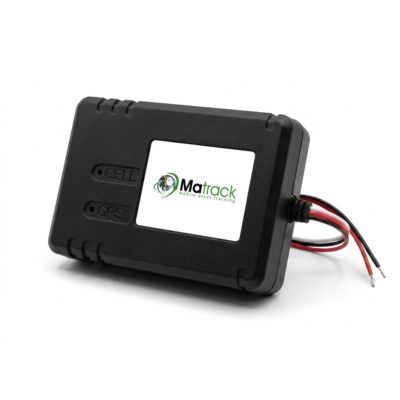
Matrack MA Hardwire Classic GPS Tracker gives owner-operators and smaller fleets a permanent way to track commercial trucks without adding a diagnostic gateway. It hardwires into 9–36V power, supports semis and heavy trucks, and provides live location, trip history, geofences, and driver-behavior scoring. The dashboard shows where a truck is, where it traveled, and whether activity occurred around a yard, job site, or customer location.
FHWA reports that single-unit and combination trucks traveled a combined 329.6 billion vehicle-miles in 2024. Its Our Nation’s Highways 2026 publication reports 13.1 billion tons of freight moved by truck in 2023, representing 65% of U.S. domestic freight by weight. Dispatch, maintenance, safety, and compliance teams look at different parts of a truck’s activity, so the installed device has to serve more than a map view.
A carrier focused on current position and trip history has little reason to buy the same hardware as a fleet pulling fault codes, engine status, or HOS logs into daily work. Hardwired GPS tracking covers the first job. Gateways and telematics control units reach further into the truck for the second. Vehicle compatibility sets the physical boundary; the office and shop decide which truck signals deserve a place in daily work.
Our Top Choices for Best Truck Tracking Devices
Matrack MA Hardwire Classic GPS Tracker
- Best For: Small fleets and owner-operators
- Install: Hardwired
- Main Job: Location, trips, geofences
- ELD/HOS: Separate ELD

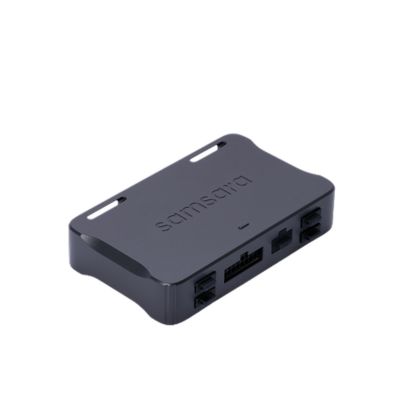
Samsara VG55 Vehicle Gateway
- Best For: Connected telematics fleets
- Install: Gateway cable
- Main Job: Location + diagnostics
- ELD/HOS: Same vendor

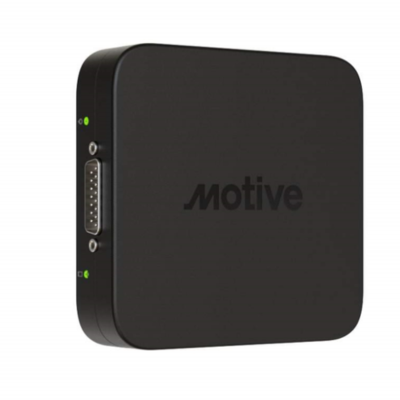
Motive Vehicle Gateway
- Best For: Large Fleets
- Install: Gateway cable
- Main Job: GPS + telematics
- ELD/HOS: Integrated workflow

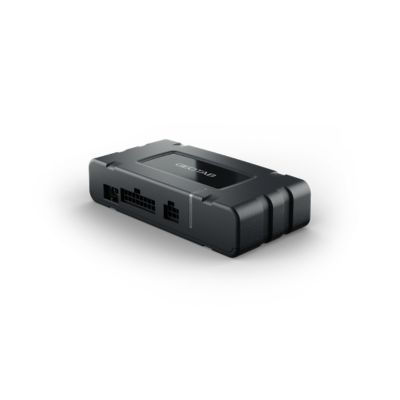
Geotab GO10
- Best For: Diagnostics and expansion
- Install: Vehicle gateway
- Main Job: Health + motion
- ELD/HOS: Separate check

Teletrac Navman VT101
- Best For: Heavy-duty hardwired tracking
- Install: Hardwired
- Main Job: Tracking + CAN
- ELD/HOS: TN360 integration

Zonar V4 Telematics Control Unit
- Best For: Deep diagnostics
- Install: ECU connected
- Main Job: Engine + performance
- ELD/HOS: Separate check
Linxup JBUS Plug-In GPS Tracker
- Best For: Simple heavy-duty tracking
- Install: 9-pin JBus
- Main Job: Location reporting
- ELD/HOS: Separate need
What to Look for in a Truck Tracking Device?
A software demo tells only part of the story because the device still has to match the truck in front of the installer. Port type and power narrow the physical options first; location detail, engine access, compliance work, and staff responsibilities shape what comes next.
Truck connection
Mixed fleets rarely share a single connection across every model year. Newer tractors commonly expose J1939, older units still carry J1708, and some supported models provide RP1226; 9-pin JBus and OBD-II add more variation across the yard. A port inventory prevents the fleet from ordering a single cable set for trucks that are wired differently.
Installation
Port availability changes shop time as much as hardware choice. Plug-in units reduce installation work on compatible trucks. Hardwired trackers take more labor, stay fixed in the vehicle, and leave the diagnostic connector open for other equipment; vehicle gateways rely on an approved cable for the truck. Limited shop windows push the decision toward a different install route than an operation already set up for electrical work.
GPS records
During an active run, dispatch cares about current position. Trip history answers a different question after the route is finished, and geofences tie activity to a terminal, customer site, yard, or service area. Reporting intervals deserve attention for fleets that watch movement closely, but a shorter interval does not prove that the reported position is more accurate. The interval only has value if it matches the dispatch or review task.
Vehicle diagnostics
Fault codes, odometer, battery health, engine status, and fuel data move the device beyond map tracking. Maintenance staff have a reason to collect those signals because they already feed inspection or service work. Without a shop routine built around diagnostics, deeper engine access adds capability without adding a task for anyone on the team.
ELD and HOS
Engine access does not turn a telematics gateway into an ELD. FMCSA states that the ELD rule does not require real-time vehicle tracking; carriers remain free to track vehicles for business purposes. Regulated fleets still need the correct ELD hardware, registration, driver logging steps, and Hours of Service records, separate from the GPS purchase.
Fleet software
Location, diagnostics, and compliance reach different desks after they leave the truck. Dispatch follows current position and route history; maintenance reviews fault codes or engine status; safety staff review driver events. Cameras, asset tracking, APIs, and maintenance modules belong in the account only where a team already has work for the feed they create. Extra modules do not add much if nobody owns the follow-up.
How We Selected Truck Tracking Devices
The shortlist stays with current physical hardware backed by official product documentation, GPS capability, and a commercial or heavy-duty installation path. Software-only names remain in the software column because buyers need to know what actually goes into the truck.
No side-by-side road test is claimed. Credible hands-on comparison requires the same trucks, routes, installation conditions, test period, and measurement method across all seven products; those test records were not part of the approved source material.
The review required:
- Current manufacturer documentation
- Identifiable in-truck hardware
- Commercial or heavy-duty vehicle support
- GPS or location reporting
- Documented installation route
- Diagnostic capability where provided
- Verified ELD/HOS relationship where relevant
- Official support for product-specific claims
Matrack went through the same screen as the other six entries. “Best for” identifies the operating situation assigned to a device in the roundup; it is not a customer score, category victory, or claim of measured superiority.
What Are the Best Truck Tracking Devices for Commercial Fleets?
Truck trackers differ most in how far they extend beyond location reporting. Some stay focused on frequent GPS updates and alerts, while others tie the truck into HOS, engine diagnostics, cameras, or existing fleet software.
1. Matrack MA Hardwire Classic — Best for Small Fleets
About 15 minutes is enough for the three-wire hardwired install, after which the Matrack MA Hardwire Classic draws power directly from the vehicle. Power-disconnect monitoring also flags an interruption if that feed is cut. As fleet grows can integrate with ELD so they can track HOS without changing the provider.
On the road, moving positions update every 10 seconds. Those points build trip history and geofence activity, while driver-behavior events show what happened along the route.
The setup can stay limited to GPS tracking or add an optional dash cam combo when video is needed. Service does not require a long-term contract, although the tracker has no internal backup battery and stops reporting when vehicle power is unavailable.
2. Samsara VG55 — Best for Complex Fleets
On supported trucks, engine information joins the GPS feed through Samsara VG55. The gateway reads J1939, J1708, OBD-II, and other supported CAN signals, giving Samsara access to compatible diagnostic information without adding a separate telematics box for each function. ELD, cameras, sensors, and in-cab connectivity can then become part of the wider Samsara deployment as requirements grow.
The cable determines part of what actually reaches the platform. Samsara specifically notes that a power-only connection will run the VG55 without sending diagnostic data, and licensing also affects which functions are active.
3. Motive Vehicle Gateway — Best for Large Fleets
As the truck moves, Motive Vehicle Gateway captures location, speed, fuel, odometer, engine status, and fault information. The Driver App handles the driver’s electronic log, while the Dashboard receives the corresponding vehicle activity. Dispatch can follow the trip without reconciling a separate GPS system against the HOS record. ELD functionality still depends on the proper vehicle connection, Driver App, and Motive platform. The gateway is the in-cab hardware feeding that compliance setup rather than a self-contained ELD by itself.
4. Geotab GO10 — Best for Integrations
Existing routing, maintenance, or back-office software does not have to be replaced to use Geotab GO10. Geotab documents more than 400 Marketplace integrations, along with SDK access and custom Add-Ins. Telematics information can move into tools already handling other parts of the business instead of ending inside MyGeotab.
Diagnostic depth depends more heavily on the selected rate plan. Richer engine functions sit in GO Plan, even though Marketplace and development access are available more broadly.
GO10 also has a current California restriction. Geotab states that GO10 and GO10 Plus must not be installed on vehicles registered or primarily operated in California until a CARB Executive Order exemption is issued.
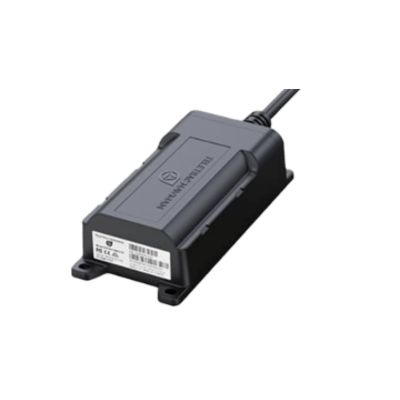
5. Teletrac Navman VT101 — Best for Hardwired Tracking
Teletrac Navman VT101 is built around a permanent connection to a heavy-duty truck. The tamper-resistant unit reads CANbus information and reports location as often as once per second. TN360 places those route updates beside engine diagnostics and safety events, with connected cameras available when video needs to be part of the record. That permanent install takes more work than connecting a tracker at the JBUS port. Once fitted, the VT101 stays with the truck instead of being treated as portable hardware.
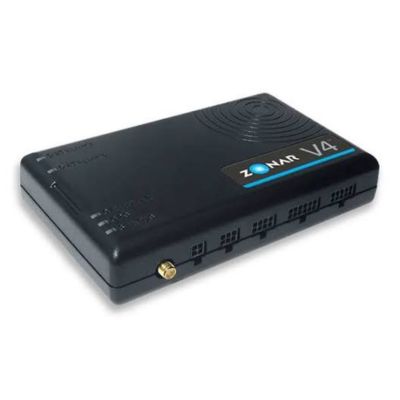
6. Zonar V4 — Best for Diagnostics
A fault code becomes more useful when maintenance can see it before the truck reaches the shop. Zonar V4 connects directly to the ECU and captures Level 1 and Level 2 faults along with engine, performance, activity, and other diagnostic information.
Updates arrive every few seconds, so reported problems enter the telematics feed while the vehicle is still operating. Maintenance staff can review the fault before a separate shop scan. Zonar’s APIs also pass information into TMS, ERP, and maintenance systems. A reported issue can therefore move into the software used to schedule or document the repair.
Because the V4 is tethered directly to the ECU, installation is more involved than a plug-in tracker. ECU access is also what exposes the detailed fault and engine information behind its diagnostic role.
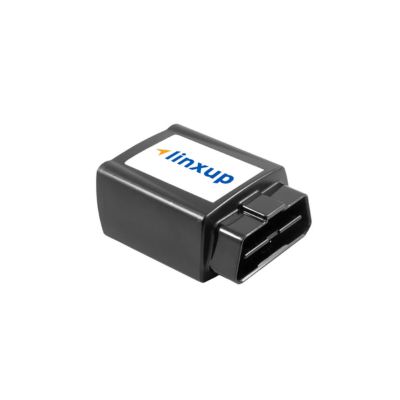
7. Linxup JBUS GPS Tracker — Best for Plug-In Tracking
On compatible trucks, installation starts at the existing 9-pin JBUS port with the Linxup JBUS GPS Tracker. Six-pin and other adapter configurations are supported where the connector differs. No permanent hardwire step is required before the unit begins reporting through the Linxup service. Standard service stays centered on GPS tracking. Linxup sells ELD separately, so electronic logs can be added where HOS is required without making them part of every JBUS deployment.
How to Choose the Right Truck Tracking Device for Your Fleet?
Vehicle constraints and office requirements need to stay separate during the purchase. A short truck inventory cuts out incompatible hardware before software, diagnostics, or compliance features complicate the decision.
- Truck inventory: Model year, voltage, available port, hardwire access
- Install plan: Shop time for hardwired units or port access for plug-in hardware
- Dispatch view: Current position, trip history, geofences, reporting interval
- Maintenance input: Fault codes, odometer, battery, fuel, engine status
- ELD/HOS: Hardware, registration, driver logging kept separate from GPS
- Office ownership: Dispatch, maintenance, safety, compliance
- Order details: Exact device, cable, support terms, installation requirements, current contract conditions
Final Verdict
Owner-operators and smaller fleets centered on permanent GPS tracking have a straightforward option in the Matrack MA Hardwire Classic. Its role stays narrow: live location, trip history, geofences, and driver-behavior scoring without pulling engine diagnostics into the hardware decision.
Fleets that expect the same device to feed maintenance or broader back-office work need deeper access to the truck. Diagnostic gateways and telematics control units serve that job; a compatible plug-in tracker serves the opposite case. The practical target is enough depth for current work without leaving capabilities idle or omitting the engine and compliance detail staff expect.