

Owner-operators and small fleets can view flagged safety footage remotely with the Matrack AI Dashcam M4000, which records the road and cab and uploads GPS-linked clips over 4G LTE. Businesses already using Samsara’s Vehicle Gateway can connect the CM34 through USB and handle dual-facing recordings within their existing safety and driver coaching tools.
A GPS record can identify where a collision occurred, but it cannot show the traffic movements leading up to impact. The windshield camera captures the road ahead, while the cabin lens can help establish how the driver responded. Poor low-light detail or headlight glare may obscure critical moments, leaving questions about the crash unanswered even when the footage is available.
Getting that evidence to the person investigating the collision is another consideration. Cellular coverage can delay cloud uploads, while a camera relying entirely on local storage requires someone to retrieve the files directly. Businesses equipping multiple trucks also have to account for camera placement, recording capacity, and how incidents are organized for follow-up.
Our Top Picks for Best Fleet Dash Cams for Commercial Vehicles
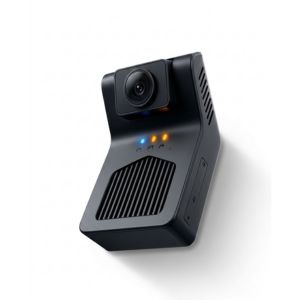
Matrack AI Dashcam
- Best For: Owner-operators and small fleets
- Cost: $99
- Standout Feature: Cloud-stored safety event clips
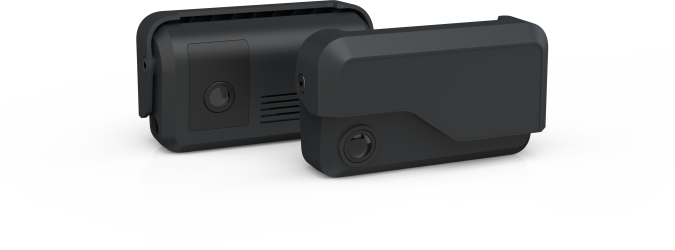
Samsara CM34
- Best For: Fast, plug-and-play deployment
- Cost: $466.99
- Standout Feature: Automatic cloud uploads
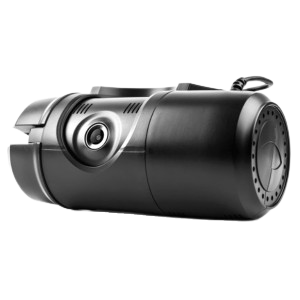
Verizon Connect Dash Cam
- Best For: Large operations
- Cost: $99.99
- Standout Feature: Centralized incident retrieval
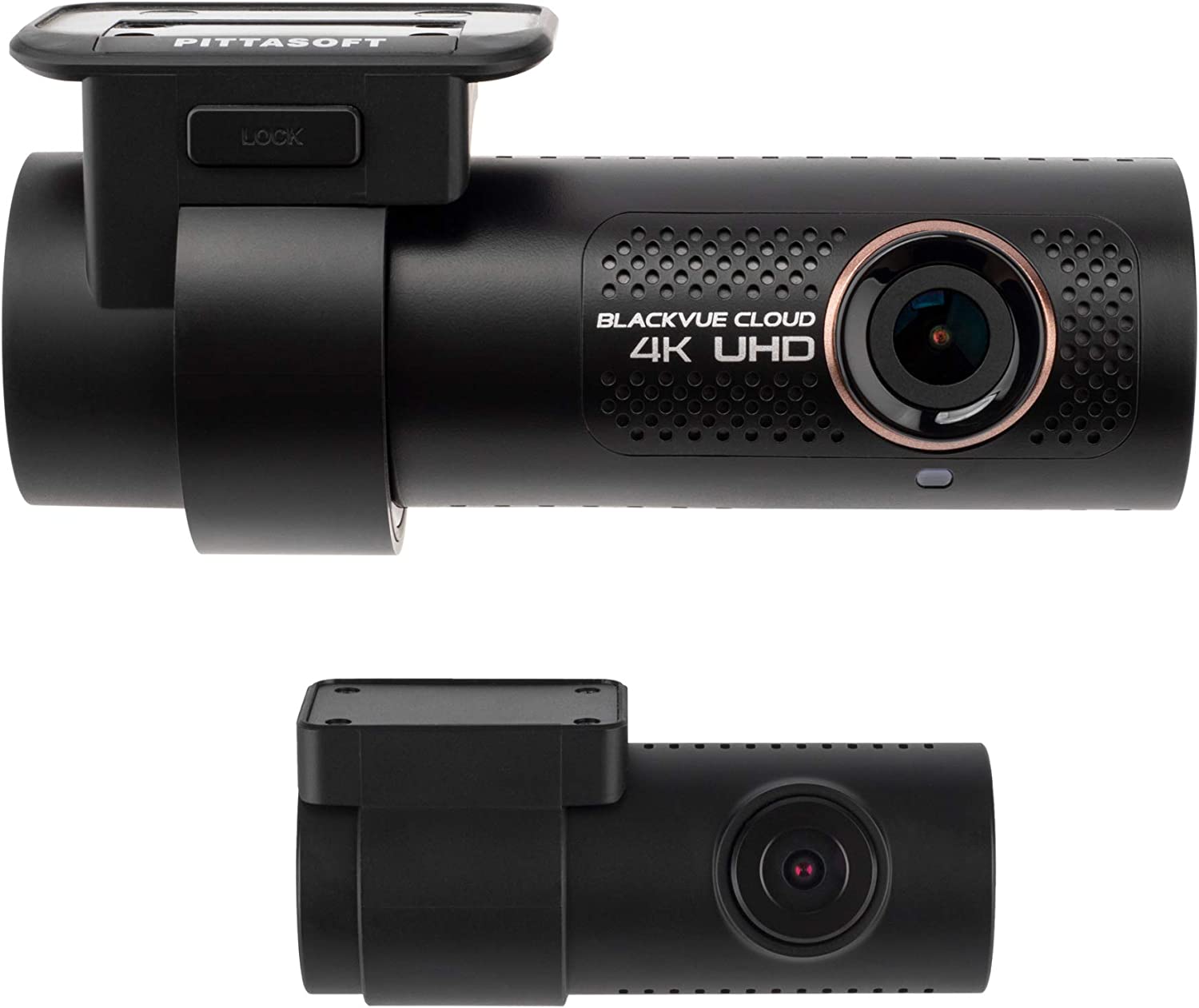
BlackVue DR900X-2CH Plus
- Best For: High-resolution road detail
- Cost: $459.99
- Standout Feature: 4K front capture
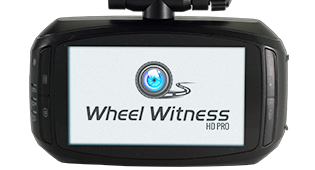
Wheel Witness HD Pro Plus
- Best For: Simple installation
- Cost: $30.00
- Standout Feature: Wi-Fi clip transfer
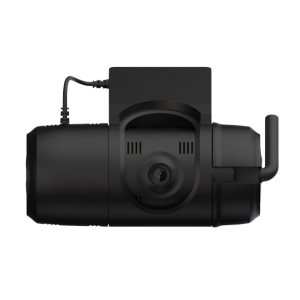
SmartWitness CP2-LTE
- Best For: Live incident response
- Cost: $159.20
- Standout Feature: LTE event transmission
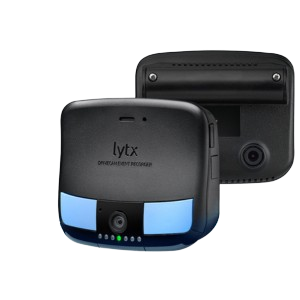
Lytx DriveCam
- Best For: Driver coaching programs
- Cost: $99.00
- Standout Feature: AI-based risk detection
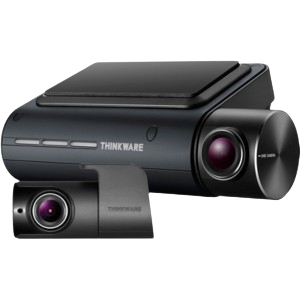
Thinkware Q800PRO
- Best For: Driver-assistance alerts
- Cost: $199.99
- Standout Feature: Lane and collision warnings
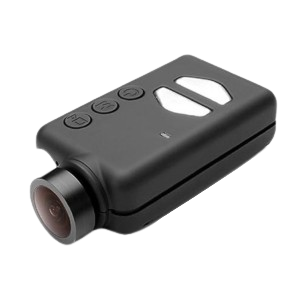
Mobius Action Cam
- Best For: Compact installations
- Cost: $84.95
- Standout Feature: Small-form-factor loop capture
How Can a Dash Cam Help Your Fleet?
After a Collision
Road-facing footage captures vehicle movement, surrounding traffic, and road conditions as a collision unfolds. Those details give safety staff something more concrete than separate driver accounts. They can trace the sequence of events from what the camera actually recorded.Driver Coaching
Driver-facing video gives supervisors a specific moment to discuss rather than a broad warning about behavior. AI-equipped cameras may flag distraction, drowsiness, or harsh driving when those functions are available. The clip then becomes the reference point for the coaching conversation.Disputed Claims
Saved footage gives claims teams something concrete to compare with driver statements, complaints, or other accounts when responsibility is unclear.Route Context
Telematics-connected cameras associate video with location and vehicle records. An incident can therefore be matched to the corresponding trip without treating the clip as an isolated piece of footage.How We Reviewed Dash Cam For Fleet Vehicles?
We reviewed each dash cam for how it would work in day-to-day fleet use, from installation to retrieving footage after an incident. The focus stayed on practical use rather than giving every specification the same weight.
- Video quality: Road detail and low-light performance, with attention to whether recorded clips remain useful after a collision or safety event.
- Coverage: The road-facing, driver-facing, rear, or multi-channel views available on each model.
- Footage access: Storage method, upload options, and the steps required to retrieve a specific clip.
- Driver safety: AI event detection, in-cab alerts, and coaching features kept separate from basic recording capability.
- Installation: Setup demands and the amount of work involved in deploying the hardware across vehicles.
- Fleet fit: Whether the product is aimed at an owner-operator, a small operation, or a larger safety program.
- Telematics integration: Connections between camera footage and location, vehicle, or trip data.
What Are The Best Dash Cams For Fleet Vehicles In 2026?
1. Matrack AI Dashcam M4000 - Best for Owner-Operators & Small Fleets
Matrack AI Dashcam M4000 uses a 1080p road-facing lens and an infrared driver-facing camera with night vision to capture activity outside and inside the vehicle. GPS adds location data to recorded events, local storage keeps footage onboard, and 4G LTE uploads flagged clips to the cloud dashboard. Live streaming lets owner-operators and small fleets check a vehicle remotely without waiting for it to return.
DMS and ADAS process driving behavior and road events directly on the device. In-cab alerts warn the driver when monitored behavior is detected, and detection continues if cellular service drops. Queued records upload after coverage returns, preventing a temporary outage from interrupting event monitoring.
Up to five cameras can be added for 360-degree visibility, extending the view to the sides and rear. For fleets that need electronic logging for HOS compliance, the M4000 can pair with Matrack’s ML2-001 ELD, which is listed on the FMCSA ELD Registry; the listing applies specifically to the ELD.
Product Highlights
- The built-in AI system identifies and alerts the driver to potential threats.
- You can remotely monitor any camera connected to the dashcam.
- The device is instrumental in providing evidence against false claims, thereby exonerating drivers efficiently.
- You can get the registration, installation, and ADAS calibration done in a simple three-step process.
- Matrack’s NextGen DashCam and receive a free month
Pros and Cons
| Pros | Cons |
|---|---|
| ✅ Comprehensive multi-camera coverage. | ❌ Higher initial cost due to multi-camera setup. |
| ✅ Instant access to video and GPS data. | ❌ Requires stable internet for optimal functionality. |
| ✅ AI alerts improve driver safety. | |
| ✅ Easy-to-access footage for incident reviews. |
Product Specification
| Feature | Details |
|---|---|
| Camera Views | Up to 5 cameras (front, rear, side, driver) |
| AI Safety Alerts | Drowsiness, texting, lane drifting |
| Video Access | On-demand and real-time via web portal |
| GPS Tracking | Real-time location tracking |
| Cost | $99 |
2. Samsara CM34 - Best for Fast Deployment in Samsara Fleets
With a Vehicle Gateway already installed, CM34 connects through USB and adds dual-facing footage to the vehicle and driver data already collected in Samsara. AI-detected events appear in the same safety tools, where managers can open the related clip and continue into coaching without switching to separate video software.
The standard unit records at 1080p. Dash Cam Plus raises the front channel to 2K or extends storage. Side, rear, and additional interior views require separate hardware, so those capabilities should not be assumed with the base configuration. ABI Research ranked Samsara second overall in its 2026 commercial video telematics assessment, citing the breadth of its connected ecosystem and safety capabilities.
Product Highlights
- Dual-facing 1080p HD cameras for road and driver monitoring
- Automatic cloud uploads for easy remote access
- Real-time in-cab alerts to correct driver behavior instantly
- Seamless integration with Samsara’s fleet platform
Pros and Cons
| Pros | Cons |
|---|---|
| ✅ Easy access to footage through cloud storage. | ❌ Limited to 1080p resolution. |
| ✅ In-cab alerts help prevent risky driving. | ❌ Cloud storage requires ongoing subscription. |
| ✅ GPS tracking for route monitoring. | |
| ✅ Compatible with Samsara’s fleet management tools. |
Product Specification
| Feature | Details |
|---|---|
| Camera Views | Dual-facing (road and driver) |
| Video Quality | 1080p HD |
| Cloud Storage | Automatic uploads |
| GPS Tracking | Yes |
| Cost | $467 |
3. Verizon Connect AI Dashcam / Integrated Video - Best for Large Fleet Operations
Extended View supports up to four peripheral cameras for side, rear, and cargo-area visibility, along with an in-cab monitor. Managers can inspect several parts of the vehicle when a windshield or driver-facing view does not capture the full incident.
Reveal displays the additional views alongside vehicle information and AI alerts. Driver-facing detections include tiredness, distraction, phone use, and seat-belt behavior, while road-facing AI flags events such as tailgating and rolling stops. Verizon expanded the service in 2026 with road-facing live streaming, posted-speed-sign detection, and Driver Plus video self-coaching.
The AI Dashcam requires Reveal or Verizon Connect Fleet, and Extended View installation is restricted to authorized technicians.
Product Highlights
- AI-enabled dash cam with real-time alerts for distracted driving and tailgating
- Dual-facing cameras capture both driver and road views
- Integrated with Verizon’s fleet management platform
- GPS-based data for route tracking and incident analysis
Pros and Cons
| Pros | Cons |
|---|---|
| ✅ Real-time driver alerts enhance safety. | ❌ Limited camera customization options. |
| ✅ Dual-camera setup for full monitoring. | ❌ Higher cost for additional features. |
| ✅ GPS integration for location tracking. | |
| ✅ Quick access to incident footage. |
Product Specification
| Feature | Details |
|---|---|
| Camera Views | Dual-facing (driver and road) |
| AI Safety Alerts | Distracted driving, tailgating |
| Video Quality | HD |
| GPS Tracking | Integrated with fleet management |
| Cost | $100 |
4. BlackVue DR900X-2CH Plus - Best for 4K Incident Detail, Legacy
BlackVue classifies the DR900X Plus series as discontinued, but existing units still record 4K front video at 30 fps through an 8MP sensor, paired with a 1080p rear channel. The 4K file gives investigators more detail to inspect after an incident.
The rear lens points behind the vehicle rather than toward the driver, so the two-channel configuration does not provide cabin monitoring. BlackVue Cloud adds remote functions, although cellular use requires separate hardware, an active data connection, and the appropriate service. A fleet planning a 2026 rollout may have a harder time sourcing new units and relying on long-term support.
Product Highlights
- 4K ultra-HD front camera with rear HD camera for detailed footage
- Remote access with the BlackVue app, including live streaming
- Parking mode with motion detection for added security
- Optional LTE module for cloud connectivity and GPS tracking
Pros and Cons
| Pros | Cons |
|---|---|
| ✅ High-resolution 4K front camera. | ❌ Higher cost for 4K and dual-camera setup. |
| ✅ Easy remote access and control. | ❌ LTE module requires additional purchase. |
| ✅ Parking mode for enhanced vehicle protection. | |
| ✅ GPS and LTE for real-time tracking. |
Product Specification
| Feature | Details |
|---|---|
| Camera Quality | Front 4K, rear HD |
| Remote Access | BlackVue app with live streaming |
| Parking Mode | Motion detection |
| GPS Tracking | Optional with LTE module |
| Cost | $460 |
5. WheelWitness HD PRO Plus - Best for Simple Plug-In Recording, Legacy
A 140-degree lens captures 1080p footage, loop recording automatically reuses storage space, and the G-sensor protects incident files from being overwritten. Built-in Wi-Fi lets a driver or manager retrieve recordings through a compatible phone.
WheelWitness currently marks the HD PRO Plus as out of stock. The product page does not document live LTE monitoring, centralized multi-vehicle administration, or company-wide driver coaching.
Product Highlights
- HD video with WiFi connectivity for easy smartphone access
- Unique on-the-fly zoom feature for detailed views
- Loop recording and impact detection for reliable incident coverage
- Plug-and-play setup for quick installation
Pros and Cons
| Pros | Cons |
|---|---|
| ✅ Zoom function for close-up footage. | ❌ Limited to HD resolution. |
| ✅ Quick smartphone access to videos. | ❌ Basic features without cloud storage. |
| ✅ Simple installation process. | |
| ✅ Impact detection for incident recording. |
Product Specification
| Feature | Details |
|---|---|
| Video Quality | HD with WiFi |
| Zoom Feature | On-the-fly 4x zoom |
| Loop Recording | Yes |
| Installation | Plug-and-play |
| Cost | $30 |
6. SmartWitness CP2-LTE – Best For Real-Time Fleet Monitoring
Built-in LTE Cat 4 allowed the CP2-LTE to send incident clips and location data while the vehicle was still on the road. GPS/GLONASS recorded position, while the G-sensor and gyro captured motion information around the event.
Software and dashboards varied by deployment. A specialist commercial-camera seller now lists the CP2-LTE as discontinued and identifies KP2 as its replacement. ADAS, DMS, and newer hardware capabilities belong to the KP2 and should not be attributed to the older recorder.
Product Highlights
- Dual-channel dash cam with 4G LTE for real-time monitoring
- Captures both road and driver views with GPS tracking
- Tamper-resistant design for secure data handling
- Instant video transmission for quick response to incidents
Pros and Cons
| Pros | Cons |
|---|---|
| ✅ Real-time video transmission via LTE. | ❌ Requires cellular service for live monitoring. |
| ✅ GPS tracking for location monitoring. | ❌ Higher cost due to LTE connectivity. |
| ✅ Tamper-resistant for secure use. | |
| ✅ Dual-camera coverage. |
Product Specification
| Feature | Details |
|---|---|
| Camera Views | Dual-channel (road and driver) |
| Connectivity | 4G LTE |
| GPS Tracking | Yes |
| Design | Tamper-resistant |
| Cost | $159 |
7. Lytx DriveCam - Best for AI + Human-Informed Fleet Safety Coaching
A flagged driving behavior can move directly into self-coaching or manager-led coaching instead of ending as a stored clip. DriveCam links the event with road and cabin footage plus driver identity, so a safety manager can review the behavior with the right context.
Machine vision and AI identify handheld-device use, missing seat belts, inattentiveness, smoking, rolling stops, lane departure, speeding, and unsafe following distance. In-cab alerts address certain behaviors as they happen, giving the driver immediate feedback.
ABI Research ranked Lytx first overall in its 2026 commercial video telematics assessment, highlighting its combination of machine vision, AI, human intelligence, and broad behavior detection. G2 feedback repeatedly praises its video tools and safety workflows, although false alerts, technical problems, and support complaints also recur.
Product Highlights
- AI-driven detection of risky behaviors with real-time alerts
- Dual cameras capture both driver and road views for full coverage
- Stores up to 400 hours of footage with GPS tracking
- Customizable alert settings for focused safety management
Pros and Cons
| Pros | Cons |
|---|---|
| ✅ AI alerts for risky behaviors. | ❌ Higher price for added AI functionality. |
| ✅ Long storage capacity (400 hours). | ❌ Requires subscription for extended features. |
| ✅ GPS-enabled for route tracking. | |
| ✅ Customizable settings. |
Product Specification
| Feature | Details |
|---|---|
| Camera Views | Dual (road and driver) |
| Storage Capacity | Up to 400 hours |
| AI Alerts | Yes |
| GPS Tracking | Integrated |
| Cost | $99 |
8. Thinkware Q800PRO - Best for Standalone ADAS Warnings, Legacy
After calibration, Lane Departure Warning monitors lane position, Forward Collision Warning tracks closing distance ahead, and Front Vehicle Departure Warning alerts the driver when traffic in front begins moving. Q800PRO delivers those warnings without requiring a full commercial telematics system.
The front channel records in 1440p QHD, and an optional Full HD rear unit adds a second angle. Built-in GPS and Wi-Fi connect with Thinkware’s older Cloud service for vehicle location, geofencing, strong-impact notifications, and remote live view through an external hotspot.
Thinkware Cloud for Q800PRO is separate from the current Thinkware Connected lineup, where Q800PRO no longer appears. Major U.S. retailers also list the model as sold out.
Product Highlights
- 2K video resolution with advanced driver assistance system (ADAS)
- GPS tracking with cloud connectivity for location monitoring
- Night vision and impact detection in parking mode
- Dual-channel recording for front and rear coverage
Pros and Cons
| Pros | Cons |
|---|---|
| ✅ High-resolution 2K video. | ❌ Requires app for cloud connectivity. |
| ✅ ADAS for lane departure and collision alerts. | ❌ Limited to 2K resolution. |
| ✅ GPS-enabled with cloud support. | |
| ✅ Parking mode for continuous protection. |
Product Specification
| Feature | Details |
|---|---|
| Camera Quality | 2K |
| ADAS Alerts | Lane departure, collision warnings |
| GPS Tracking | Yes |
| Night Vision | Yes |
| Cost | $200 |
9. Mobius Action Cam - Best for Ultra-Compact Standalone Recording
At roughly 61 by 35 by 18 mm and about 45 grams, the original Mobius 1 takes up very little space inside a vehicle. External power may start recording automatically, while loop recording keeps local capture running as storage fills.
The harder question is which Mobius a buyer is actually considering. “Mobius Action Cam” now covers several versions, and the original Mobius 1 has been superseded by hardware with different sensors and recording specifications. LTE uploads, centralized fleet administration, and AI coaching are not confirmed for the original model, so the exact SKU needs to be identified before comparing it with current fleet-video products
Product Highlights
- Compact design with 1080p HD video for simple fleet monitoring
- Motion detection and wide dynamic range for clear video
- Loop recording ensures continuous video without manual clearing
- Basic setup with easy installation for fleet vehicles
Pros and Cons
| Pros | Cons |
|---|---|
| ✅ Compact and discreet design. | ❌ Limited to basic features. |
| ✅ Loop recording for continuous footage. | ❌ No GPS or cloud connectivity. |
| ✅ Motion detection for enhanced security. | |
| ✅ Simple installation process. |
Product Specification
| Feature | Details |
|---|---|
| Video Quality | 1080p HD |
| Motion Detection | Yes |
| Loop Recording | Yes |
| Design | Compact |
| Cost | $85 |
How Does a Dash Cam Work for Fleet Vehicles?
Dash cams for fleet vehicles work by continuously recording the road ahead and, in many cases, the driver area while vehicles are operating. Video footage is captured along with time, speed, and GPS location, creating a reliable record of each trip.
Event detection within the system automatically flags footage during incidents such as harsh braking, collisions, or sudden lane changes. Important clips are saved instantly without driver involvement, reducing the risk of missed or overwritten recordings.
Recorded footage uploads to a central platform either in real time or once network coverage becomes available. Fleet managers review clips with route and driving context, supporting accurate incident analysis, driver coaching, and documentation.
What Are The Different Types of Fleet Dash Cams?
Front-Facing
Front-facing dash cams record the road ahead and are commonly used across delivery trucks and long-haul vehicles. Footage helps document traffic conditions, collisions, and unsafe behavior from surrounding vehicles.Dual-Facing
Dual-facing dash cams record both the road and the driver cabin at the same time. This setup is widely used in fleets that need visibility into driver behavior, distraction, and compliance during active routes.Multi-Camera
Multi-camera systems connect additional cameras to cover side views, rear angles, or cargo areas. Fleets operating large trucks or vehicles with blind spots use these setups to reduce risk during lane changes, turns, and loading activities.AI Dash Cams
AI dash cams analyze driving behavior by detecting events such as harsh braking, tailgating, and distraction. Automated alerts and tagged footage help fleet managers identify risk patterns without reviewing hours of video.LTE-Connected
LTE-connected dash cams transmit video and driving data over cellular networks during or shortly after events. Real-time access is useful for fleets that need immediate visibility into incidents involving trucks on active routes.Interior Cameras
Interior cameras focus on the driver cabin and are often paired with road-facing units. Fleets use these cameras to address safety policies, driver coaching, and incident disputes involving commercial vehicles.What Features Should a Fleet Dash Cam Have in 2026?
AI Detection
AI-powered detection identifies events such as harsh braking, tailgating, distraction, and fatigue without manual review. Automated tagging helps fleet managers focus on high-risk behavior instead of sorting through hours of footage.Video Quality
Clear video resolution is essential for capturing license plates, road signs, and surrounding traffic during incidents involving trucks. Night performance and wide-angle coverage matter just as much as daytime clarity for long-haul and early-morning routes.LTE Connectivity
Cellular connectivity allows footage and alerts to upload during or shortly after an event. Faster access supports time-sensitive incident response and protects fleets during roadside claims or disputes.GPS Integration
Built-in GPS links video footage with speed, route, and location data for every trip. Contextual mapping makes it easier to identify repeat risk areas and review incidents accurately.Storage Control
Flexible storage options allow fleets to manage video retention based on mileage, risk level, or compliance needs. Cloud access ensures footage remains available without relying on physical memory cards.Hardware Durability
Fleet dash cams must withstand vibration, temperature changes, and continuous daily use in commercial vehicles. Reliable hardware reduces downtime and avoids frequent replacements across large fleets.Why Are Dash Cams Important for Fleet Safety and Liability?
Driver Safety
Video monitoring inside fleet vehicles helps reinforce safer driving habits across long routes and high-mileage schedules. Consistent visibility discourages speeding, harsh braking, and distraction among truck drivers operating under time pressure.Behavior Correction
Recorded trip footage gives fleet managers concrete context for coaching drivers rather than relying on verbal reports. Reviews based on real driving situations lead to faster behavior improvement across delivery trucks and long-haul fleets.Incident Evidence
Accidents involving trucks often result in conflicting accounts, especially during roadside or loading-zone incidents. Video footage provides clear evidence that shows road conditions, vehicle movement, and driver response leading up to an event.Liability Control
Footage paired with speed, location, and route data strengthens insurance and legal claims involving commercial vehicles. Faster access to verified evidence helps fleets reduce extended liability disputes and claim resolution time.Compliance Support
Fleet-operated trucks are subject to safety policies, insurance requirements, and regulatory review. Consistent video records help document adherence to driving standards without relying on manual logs or driver recollection.Fleet Accountability
Shared access to driving footage creates accountability across drivers, dispatchers, and safety teams. Decisions about incidents, violations, or disputes are made using recorded facts rather than assumptions.Which Fleet Dash Cam Is Best for Your Operation?
Matrack AI Dashcam
For owner-operators and small fleets, road- and driver-facing footage appears alongside Matrack GPS Fleet Tracking and Matrack ELD data instead of sitting in a separate camera system. Cloud event clips preserve distraction, drowsiness, harsh-driving, and collision events for follow-up.Samsara CM34
Inside Samsara’s management environment, CM34 adds dual-facing coverage, automatic cloud uploads, and in-cab alerts.Verizon Connect Dash Cam
Recorded incidents arrive with speed, direction, and location attached. Managers in large fleets review those details with the clip instead of pulling them from separate sources.BlackVue DR900X-2CH Plus
The 4K front camera captures license plates, traffic signs, and other fine road detail. A rear channel adds a second view. Optional LTE opens remote access through the app, but the larger files consume storage faster.Wheel Witness HD Pro Plus
Straightforward 1080p road video and Wi-Fi clip transfer cover vehicles that need basic collision documentation without centralized safety software.SmartWitness CP2-LTE
LTE transmission sends triggered footage, GPS position, and driving information shortly after capture. Safety staff receive those details before the vehicle finishes its route, so a same-shift review does not depend on a post-route upload.Lytx DriveCam
Video, telemetry, and sensor input surface recurring distraction or close-following patterns. In-cab alerts address those moments during the drive, and stored events give supervisors specific examples for coaching.Thinkware Q800PRO
The Q800PRO combines 2K capture with lane-departure and forward-collision warnings, covering both documentation and driver assistance. Sony STARVIS sensors support low-light use; parking mode records motion or impact after the vehicle is stationary.Mobius Action Cam
Shared or rotating vehicles get compact local recording, loop capture, and automatic startup without a connected management layer.Final Thoughts
Dash cam footage only becomes useful when a manager can retrieve the right clip quickly and understand what happened around it. That is why camera coverage, storage, retrieval speed, and the connection between video and vehicle records deserve as much attention as image quality.
A small fleet may prefer a simpler setup with fewer moving parts, while a larger safety team may need centralized footage, coaching tools, or faster transmission after an incident. The camera should reflect how the business handles safety, claims, and daily oversight.
FAQs for Fleet Dash Cams
How does a fleet dash cam help with fleet safety?
Fleet dash cams monitor driving behavior and road events, helping identify risky actions, like distracted driving. They provide evidence in case of accidents, promote safer driving, and can reduce insurance costs.
Can fleet dash cams record both the road and the driver?
Yes, Matrack (Multi-cam set up), Samsara, and Verizon fleet dash cams have dual-facing cameras. These capture both the road and the driver, making it easy to monitor road conditions and ensure drivers are staying alert and safe.
Is it possible to view dash cam footage in real time?
How does GPS tracking benefit fleet management?
GPS tracking provides live data on vehicle locations, speed, and routes. This helps with route planning, improves delivery times, and reduces fuel costs. It also provides essential info during accident investigations
What features are most important in a fleet dash cam?
Key features include dual-facing cameras, GPS tracking, cloud storage, real-time alerts, and night vision. AI driver monitoring is also helpful for preventing risky driving behaviors.
Do fleet dash cams record all the time?
Most fleet dash cams record continuously while the vehicle is operating and save critical footage when an event occurs. Event-based clips are protected automatically so important evidence is not overwritten.
Are fleet dash cams legal for commercial vehicles?
Fleet dash cams are legal in most regions when used for safety and operational purposes. Fleets should inform drivers and follow local privacy and consent regulations, especially when using driver-facing cameras.
Can fleet dash cams reduce insurance costs?
Many insurers offer lower premiums or faster claim resolution for fleets using dash cams. Video evidence helps reduce false claims and shortens investigation time after accidents.
Do fleet dash cams monitor drivers inside the cabin?
Some fleet dash cams include driver-facing cameras to monitor distraction, fatigue, or seatbelt use. Fleets can choose road-facing only systems if cabin monitoring is not required.
How is dash cam footage accessed by fleet managers?
Footage is accessed through a cloud-based platform or fleet dashboard linked to the camera system. Managers can search clips by vehicle, driver, date, location, or event type.
What happens if a fleet vehicle loses network coverage?
Dash cams continue recording locally even without cellular coverage. Footage uploads automatically once the vehicle reconnects to the network.