

What Is Tracking Technology?
Tracking technology is a system that identifies where a person, vehicle, device, or asset is and connects that position to a known record. Recorded movement shows how location changes over time, making position data useful for monitoring activity, proving history, or spotting exceptions.
Location signals become valuable once they include context such as timestamps, route history, speed, motion, status changes, or sensor events. Alerts can notify teams when something moves outside a set area, stops unexpectedly, enters a restricted zone, or changes condition.
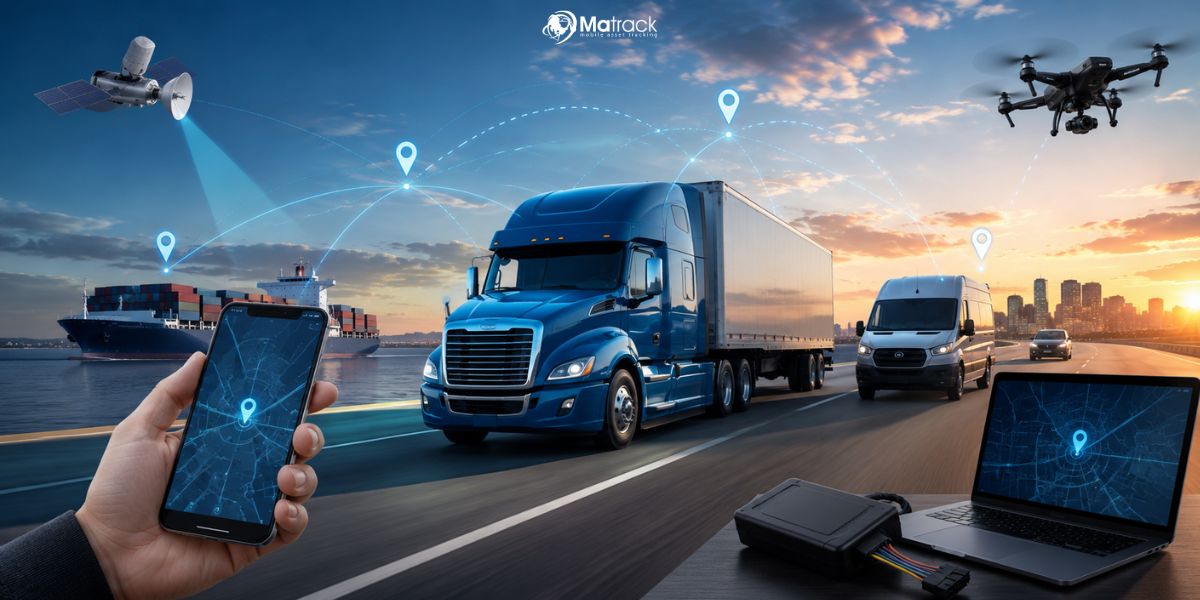
Different tracking systems rely on GPS, cellular networks, Bluetooth, RFID, IoT sensors, onboard hardware, or a combination of signals. Method choice depends on what needs to be tracked, update frequency, operating environment, power availability, coverage needs, and whether the use case requires real-time visibility or historical proof.
How Tracking Technology Works
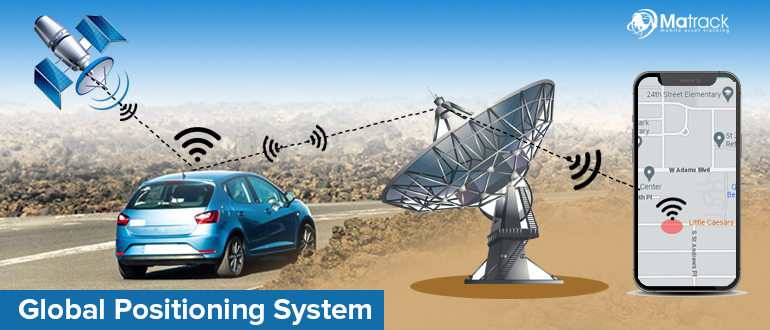
Tracking technology works by capturing a location or status signal, linking it to a known record, and turning that data into real-time visibility, alerts, or historical proof.
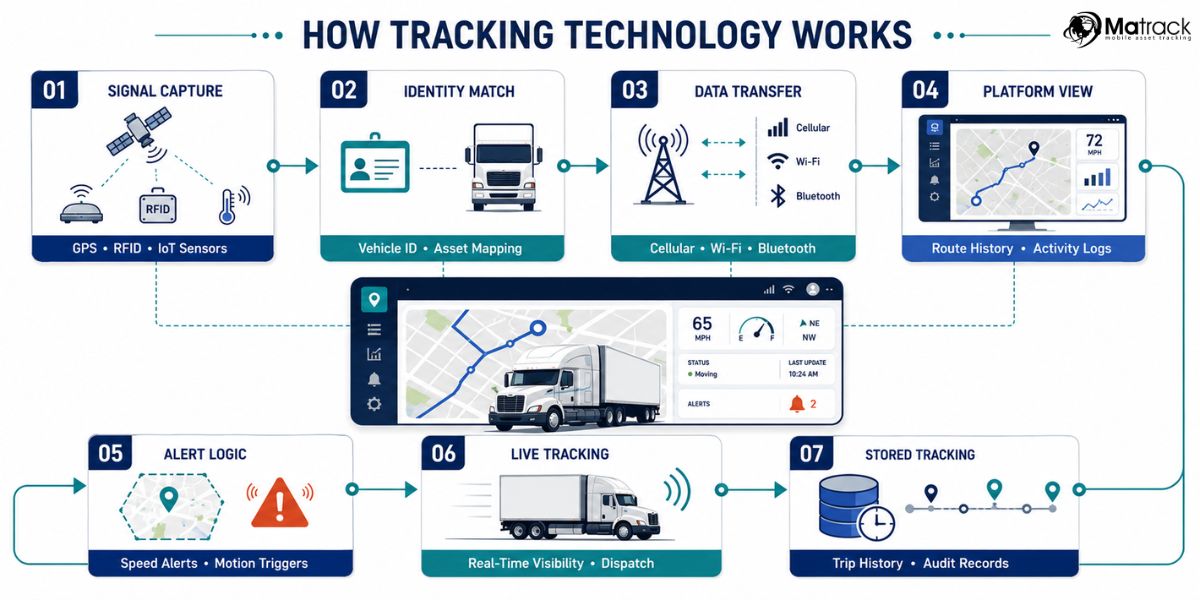
- Signal capture: Devices collect data from GPS satellites, cellular networks, Bluetooth beacons, RFID readers, IoT sensors, or onboard hardware. Signal choice depends on range, coverage, accuracy, power use, and whether the tracked object moves indoors, outdoors, across roads, or through fixed checkpoints.
- Identity match: Collected data becomes useful after the system associates it with a specific person, vehicle, trailer, device, asset, or piece of equipment. Identity association helps teams understand movement activity, travel patterns, and whether operations matched expected behavior.
- Data transfer: Hardware sends tracking information through cellular, satellite, Bluetooth, Wi-Fi, or reader-based connections. Some systems transmit updates in near real time, but others store records until the device reconnects, syncs, or gets scanned.
- Platform view: Software organizes location data, route history, timestamps, speed, motion, status changes, and sensor events into maps, dashboards, reports, or activity logs. Connected records give teams context instead of scattered location points.
- Alert logic: Rules such as geofences, motion triggers, speed limits, dwell-time thresholds, or status changes can create alerts. Exception alerts help teams respond when equipment leaves a yard, a vehicle stops unexpectedly, or an asset moves outside an approved area.
- Live tracking: Active tracking sends updates continuously or at scheduled intervals. Real-time tracking supports commercial vehicles, high-value equipment, trailers, field teams, dispatch coordination, and fast exception handling.
- Stored tracking: Passive tracking stores movement data on the device until it is retrieved or synchronized later. Historical tracking data supports audits, trip reviews, utilization checks, maintenance analysis, and operations in which frequent data transmission may increase battery usage or operational costs.
What Are the Common Types of Tracking Technology?
The effectiveness of different tracking methods varies based on the monitored object, the required update frequency, and the available network coverage. Teams may use tracking technology for outdoor location, short-range proximity checks, checkpoint scans, condition monitoring, or vehicle activity.
1. GPS
GPS uses satellite signals to estimate the outdoor location of a vehicle, trailer, device, or mobile asset. Organizations use it for route history, live map visibility, geofence alerts, and proof of movement across longer distances.
2. Cellular Networks
Cellular tracking sends location or status updates through mobile carrier networks. It supports real-time visibility across wide coverage areas without requiring a nearby reader or fixed checkpoint.
3. Bluetooth
Bluetooth supports short-range proximity tracking in areas with limited coverage distance. Warehouses, job sites, yards, and vehicles may use Bluetooth tags to verify the presence of tools, cargo, devices, or equipment within a nearby range.
4. RFID
RFID uses tags and readers to confirm that an item passed through a specific checkpoint. Warehouses, supply chains, hospitals, and controlled facilities use it when identity confirmation matters more than continuous route history.
5. IoT Sensors
IoT sensors add condition details to tracking records when location alone is not enough. These sensors can report temperature, vibration, door activity, fuel level, battery status, or motion.
6. Onboard Hardware
Onboard hardware connects tracking technology to vehicle activity. Commercial fleets use these devices to capture engine data, speed, idling, odometer readings, fault codes, or driver behavior signals.
What Data Tracking Technology Collects
Tracking technology collects more than location data on a map. A useful tracking record shows movement activity, travel history, activity timing, operational changes, and events that may require attention.
Location Data
Location data identifies the current or last recorded position of a person, vehicle, device, or asset. In business operations, this helps teams verify job activity, equipment placement, and asset movement into or out of designated areas.
Movement Records
Movement records explain how a tracked object traveled over time. Route history can reveal stops, delays, dwell time, route deviations, idling, or unauthorized motion, which gives teams context behind a location update instead of a single map point.
Time Records
Timestamps connect tracking activity to a specific moment. That time layer helps businesses verify service visits, review incidents, answer customer questions, support audits, or confirm whether an alert happened during an approved operating window.
Status Changes
Status changes show what was happening to the tracked object around a location event. A system may record whether equipment was moving, parked, offline, powered, disconnected, loaded, opened, or outside a boundary, helping teams understand the condition behind the movement.
Sensor Events
Sensor events add condition-based context when location alone is not enough. Temperature changes, vibration, fuel level, door activity, engine faults, or impact alerts can show whether an asset is safe, usable, at risk, or due for action.
How Tracking Technology Is Used in Business
Businesses use tracking technology to connect location, movement, status, and alerts to everyday operating decisions.
Asset Visibility
Missing trailers, misplaced tools, idle containers, and unassigned devices can disrupt operations before teams identify the source of the issue. Asset visibility helps teams verify location status, movement records, dwell duration, availability, and transfer activity without depending entirely on calls or manual inspections.
Vehicle Monitoring
Dispatch teams need to know whether vehicles are on route, delayed, stopped too long, or operating outside assigned areas. GPS fleet tracking, timestamps, speed data, and route history support vehicle monitoring by showing what happened before, during, and after a trip.
Equipment Monitoring
Construction, rental, utility, and field service teams often manage machines across yards, job sites, storage areas, and customer locations. Motion events, utilization records, engine activity, and fault signals help reveal whether equipment is active, idle, underused, disconnected, or ready for maintenance.
Theft Prevention
Fast detection matters when a trailer, vehicle, tool, or machine moves without approval. Geofence alerts, unusual-motion triggers, after-hours movement notices, and status changes can warn teams early enough to investigate before recovery becomes harder.
Safety Workflows
Risk becomes easier to review when movement data is tied to speed, harsh events, route behavior, driver activity, dashcam clips, or sensor signals. Safety teams can use those records to investigate incidents, coach behavior, or verify what happened around a specific event.
Compliance Support
Documentation improves when location, timestamps, route history, inspections, and vehicle activity sit in the same operating record. Connected tracking records can support Hours of Service reviews, maintenance documentation, service verification, chain-of-custody checks, and internal policy enforcement without forcing teams to piece together separate logs.
Comparing Different Types Of Tracking Technologies
Different tracking technologies vary in accuracy, cost, coverage, and infrastructure needs, so the right choice depends on whether the system must work outdoors, indoors, across networks, or with tagged assets.
| Tracking Type | Accuracy | Cost Level | Suitable Locations | Limitation |
| GPS | 5–10 m | Moderate | Outdoor | Fails indoors |
| RFID | 1 cm – 3 m | Low to High | Indoor warehouses | Limited to tagged items |
| BLE / Wi-Fi | 1–10 m | Low | Indoor offices, retail | Affected by signal interference |
| GSM / Cellular | 50–150 m | Low | Urban, suburban | Low resolution |
| UWB / Ultrasound | 10–30 cm | High | Indoor industrial | High infrastructure needs |
| IP / Network | 10–50 km | Very Low | Online environments | Masked by VPNs or proxies |
| Sensor-Based | Varies | Moderate | Mobile and wearable | Drift errors over time |
What to Consider Before Choosing Tracking Technology
Choosing a tracking system starts with the operating problem, not the device. Delivery vehicles may need live updates and route history, while trailers, tools, or equipment may require longer battery life, geofencing, and movement alerts.
Accuracy
Accuracy depends on signal type, device placement, surrounding conditions, and update frequency. GPS may perform well outdoors, but indoor spaces, dense city blocks, remote sites, or metal-heavy areas may require cellular, Bluetooth, RFID, or sensor support.
Coverage
Coverage determines how reliably a tracking system sends updates across routes, yards, facilities, job sites, or remote service areas. Weak network reach can create blind spots, delayed alerts, missing records, or incomplete movement history.
Battery Life
Battery life matters for trailers, containers, tools, and other assets without constant power. Longer reporting intervals can extend device life, although fewer updates may limit real-time visibility.
Privacy Controls
Privacy controls should define who can access tracking records, why monitoring is necessary, and how collected information is stored or shared. Access permissions, encryption, audit logs, and retention limits help protect location history, driver activity, asset records, and operational data.
Integration Needs
Integration needs depend on how tracking records connect with dispatch, maintenance, compliance, payroll, customer service, or reporting workflows. Connected systems reduce duplicate entry and help teams act on location, history, alerts, and context from one operating record.
What Privacy Concerns Come With Tracking Technology?
Privacy risks appear when tracking technology collects location, identity, or behavior data without clear limits on consent, access, storage, or sharing.
User Consent
Clear consent is necessary before a tracking system collects personal or employee-related data. People should know what is being tracked, why monitoring is needed, how long records are kept, and whether opting out is possible.
Data Misuse
Tracking records can reveal movement patterns, work habits, routines, and sensitive locations. Misuse becomes a risk if the information is sold, shared with outside parties, used for profiling, or applied to decisions beyond the original purpose.
Continuous Surveillance
Ongoing monitoring can raise privacy concerns across workplaces, homes, vehicles, and public environments. Location data may reveal travel activity, personal interactions, visit duration, and recurring behavior patterns.
Data Security
Weak encryption, poor access controls, insecure networks, or outdated devices can expose tracking data. A breach involving location history or personal identifiers may increase the risk of stalking, theft, fraud, or targeted scams.
Identity Linking
Location data becomes more sensitive once it is tied to a named user, driver, employee, customer, or device owner. Identity-linked tracking can create a detailed behavioral profile, making strict access limits and retention rules important.
Legal Protection
Privacy laws vary by region, industry, and use case. Some rules treat location records as sensitive personal data, while others leave gaps around consent, retention, third-party sharing, and enforcement.
How Matrack GPS Fleet Tracking Technology Improves Your Trucking Business?
Matrack GPS fleet tracking technology helps trucking companies monitor vehicle location, route activity, driver movement, and delivery progress in real time. Managers can use live maps, geofencing, instant alerts, and accurate ETAs to reduce delays, improve dispatch decisions, and respond quickly to road issues.
Route planning becomes more controlled once GPS data connects with dispatching, trip history, and customer arrival tracking. Drivers can follow efficient routes, dispatchers can assign jobs with better timing, and operators can reduce unnecessary mileage that affects fuel cost and schedule reliability.
Integrated GPS, ELD, alert, reporting, and mobile access features help trucking teams manage daily operations from one system. HOS logs, IFTA reports, travel logs, maintenance alerts, and driver activity records support compliance, safety, fuel control, and visibility without relying on separate tools.