

Geofences benefit fleet businesses by improving vehicle security, reducing fuel waste, preventing route deviations, and increasing driver accountability. GPS-based virtual boundaries send instant alerts whenever vehicles enter, exit, or move outside assigned zones.
Fleet managers use geofences to improve dispatch operations, monitor driver behavior, and reduce unnecessary fuel usage across daily routes. Real-time visibility into vehicle activity also helps businesses improve delivery coordination and operational efficiency.
Modern fleet tracking platforms combine geofencing, telematics, and cloud-based reporting into one centralized system for operational control. Businesses using solutions like Matrack GPS Fleet Tracking can monitor fleets, manage alerts, and optimize productivity from a single dashboard.
What Is Geofencing In Fleet Management?
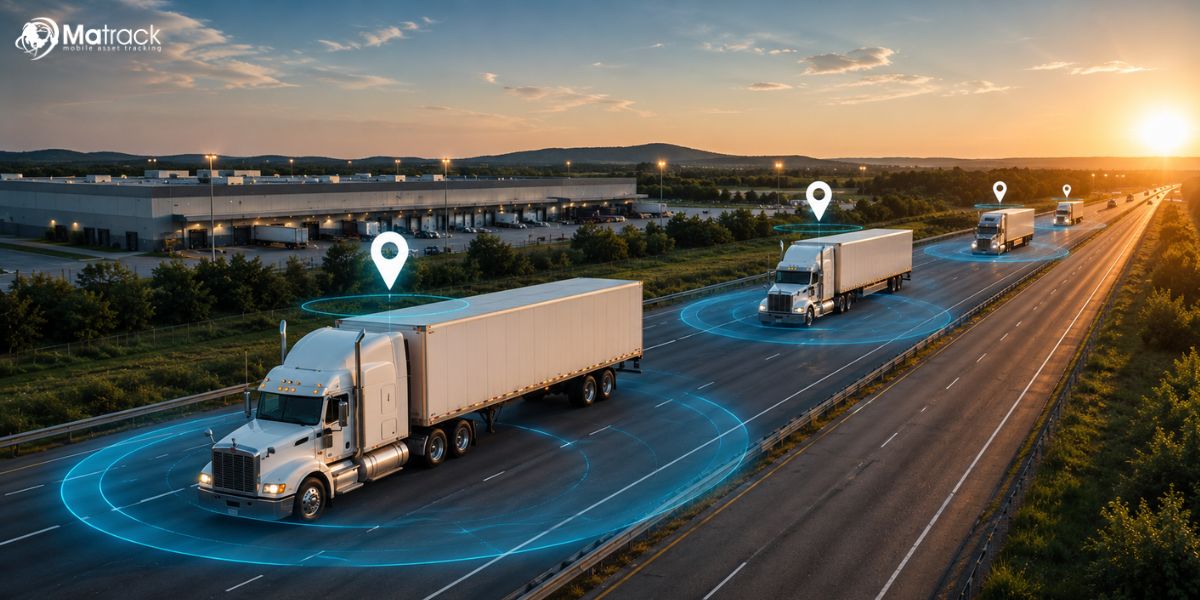
Geofencing in fleet management uses GPS tracking technology to create virtual boundaries around specific geographic locations for vehicle monitoring and operational control. Fleet businesses receive automated alerts whenever vehicles enter, exit, or remain within designated areas.
GPS tracking devices installed in fleet vehicles transmit real-time location data through cellular networks to cloud-based fleet management software. Managers can create geofences around warehouses, delivery routes, customer locations, depots, or restricted operational zones.
Automated geofence notifications help businesses monitor driver activity, improve dispatch coordination, and prevent unauthorized vehicle movement across daily operations. Real-time visibility into fleet activity also supports route optimization, fuel management, and vehicle security.
What Are The Benefits Of Using Geofences For Your Fleet Business?
Geofences turn vehicle movement into useful operational signals, helping fleet teams catch misuse, protect assets, control routes, reduce waste, and improve daily field performance.
What Are The Benefits Of Using Geofences For Your Fleet Business?
Geofences turn vehicle movement into practical fleet signals, helping businesses catch misuse, protect assets, control routes, reduce waste, and improve daily field performance.
1. Reduces Unauthorized Vehicle Usage
Unapproved trips often start after working hours, outside assigned service zones, or from parking yards without notice. Depots, job sites, driver territories, and parking locations can be marked as geofence zones so every boundary crossing creates a trackable event.
Trip records give fleet owners a practical way to separate business use from personal use during payroll checks, fuel reviews, or internal audits. Location history also helps confirm whether vehicle activity matched assigned work instead of relying only on driver explanations.
2. Improves Fleet Security
After-hours yard exits, unexpected warehouse departures, and movement from restricted areas can indicate theft, misuse, or asset risk. Fleet teams can place geofences around depots, storage lots, construction sites, and loading areas to catch unusual movement early.
Live location data paired with exit alerts helps staff respond faster during suspicious activity. Fleets carrying equipment, tools, cargo, or service inventory gain stronger protection because every unexpected exit leaves a traceable record.
3. Prevents Route Deviations
Unplanned detours increase mileage, delay schedules, and make delivery performance harder to manage. During active jobs, route-based geofence zones help dispatchers spot vehicles leaving approved corridors, service areas, or customer routes.
Logistics, towing, HVAC, plumbing, and field service fleets depend on route discipline to protect time and fuel margins. Repeated deviation patterns also show whether drivers need coaching, routes need redesigning, or customer zones need adjustment.
4. Enhances Driver Accountability
Arrival times, departure times, stop duration, idle periods, and route activity become easier to verify through geofence event history. Dispatchers no longer need repeated calls, vague status updates, or manual check-ins to understand field activity.
Driver reviews become fairer because conversations can reference recorded job-site visits, service windows, and route behavior. Reliable activity records also help recognize dependable drivers, identify training needs, and resolve disputes with less guesswork.
5. Reduces Fuel Costs And Idle Time
Fuel loss usually comes from long idle periods, extra miles, repeated detours, and unnecessary movement between jobs. Depot zones, service-area boundaries, and job-site alerts reveal where vehicles spend too much time or travel outside assigned areas.
Fleet leaders can use those patterns to shorten routes, reduce avoidable engine run time, and limit nonessential trips. Small corrections across several vehicles can lower fuel spend, reduce wear, and improve cost control over time.
6. Improves Dispatch Efficiency
Busy dispatch desks lose time whenever staff must call drivers repeatedly to confirm location, availability, or job status. Service-area geofences and customer-zone alerts show which vehicle is closest to the next pickup, delivery, breakdown call, or service request.
Dispatchers can assign work with less back-and-forth and fewer blind decisions during high-pressure schedules. Faster job matching reduces delays, improves route planning, and keeps drivers focused on paid work instead of unnecessary communication.
7. Enhances Delivery Accuracy
Wrong stops, missed delivery windows, and unclear arrival times can create customer complaints, billing disputes, and repeat service calls. Location zones around customer addresses, loading docks, warehouses, and drop-off points confirm arrivals and departures with time-based records.
Proof of arrival becomes easier to verify during delivery questions or service disputes. Support staff can review geofence events, confirm visit timing, and share clearer updates without interrupting drivers during active routes.
8. Supports Compliance Monitoring
Commercial vehicle businesses often need records for route activity, service coverage, driver hours, restricted-area access, and contract requirements. Geofence logs create a reliable trail of vehicle movement across assigned zones, job locations, depots, and customer sites.
Audit preparation becomes simpler because trip events are organized by place, time, and vehicle activity. Safety reviews, client reporting, and internal policy checks can rely on recorded movement instead of scattered calls, texts, or handwritten notes.
9. Improves Customer Service
Customers expect accurate updates about arrivals, delays, pickups, completed jobs, and missed service windows. Geofence events near customer locations give support teams real status information without waiting for drivers to answer calls or send manual updates.
Clearer communication reduces vague responses and improves trust during deliveries, roadside assistance, field repair, and scheduled service appointments. Dispatch staff can notify customers about progress, delays, or completed visits using location-based activity records.
10. Increases Fleet Productivity
Productivity drops when vehicles sit too long, drivers repeat inefficient routes, or office staff spend too much time chasing location updates. Geofence data shows where time is being spent across depots, customer zones, service areas, yards, and job sites.
Business owners can use those patterns to rebalance routes, improve job sequencing, reduce wasted trips, and plan vehicle usage more effectively. Stronger visibility helps teams complete more service calls, deliveries, or pickups without adding unnecessary vehicles or extra labor.
How You Can Implement Geofencing with Matrack?
Geofence setup inside Matrack starts with selecting locations that matter most to daily vehicle activity, such as depots, customer zones, warehouses, parking yards, delivery areas, or service territories. Using Matrack’s GPS Fleet Tracking dashboard, businesses can create virtual boundaries around those locations and receive instant alerts whenever vehicles enter, exit, stop, or move outside assigned areas.
Real-time GPS tracking combined with live geofence notifications gives dispatchers and business owners continuous visibility into vehicle movement throughout the day. Matrack also allows users to monitor route activity, driver behavior, idle time, and delivery progress from desktop or mobile devices without relying on repeated calls or manual check-ins.
Custom alert settings inside Matrack help businesses track speeding, unauthorized movement, ignition activity, delayed arrivals, and unexpected route deviations through email or text notifications. Combined with route optimization, dispatch management, reporting tools, and live tracking visibility, geofencing becomes part of a complete fleet management workflow instead of a standalone tracking feature.