

What Is a GoPro Camera?
GoPro is a compact action camera designed to capture high-quality video during sports, travel, and outdoor activities. Wide-angle lenses and durable construction allow it to record fast movement and challenging environments.
High-resolution recording, image stabilization, and waterproof design make GoPro popular for adventure filming. Rechargeable batteries and microSD storage allow users to capture and store video footage easily.
What Is a Dash Cam?
A dash cam is a small camera mounted on a vehicle’s windshield or dashboard to record the road while driving. Continuous video recording helps capture traffic events, accidents, and driving behavior.
Automatic recording begins when the vehicle starts, ensuring every trip is documented without manual operation. Built-in features like loop recording and impact sensors help save important footage during unexpected incidents.
Can a GoPro Be Used as a Dash Cam?
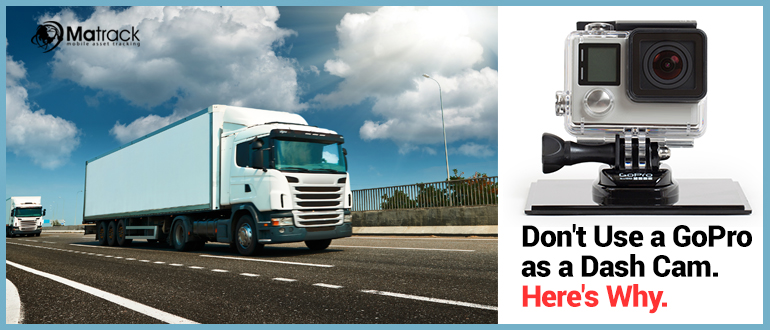
A GoPro camera can be mounted inside a vehicle to record road activity during a drive. High-resolution video and wide-angle lenses allow it to capture surrounding traffic and driving conditions clearly.
Some drivers consider using a GoPro this way because they already own the camera and appreciate its video quality. Recording scenic routes or documenting travel moments can work well with an action camera setup.
Regular driving, however, requires features designed specifically for continuous vehicle monitoring. Limited battery life, manual recording control, and lack of automated storage management make GoPro less practical than a dedicated dash cam.
Why Do Some Drivers Consider Using a GoPro as a Dash Cam?
High video quality is one of the main reasons drivers consider using a GoPro camera in a vehicle. Wide-angle lenses and advanced image stabilization help capture clear footage of traffic, road conditions, and surrounding vehicles.
Many drivers already own a GoPro, making it a convenient option without buying another device. Mounting the camera inside a vehicle can feel like a quick solution for recording occasional drives.
Versatility also plays a role since GoPro cameras can be used for travel videos, outdoor activities, and adventure filming. Recording driving footage with the same camera may seem practical before understanding the limitations compared to dedicated dash cams.
How Can You Use a GoPro as a Dash Cam?
Setting up a GoPro as a dash cam requires careful mounting, power management, and proper recording settings to capture driving footage effectively.
Mount the GoPro Securely
Secure the GoPro camera using a suction cup or adhesive mount attached to the windshield or dashboard. Proper positioning ensures the lens captures the road clearly without obstructing the driver’s view.
Power the Camera
Connect the GoPro to an external power bank using a USB cable to maintain recording during longer drives. Internal batteries usually last one to two hours, so external power helps extend recording time.
Enable Loop Recording
Activate the loop recording feature in the GoPro settings so older footage is overwritten when storage becomes full. Choosing shorter loop durations helps maintain recent recordings without manually deleting files.
Adjust Video Settings
Set the recording resolution to 1080p to balance video clarity and storage efficiency. A wide field of view allows the camera to capture multiple lanes and surrounding traffic activity.
Install a Large Memory Card
Insert a high-capacity microSD card, such as 64GB or larger, to store longer recordings. High-speed cards like Class 10 or UHS-I help maintain stable recording performance.
Start and Stop Recording Manually
Press the record button at the beginning of each trip to start capturing driving footage. Recording must also be stopped manually at the end of the drive since GoPro cameras do not activate automatically like dash cams.
Protect Against Overheating
Place the camera where airflow is available and avoid direct sunlight whenever possible. Excessive heat inside a vehicle can cause the device to shut down or interrupt recording.
What Are the Limitations of Using a GoPro as a Dash Cam?
Using a GoPro as a dash cam may seem practical at first, but several limitations appear during regular vehicle use. Action cameras are built for short recording sessions rather than continuous monitoring on the road.
Limited Battery Life
GoPro cameras rely on rechargeable batteries that typically last only a few hours of recording. Long drives or daily commuting can quickly drain the battery, interrupting footage capture.
Overheating Inside Vehicles
Interior vehicle temperatures can rise significantly, especially during warm weather or when parked in direct sunlight. Prolonged heat exposure may cause a GoPro to overheat or shut down unexpectedly.
No Automatic Loop Recording
Dash cams automatically overwrite older footage when storage fills up using loop recording. GoPro cameras generally require manual file management, which increases the risk of missing important events.
Manual Recording Operation
GoPro cameras often need to be started manually before recording begins. Forgetting to activate the camera before driving means no footage will be captured for that trip.
Storage Management Challenges
Video files stored on microSD cards must be reviewed and deleted manually on a GoPro. Dash cams simplify this process by automatically managing storage and protecting important clips.
How Do Dedicated Dash Cams Compare to GoPro Cameras?
Dedicated dash cams and GoPro cameras serve very different purposes, especially when it comes to recording vehicle activity and monitoring driving conditions.
| Feature | Dedicated Dash Cam | GoPro Camera |
| Primary Purpose | Designed specifically for continuous vehicle recording and road monitoring. | Built for action sports, adventure filming, and short-duration recording. |
| Recording Automation | Automatically starts recording when the vehicle ignition turns on. | Requires manual start unless configured with special settings. |
| Loop Recording | Automatically overwrites old footage to maintain continuous recording. | Limited or manual storage management depending on settings. |
| Battery and Power | Connects directly to vehicle power for uninterrupted recording. | Uses rechargeable batteries that last only a few hours. |
| Crash Detection | Built-in G-sensors automatically save footage during sudden impacts. | No dedicated crash detection designed for vehicle incidents. |
| Parking Mode | Can monitor the vehicle even when parked and record suspicious activity. | Typically cannot monitor the vehicle when turned off. |
| Heat Resistance | Designed to operate in high interior vehicle temperatures. | May overheat during long recording sessions inside vehicles. |
| Ease of Use | Minimal driver interaction required once installed. | Requires manual setup and storage management. |
| Footage Management | Automatically protects important clips and organizes recordings. | Users must manually manage files on the microSD card. |
| Best Use Case | Daily driving, accident documentation, and vehicle security. | Adventure videos, travel footage, and sports recording. |
When Might Using a GoPro in a Vehicle Still Make Sense?
Using a GoPro inside a vehicle can still be useful in certain situations where the goal is capturing high-quality driving footage rather than continuous monitoring.
Road trips and scenic drives are common scenarios where GoPro cameras perform well. Wide-angle video and stabilization help capture landscapes, highways, and travel experiences clearly.
Temporary recording needs may also make a GoPro a practical option. Drivers who want to document a specific journey or create travel content can benefit from the camera’s strong video quality.
Why Should You Use a Dash Cam for Vehicles?
Dash cams provide continuous video recording inside a vehicle, helping document road activity and unexpected incidents. Reliable footage can help drivers understand what happened during accidents or traffic disputes.
Accident Evidence
Dash cams record driving footage that can serve as valuable evidence during collisions. Clear video documentation helps explain events accurately during insurance claims or legal situations.
Protection Against False Claims
Road incidents sometimes involve conflicting accounts from different drivers. Dash cam footage helps provide an objective record of what actually occurred.
Parking Security
Vehicles parked in public areas may face risks such as vandalism or hit-and-run damage. Dash cams with parking mode can detect motion or impacts and automatically record the event.
Safer Driving Habits
Drivers often become more cautious when vehicle activity is being recorded. Recorded footage can also help review driving behavior and improve road safety.
Travel and Road Documentation
Dash cams continuously capture journeys, scenic drives, and unexpected road events. Recorded footage can help drivers revisit important moments or review road conditions later.
What Features Should You Look for in a Dash Cam?
Choosing a reliable dash cam depends on features designed specifically for continuous vehicle monitoring and safe footage recording.
Loop Recording
Loop recording allows the dash cam to continuously capture video while automatically overwriting older footage when storage becomes full. Continuous recording ensures important driving events are always captured without manual file deletion.
G-Sensor Crash Detection
Built-in G-sensors detect sudden impacts or abrupt movement during a collision. Once triggered, the dash cam automatically locks the recorded clip so it cannot be overwritten.
Parking Mode Monitoring
Parking mode enables the camera to monitor activity around the vehicle even when the engine is turned off. Motion detection or impact detection can trigger recording if suspicious activity occurs.
Heat-Resistant Design
Dash cams are designed to operate reliably inside vehicles exposed to high interior temperatures. Heat-resistant components help maintain stable recording performance during long drives or hot weather.
Reliable Storage Management
Efficient storage systems help organize and protect important recordings on the memory card. Automatic file management ensures that critical footage remains accessible when needed.
Choose Matrack Fleet Dash Cam
Matrack’s fleet dash cam improves fleet safety and efficiency with advanced features. It uses AI technology and real-time monitoring to provide complete visibility of your vehicles.
This system helps prevent accidents by alerting drivers to risky behavior. Fleet managers can access valuable insights to improve safety and streamline operations.
Frequently Asked Questions
Can GoPro footage be used as accident evidence?
Video captured by a GoPro can sometimes be used as evidence if it clearly records the incident. Reliability may vary since GoPro cameras do not automatically record every moment of a drive.
Can a GoPro record continuously during long drives?
Continuous recording is possible if the camera is connected to an external power source. Battery limitations and storage management can still interrupt long recording sessions.
Do GoPro cameras overheat inside vehicles?
Interior vehicle temperatures can rise significantly during hot weather or direct sunlight. Extended recording under these conditions may cause overheating or automatic shutdown.
What is the difference between an action camera and a dash cam?
Action cameras like GoPro focus on capturing high-quality adventure footage in dynamic environments. Dash cams are built specifically for continuous road monitoring and automatic incident recording.
Do dash cams require internet or Wi-Fi to record?
Dash cams do not need internet connectivity to capture footage during a drive. Wi-Fi features are usually included only for transferring files or connecting to mobile apps.